

How access rules work
- A distribution can have multiple access rules.
- Each rule targets a URL pattern (prefix or regex).
- Within a rule, you can enable any combination of the four policies below.
- Requests that match the pattern must satisfy every enabled policy on that rule.
General Info
The General Info section defines the rule name, type, and matching pattern.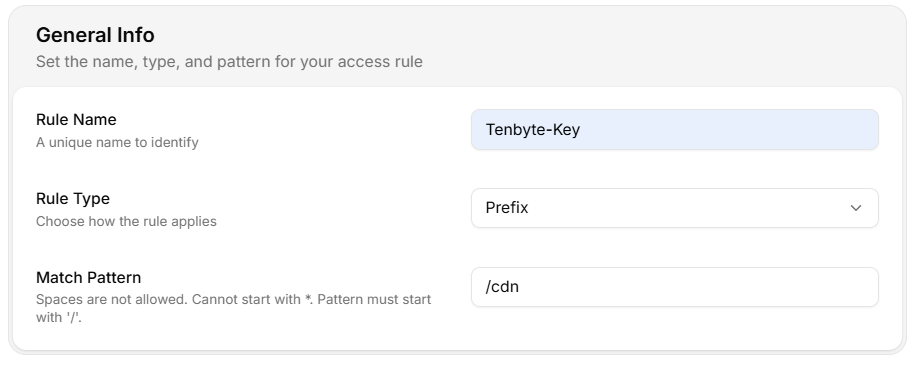
General information
- Rule Name — unique identifier for the rule.
- Rule Type — how the match pattern is interpreted:
- Prefix — applies to URLs that begin with the pattern.
- Regex — applies to URLs matching the regular expression.
- Match Pattern — the path or pattern the rule applies to.
Spaces are not allowed, the pattern cannot start with
*, and it must start with /.Create an access rule
- Open CDN → Distributions → select your distribution.
- Go to Access Rules → Add Access Rules.
- Fill in Rule Name, Rule Type, and Match Pattern.
- Toggle on the policies you want to enforce and configure each.
- Click Create Access Rules.