Documentation Index

Fetch the complete documentation index at: https://docs.tenbyte.io/llms.txt

Use this file to discover all available pages before exploring further.

A distribution is the CDN endpoint your users hit. It maps a hostname to one or more origins, applies cache and access rules, and serves traffic from edge PoPs.

Prerequisites

  • A reachable origin (HTTPS hostname, IP, or S3-compatible bucket).
  • DNS access if you plan to use a custom domain (you’ll add a CNAME).
  • An API token if creating distributions from CI/CD.

Steps

1

Name the distribution

Use a clear, environment-prefixed name (prod-web, staging-images). Names show up in audit logs and metrics.
2

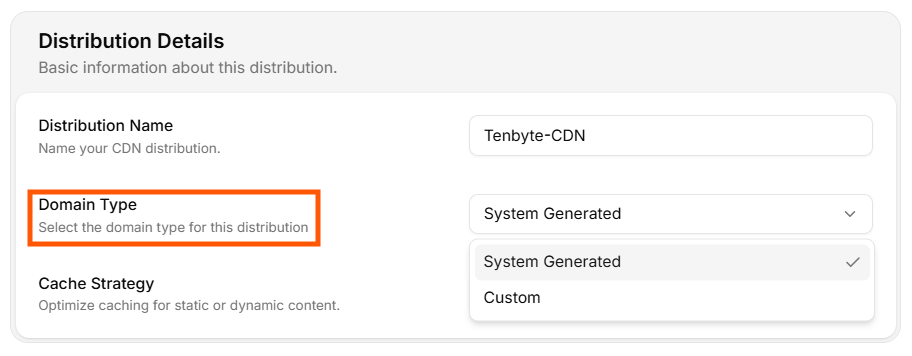
Choose a domain type

System-generated for quick tests, custom domain for production.
3

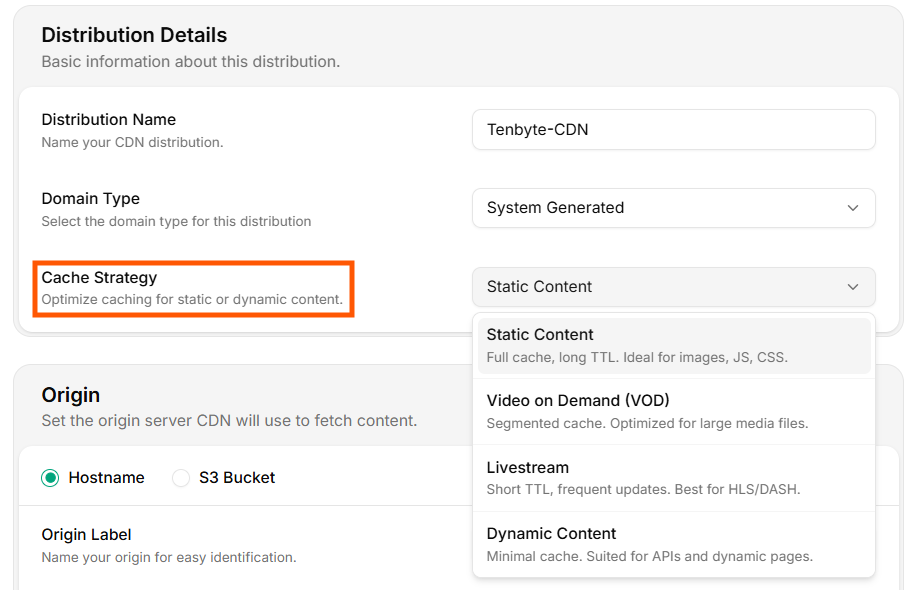
Pick a cache strategy

Static, VOD, livestream, or dynamic — sets sensible TTL defaults you can override later.
4

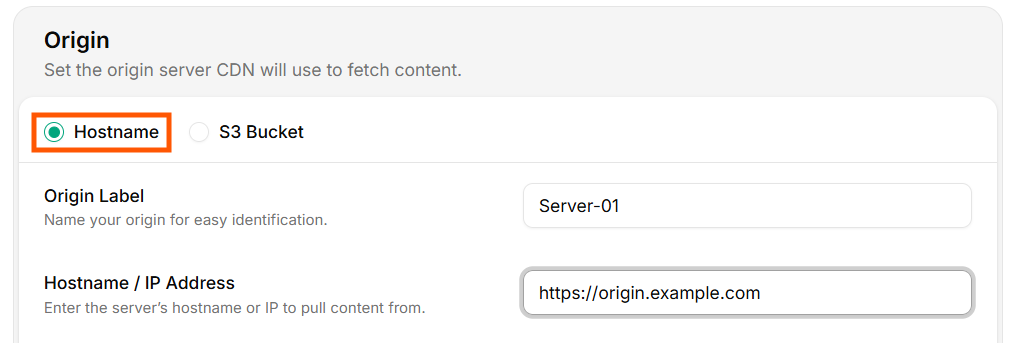
Connect an origin

Hostname, IP, or S3-compatible bucket.
5

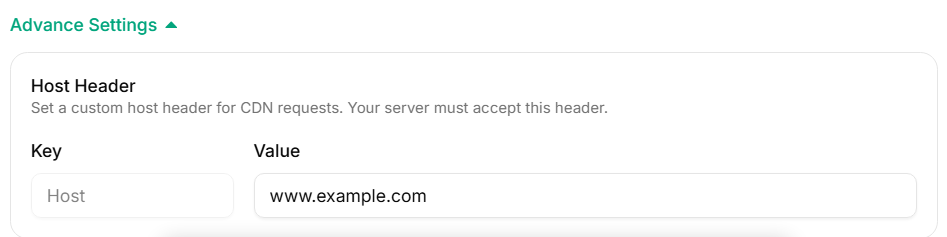
Configure advanced settings

Custom Host header for virtual-hosted origins.
6

Verify with curl

curl -I the distribution domain and confirm a 200.

Domain type

Domain Type
OptionWhen to use
System GeneratedQuick test, internal tools, or when DNS isn’t ready. Tenbyte gives you a <id>.tenbytecdn.com host.
CustomProduction. Add cdn.yoursite.com and CNAME it to the system-generated host.
For a custom domain, create a DNS record like:
cdn.yoursite.com.   300   IN   CNAME   your-distribution.tenbytecdn.com.
Issue an SSL cert in SSL before going live.

Cache strategy

Cache Strategy
StrategyDefault TTL profileUse for
StaticLong TTL, full cacheImages, JS, CSS, fonts
VODSegmented cache, large object supportMP4, HLS / DASH on-demand
LivestreamShort TTL, frequent refreshHLS / DASH live segments
DynamicMinimal cacheAPI responses, SSR pages
The strategy seeds defaults; you can still add fine-grained cache rules per path.

Origin

The origin is the upstream the CDN pulls from on cache miss. Pick one of two types.

Hostname origin

Hostname Origin
  • Origin Label — internal name.
  • Hostname / IP — must be reachable over HTTPS or HTTP.

S3-compatible origin
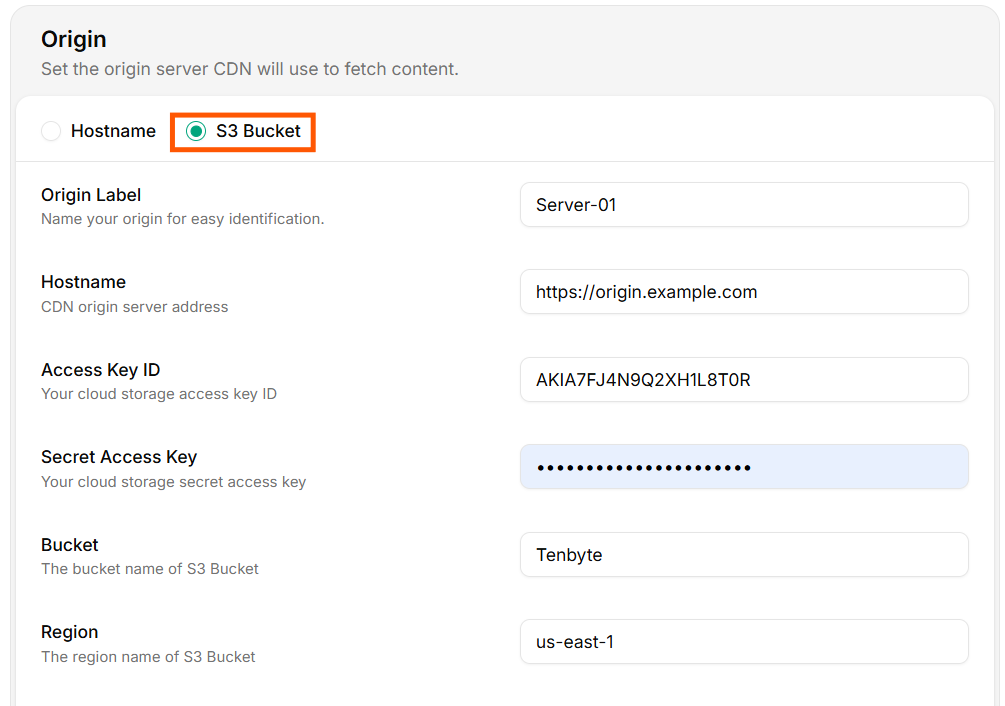
S3 Bucket Origin
  • Origin Label — internal name.
  • Hostname — endpoint of the S3-compatible service (e.g. s3.amazonaws.com, s3.us-east-1.amazonaws.com, nyc3.digitaloceanspaces.com).
  • Access Key ID / Secret Access Key — credentials with read access to the bucket.
  • Bucket — bucket name.
  • Region — bucket region.
Use a read-only IAM user/key. Never reuse a key with write or delete permissions. Rotate the key periodically — Tenbyte’s signed-fetch logic handles rotation transparently if you update both fields together.
Verify the origin can be read with the same credentials:
aws s3 ls "s3://my-bucket/" \
  --endpoint-url "https://s3.us-east-1.amazonaws.com" \
  --region us-east-1

Advanced settings

Advanced Settings
The Host header is what the origin sees in Host:. Set it explicitly when:
  • Your origin uses virtual hosting (multiple sites on one IP).
  • The origin’s TLS cert is issued for a specific hostname.
  • A reverse proxy or load balancer routes by Host.
FieldExample
KeyHost
Valueorigin.yoursite.com

Verify the distribution

export CDN_HOST="https://your-distribution.tenbytecdn.com"
curl -sSI "$CDN_HOST/" | grep -iE 'http/|x-cache|server'
Expected:
HTTP/2 200
x-cache: MISS    # first request
server: tenbyte-cdn
Repeat the call. x-cache should flip to HIT.

Create via API

curl -X POST "https://api.tenbyte.io/cdn/distributions" \
  -H "Authorization: Bearer $TENBYTE_API_TOKEN" \
  -H "Content-Type: application/json" \
  -d '{
    "name": "prod-web",
    "domain_type": "system",
    "cache_strategy": "static",
    "origin": {
      "type": "hostname",
      "label": "origin-prod",
      "hostname": "origin.yoursite.com"
    }
  }'
See the CDN API reference for the full schema and updated field names.

Common pitfalls

SymptomCause
502 Bad Gateway from CDNOrigin unreachable, wrong port, or TLS cert mismatch. Check origin from outside your network.
403 from S3 originCredentials missing s3:GetObject on the bucket / prefix.
Wrong content servedCustom Host header missing — virtual host routing on origin picks the default vhost.
x-cache: MISS every requestOrigin sends Cache-Control: no-store or private. Override via cache rules.