

General Info
The General Info section allows you to define the rule name, type, and matching pattern for your access rule.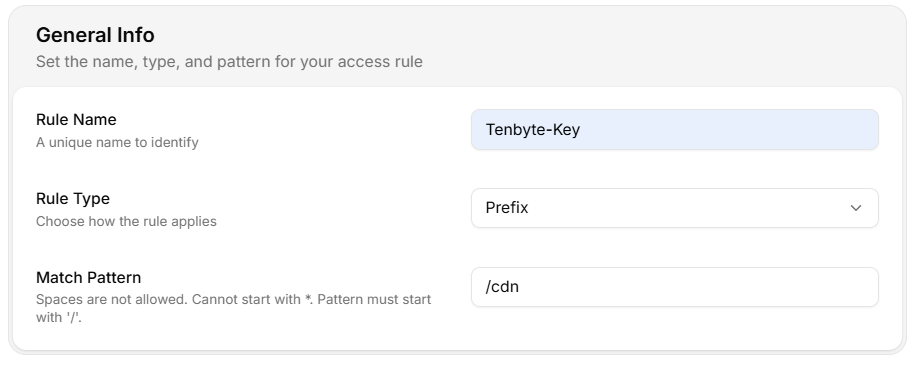
- Rule Name: Give your rule a unique name.
-
Rule Type: Choose the rule type that best fits your use case. You can select Prefix or Domain:
- Prefix: The rule applies to URLs that begin with a specific string.
- Regex: The rule applies to a specific pattern or regular expression that matches domain or path names.
-
Match Pattern: Define how the rule should match the URL or domain.
Spaces are not allowed, the pattern cannot start with
*, and it must start with/.
Rule Configurations
This section lets you define the main access rules. You can configure settings for country access, IP access, referrer access, and token authentication.Country Access Policy
-
Controls access based on the user’s country.
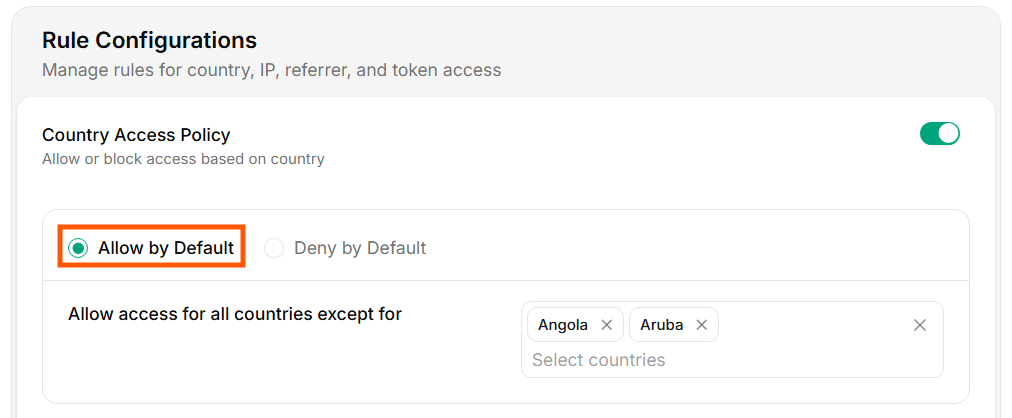
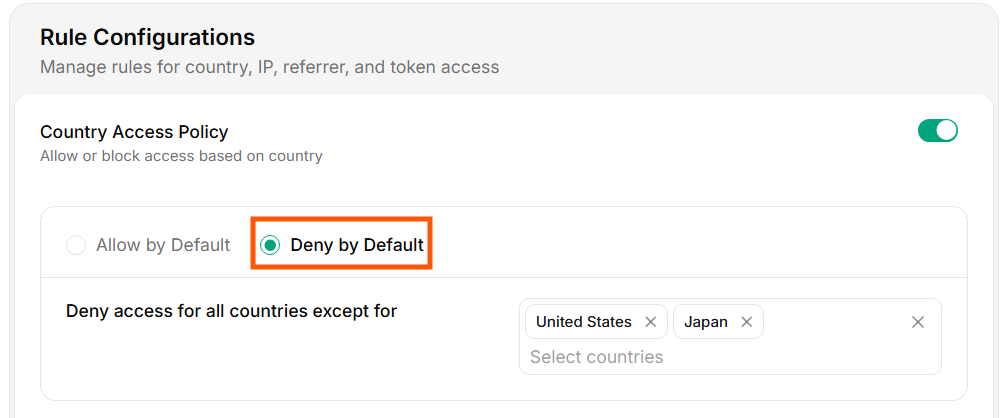
- You can either allow access by default for all countries or deny access by default and then specify exceptions.
-
If you deny access by default, you can choose specific countries to allow access.
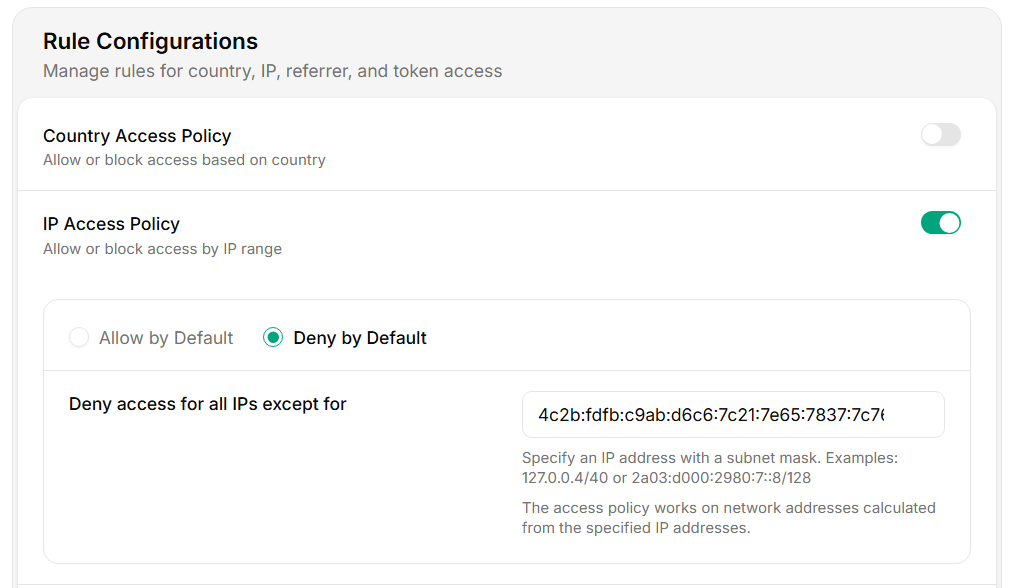
IP Access Policy
-
Allows you to control access based on IP addresses.
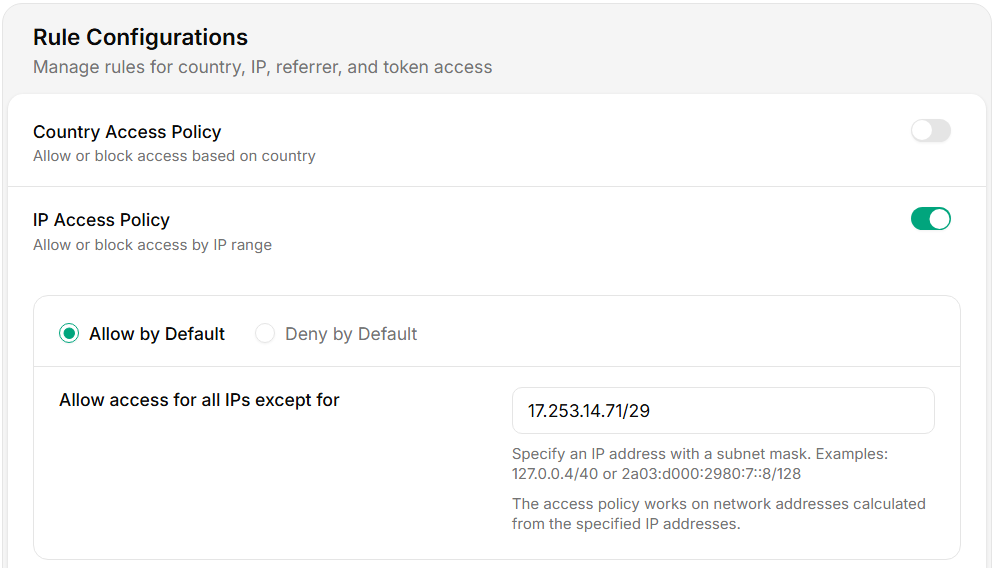
- Allow access by default means anyone can access the content, and you only specify exceptions.
- Deny access by default means access is blocked unless you specify which IP addresses or ranges are allowed.
-
You can use CIDR notation to define allowed or denied IP ranges.
Referrer Access Policy
-
Controls access based on the referring domain.
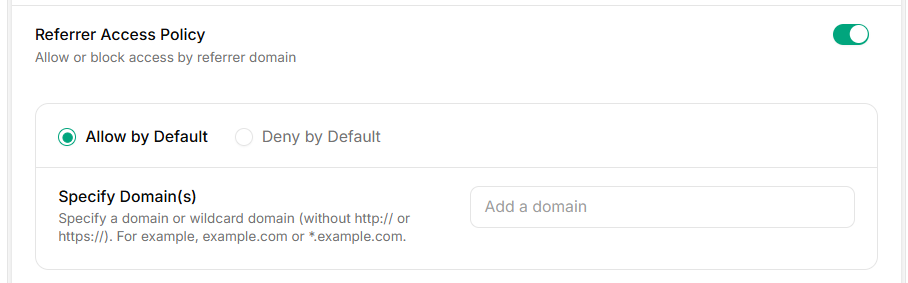
- You can either allow access by default for all referrers or deny access by default and only allow specific referrers.
- To specify which referrers are allowed, you can add the domains under the Specify Domain(s) option.
Token Authentication
-
Secures access by requiring a secret token for every request made to your CDN.
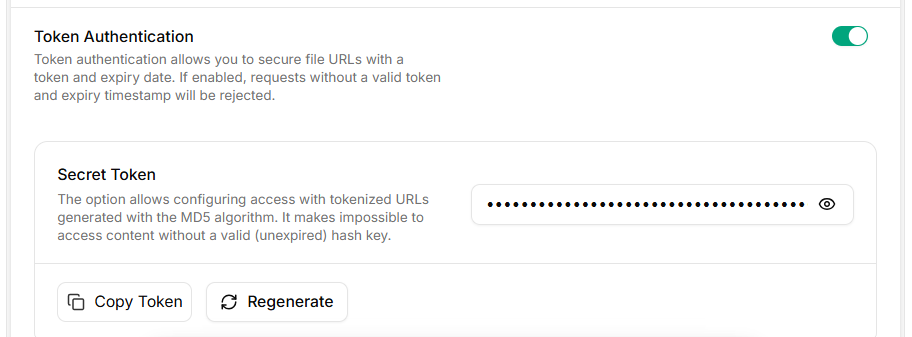
- Enable Token Authentication by turning the toggle on and setting a Secret Token.
- This token will need to be included in the URL or request header when accessing content, ensuring that only authorized users with the token can access your resources.
- You can generate a new token using the Generate Token button, and then copy it for use in your requests.