

Open the API Keys Page
-
To get started, open API Keys from the Organization menu in the left sidebar. You’ll be taken to a simple dashboard that lists your existing keys.
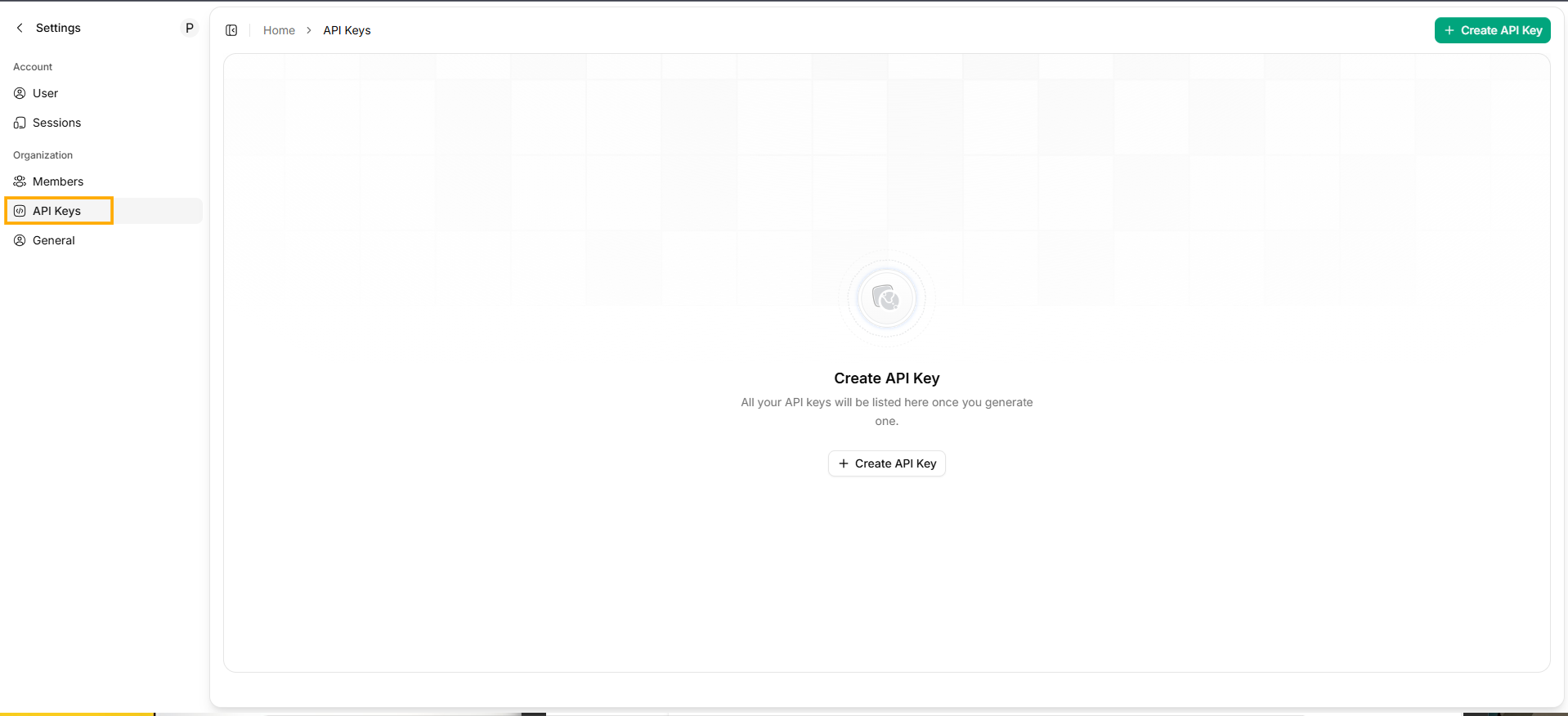
Open the API Keys Page
- If you haven’t created any keys yet, the page will show an empty state with a Create API Key option.
Create a New API Key
- Click + Create API Key in the top-right corner to open the creation form.
- Name — Give the key a short name so you know what it’s used for.
- Expiration — Choose how long the key should remain valid:
- 1 Month
- 6 Months
- 12 Months
- Unlimited
- Scope Access — Pick the services or areas this key should be able to access.
Generate the Key
-
After completing the fields, select Create to generate the key.
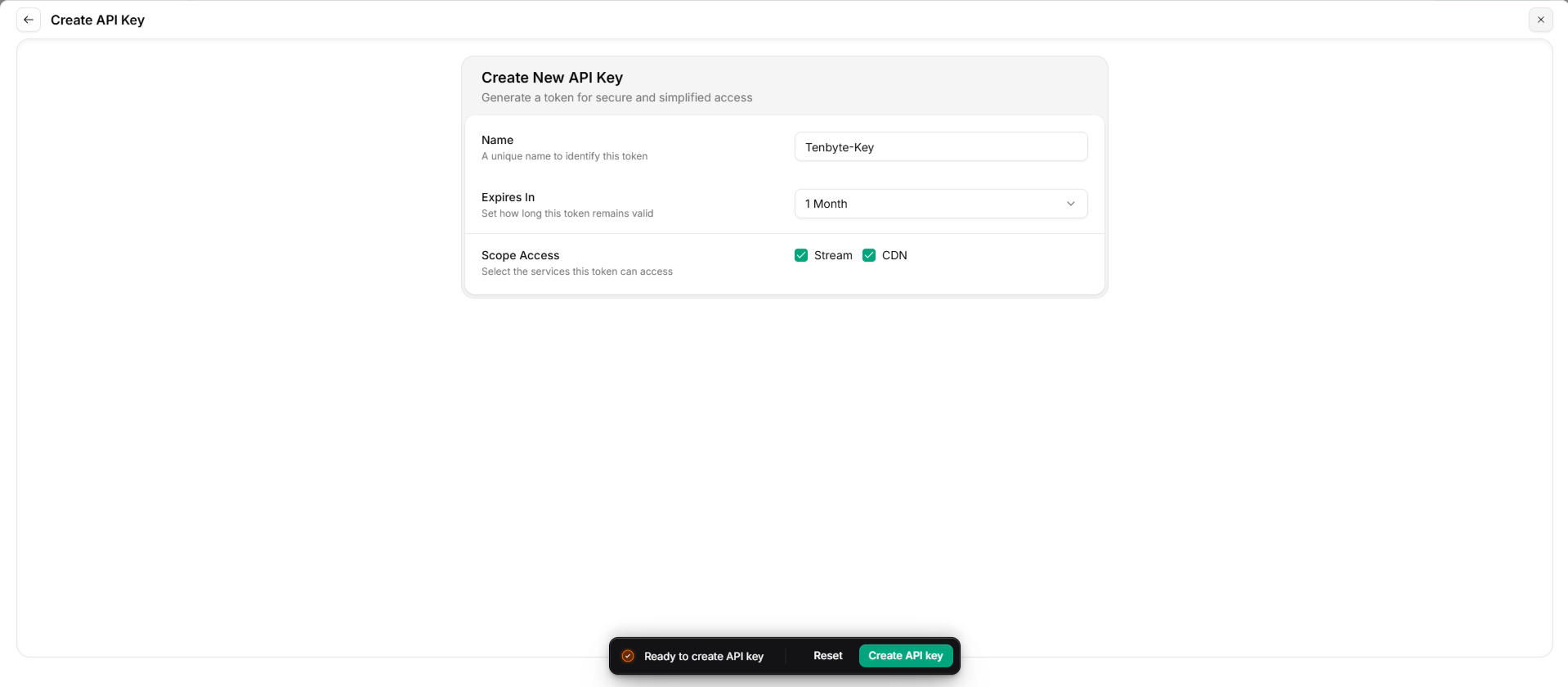
Generate API Key
-
Your new API key will be generated and displayed once.
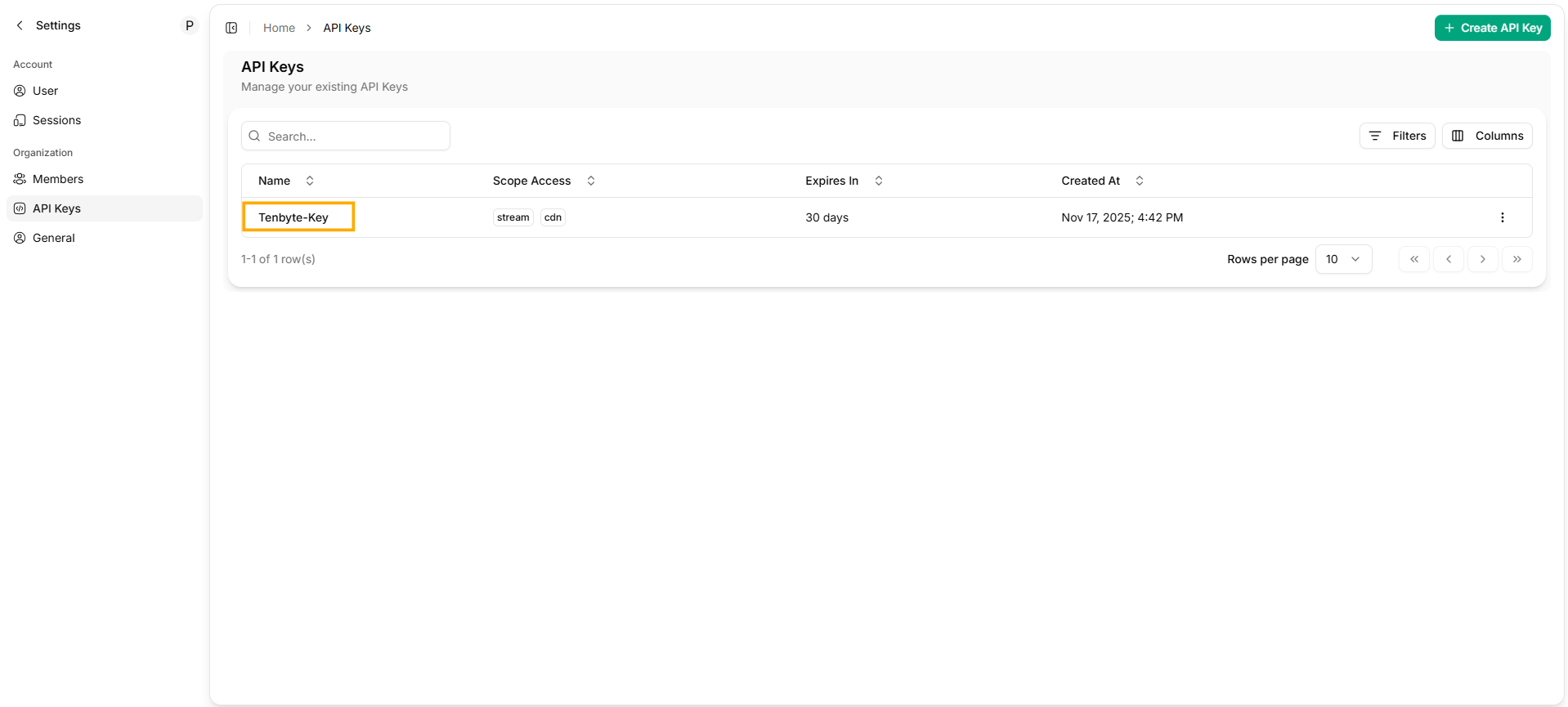
Generated API Key
View or Manage Existing Keys
-
Any key you’ve already created will appear in the dashboard.
From here, you can:- Check the key’s metadata
- Disable a key if you no longer want it active
- Delete a key entirely
- Create new keys whenever your applications need separate access