

Select VPC Network
-
From your dashboard, click on VPC Network to create your own VPC network.
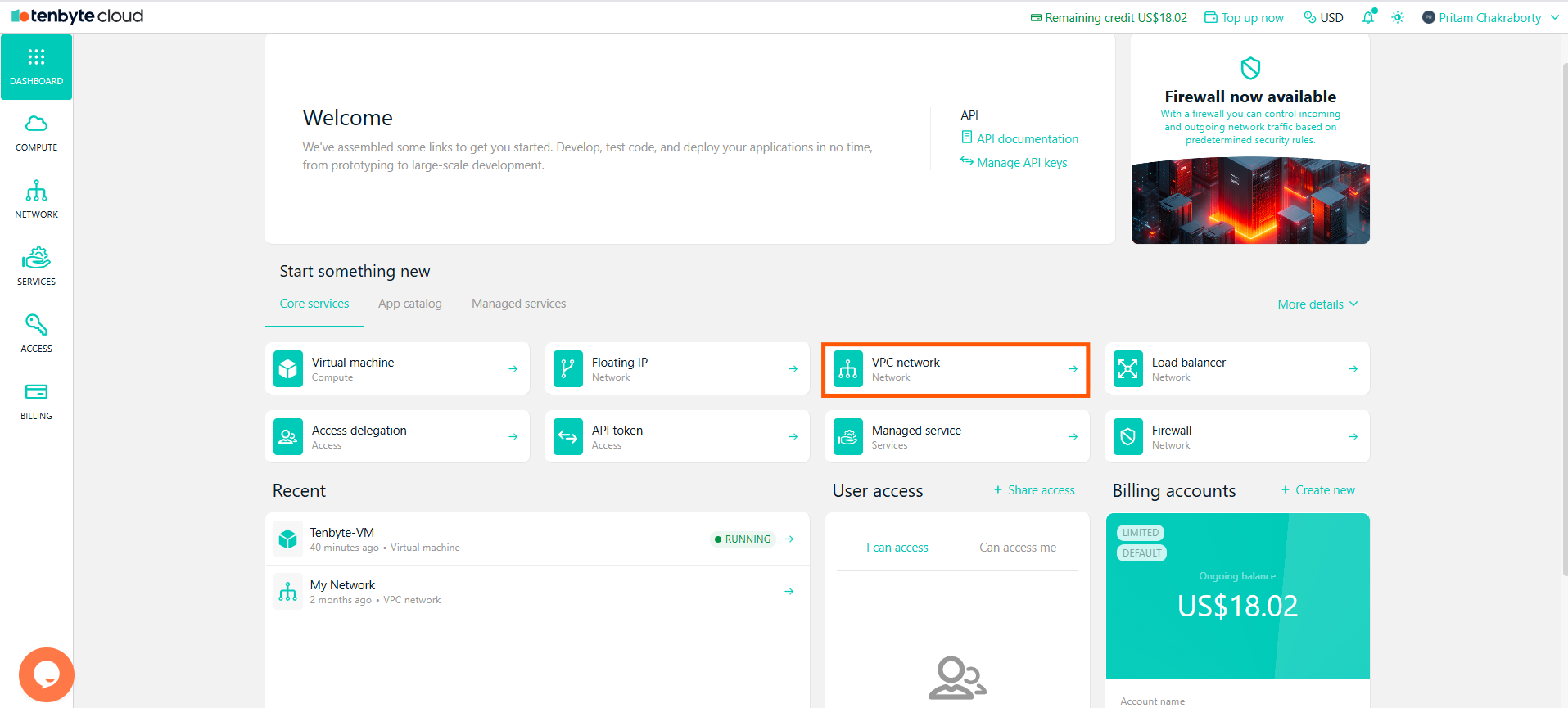
Select VPC Network
-
When you first access the Network section, the default network is named My Network
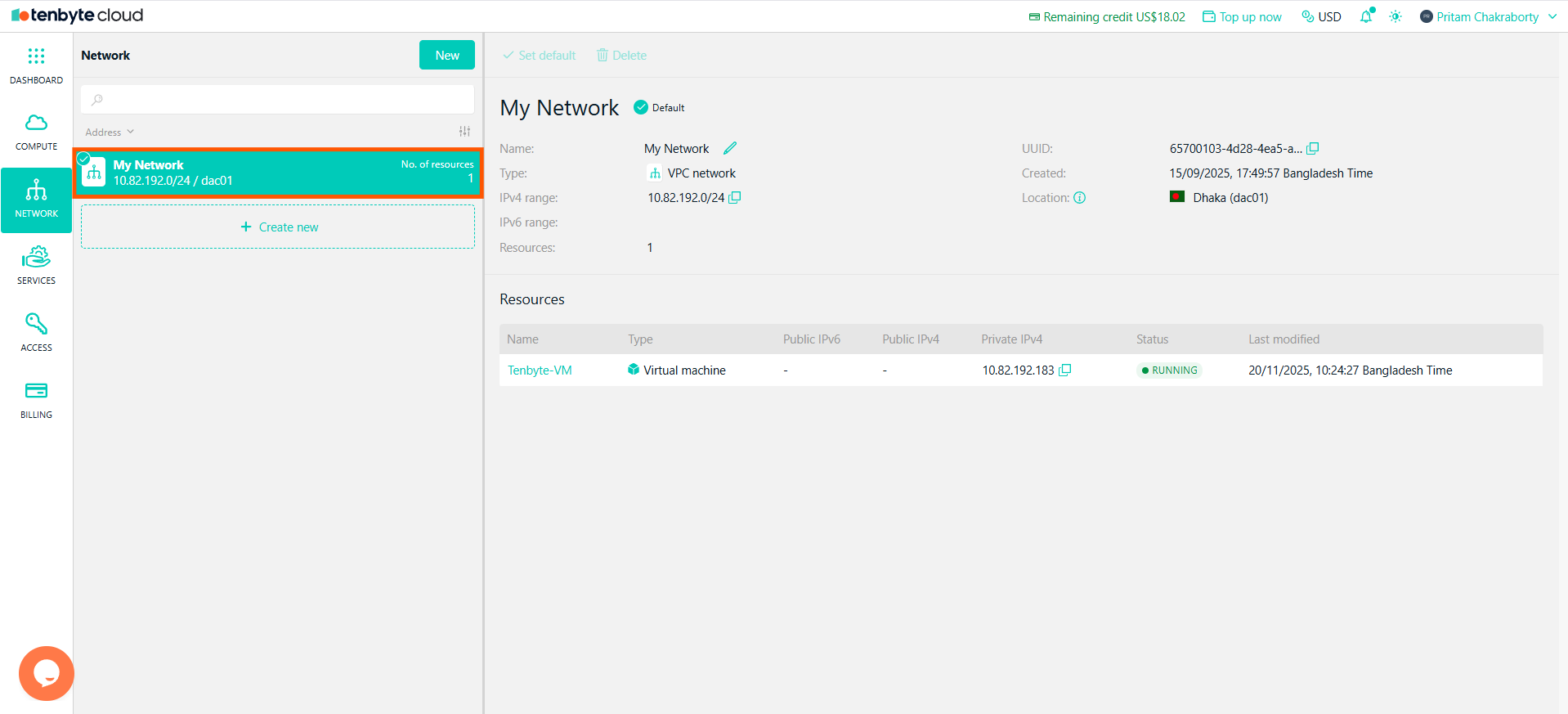
Default VPC Network
Create a New VPC Network
-
To create a new VPC network, click on Create new in the Network section.
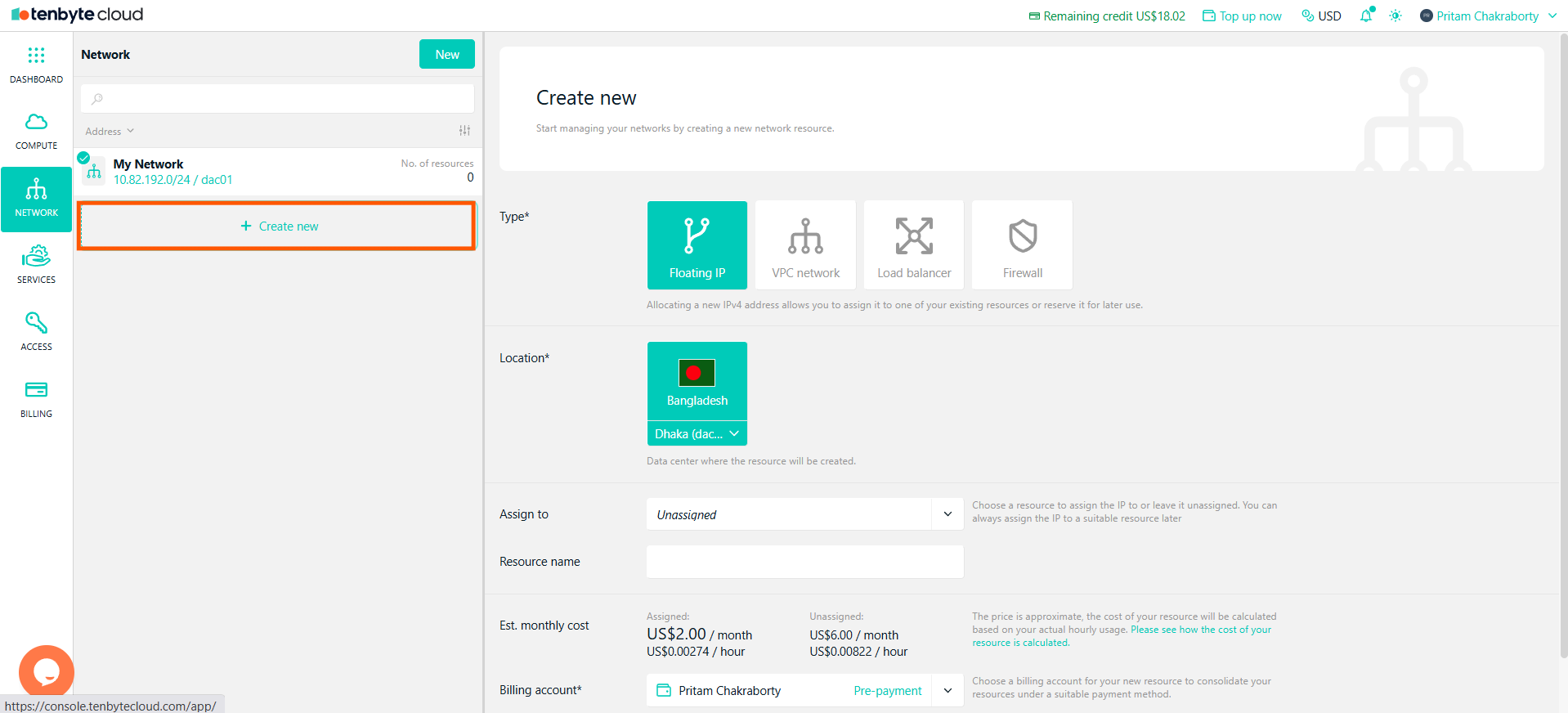
Create a New VPC Network
- Choose VPC network as the Type. This allows you to create a private network to group and isolate your cloud resources.
- Select the data center where the network will be created.
- Enter a name for your new VPC.
-
Click Create to create the new VPC network.
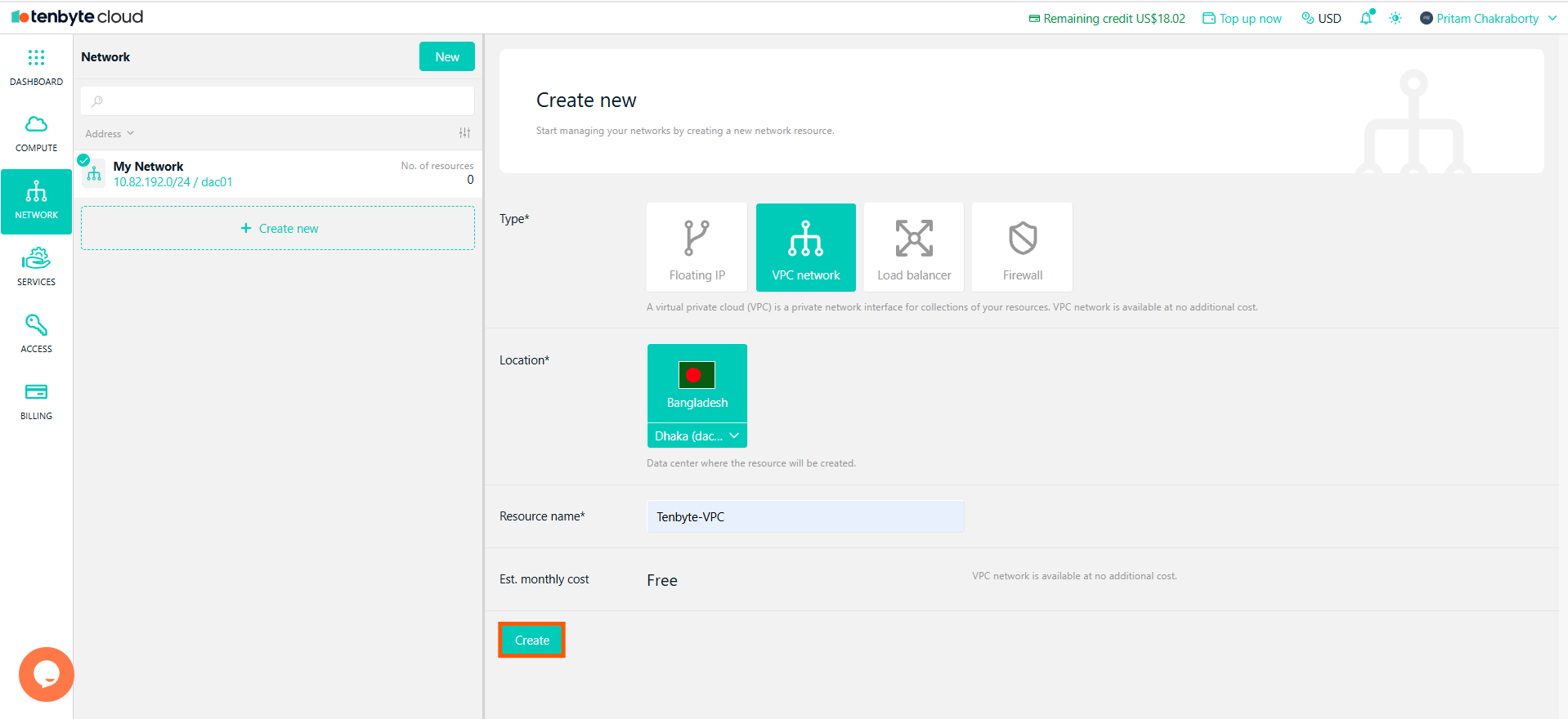
Create a New VPC
The VPC network is free of charge, but you will be charged for resources connected to it.
Assign VPC Network During VM Creation
- While creating a new VM, you can assign the newly created VPC network. To learn how to create a virtual machine, check out the Virtual Machine page under the Compute section of this document.
-
In the VM creation screen, under VPC network, select the desired network from the dropdown:
- My Network (default)
- Newly Created
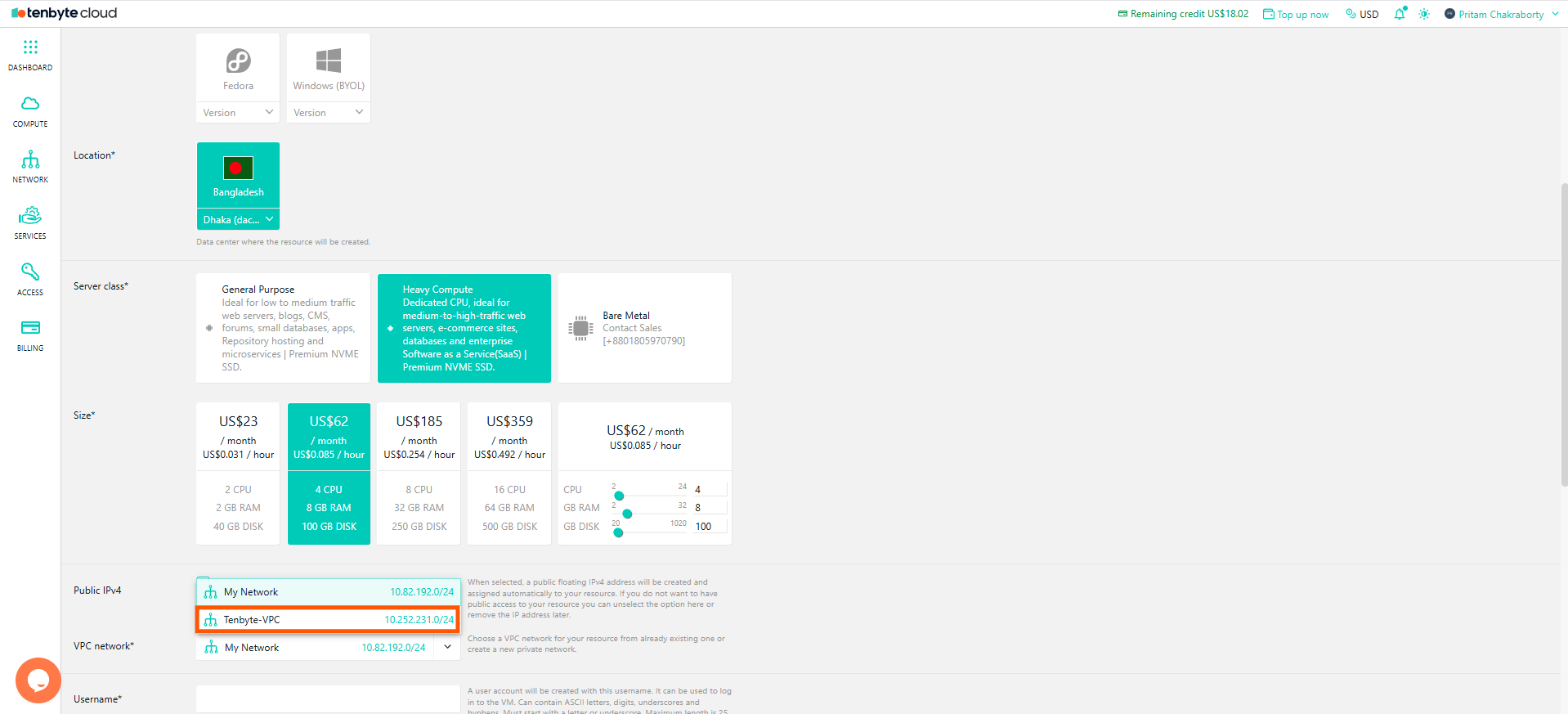
Select your VPC
Edit VM Network Settings
-
If you want to change the VPC network after creating the VM, navigate to the Network Section in the VM settings.
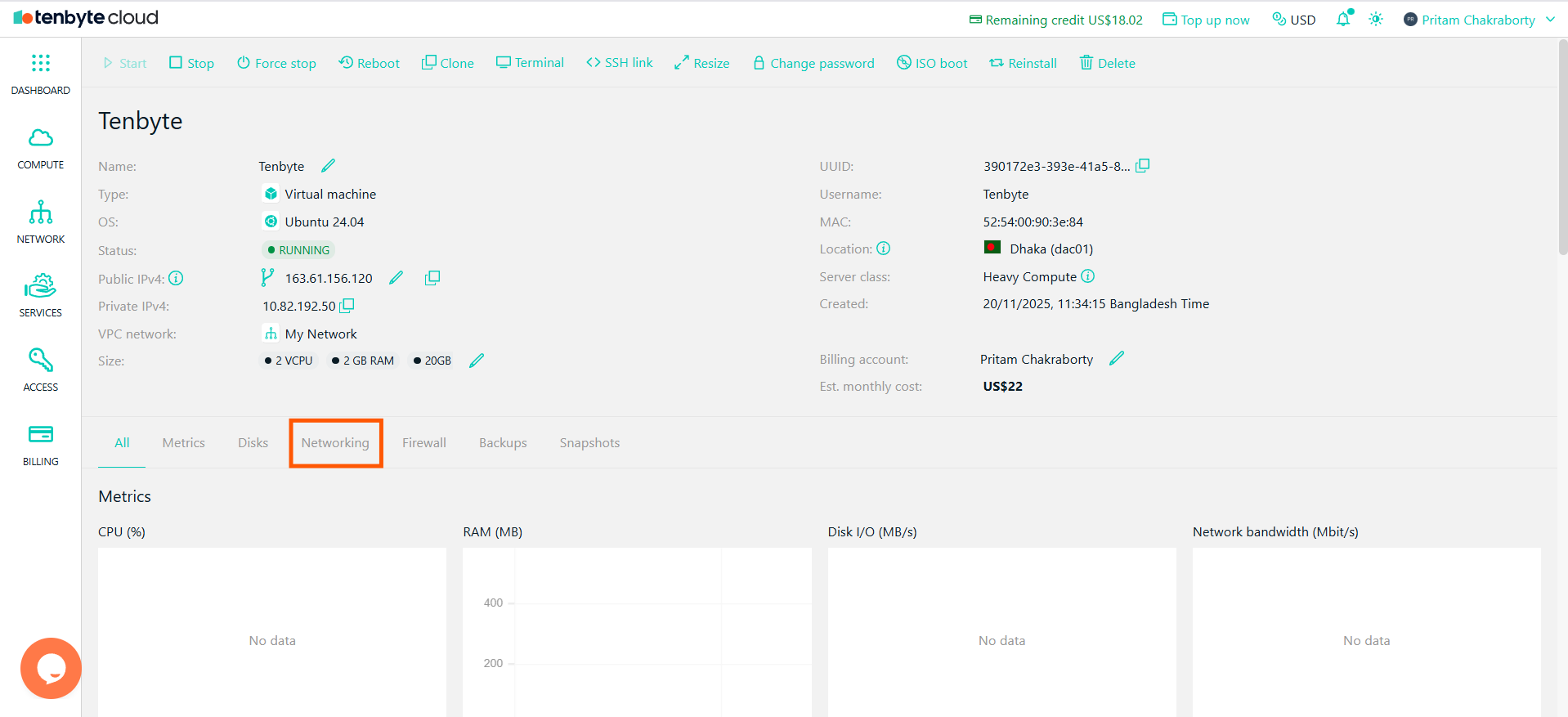
Access VM Network Settings
-
Click Add sub-interface to create additional interfaces or to modify the current one.
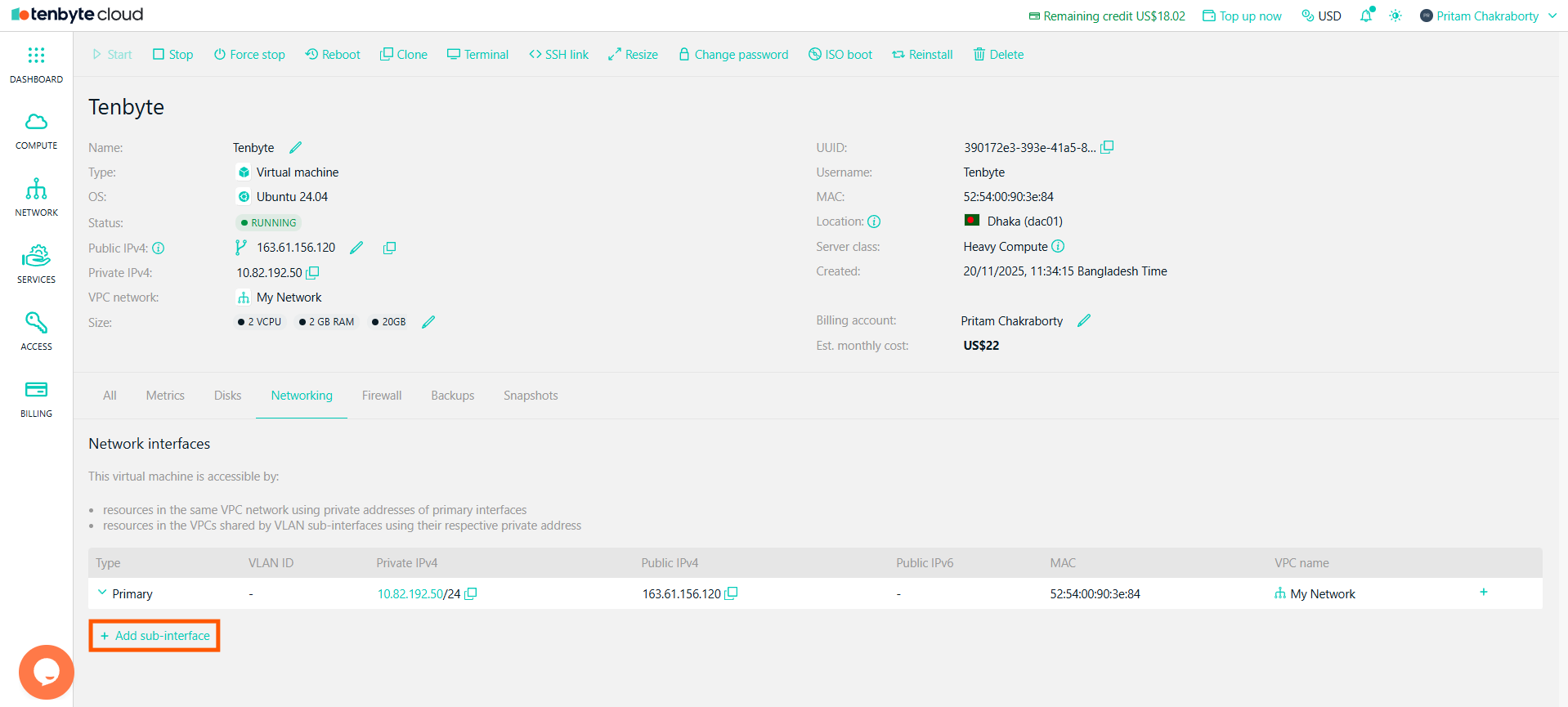
Add your VPC
- Enter the VLAN ID for the sub-interface.
-
Select the VPC network you want to associate with the VM.
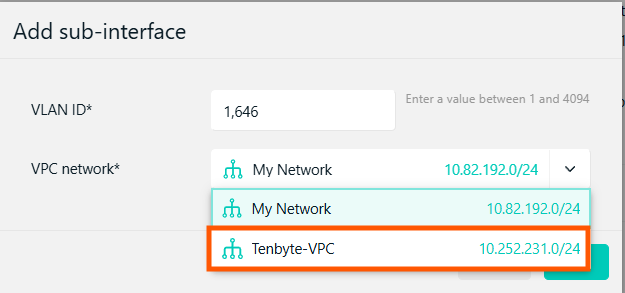
Add your VPC
-
Click Add to associate the VPC network with your VM.
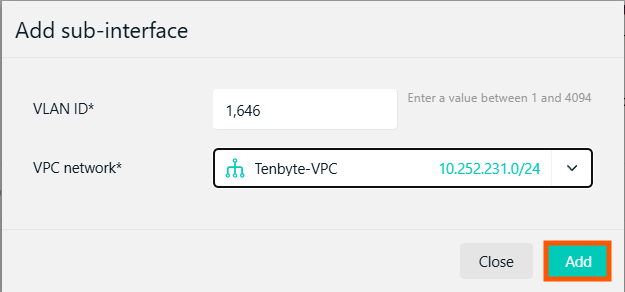
Add your VPC