

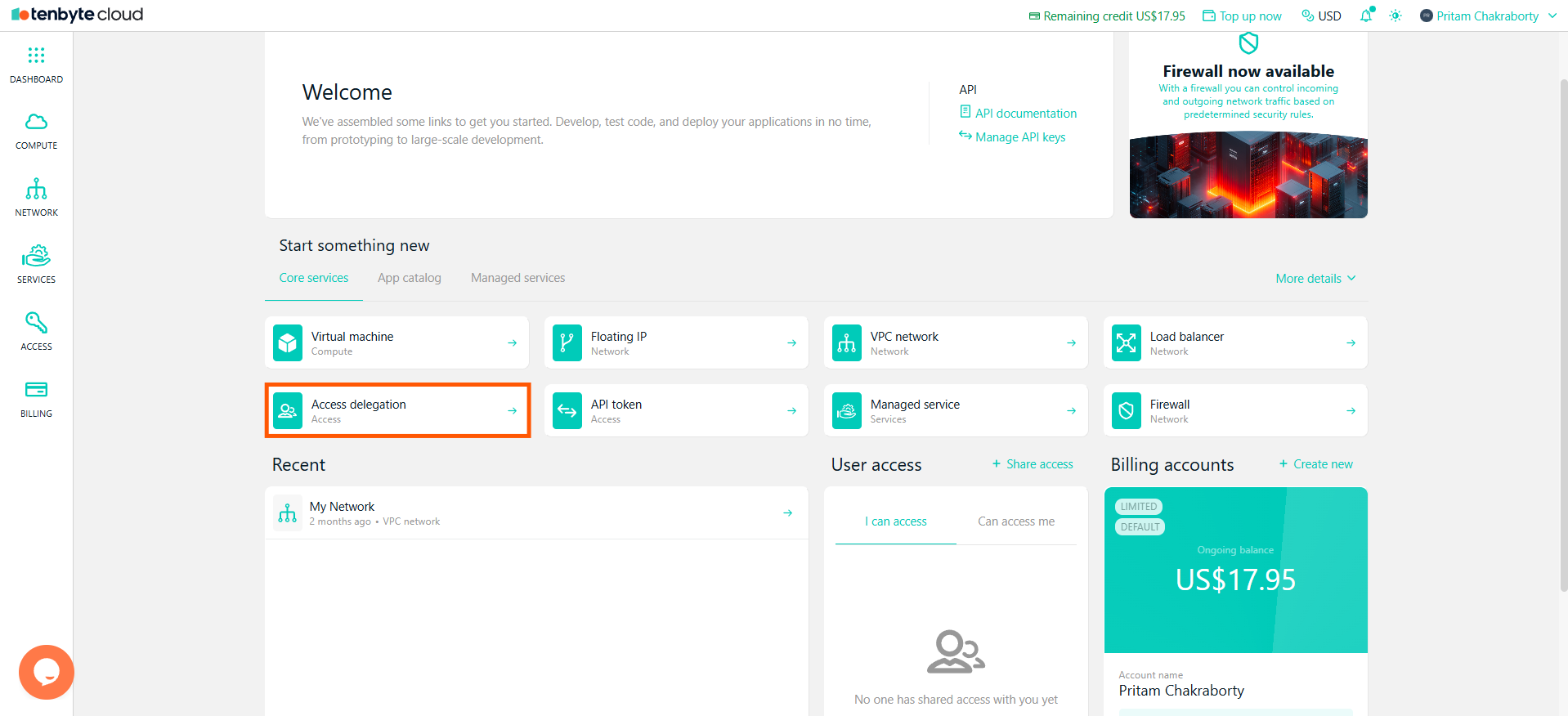
Select Access Delegation from Dashboard
-
Open your Tenbyte Cloud dashboard and click on Access Delegation to manage your Access.
Select Access Delegation
-
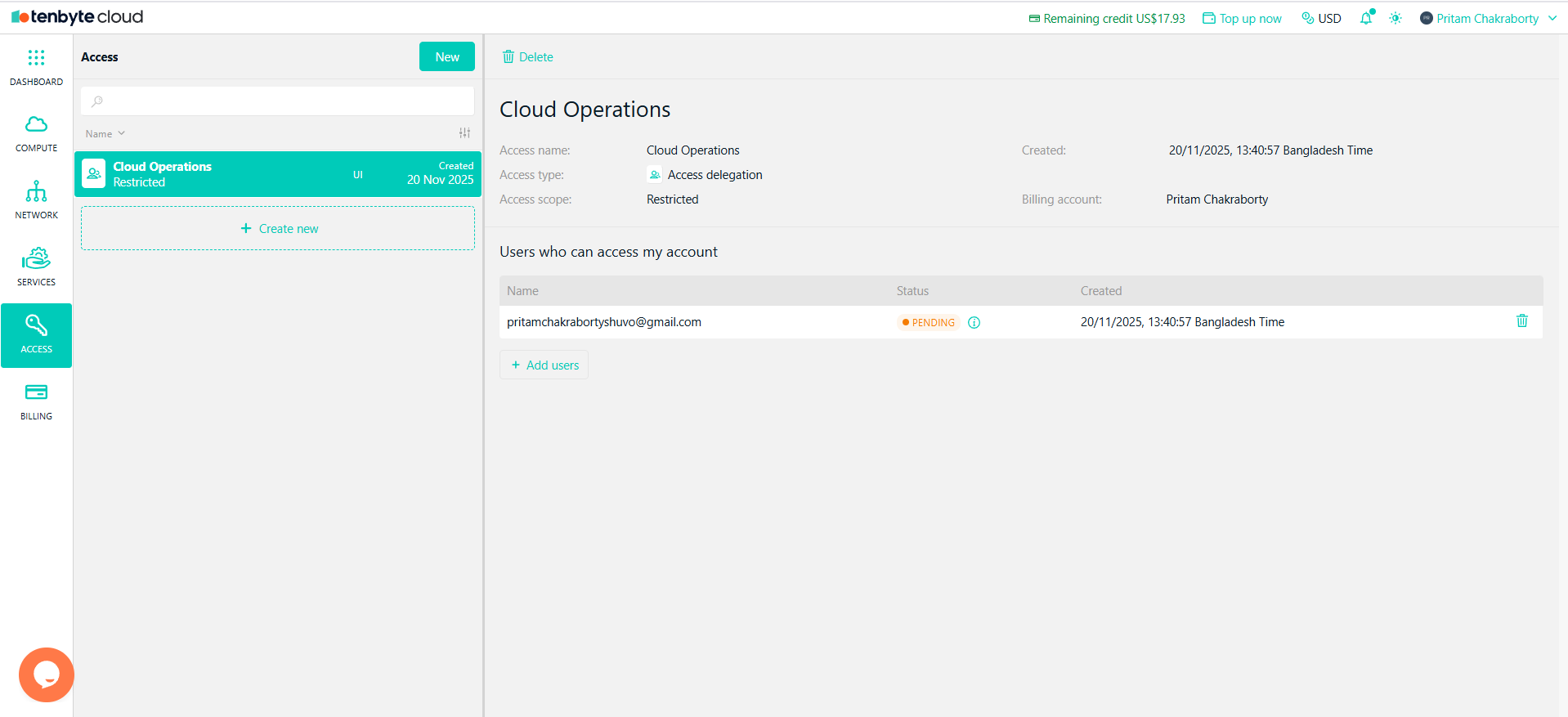
In the Access section of the Tenbyte Cloud dashboard, you can choose between two types of access:
- Access Delegation
- API Token
Choose Type
Access Delegation
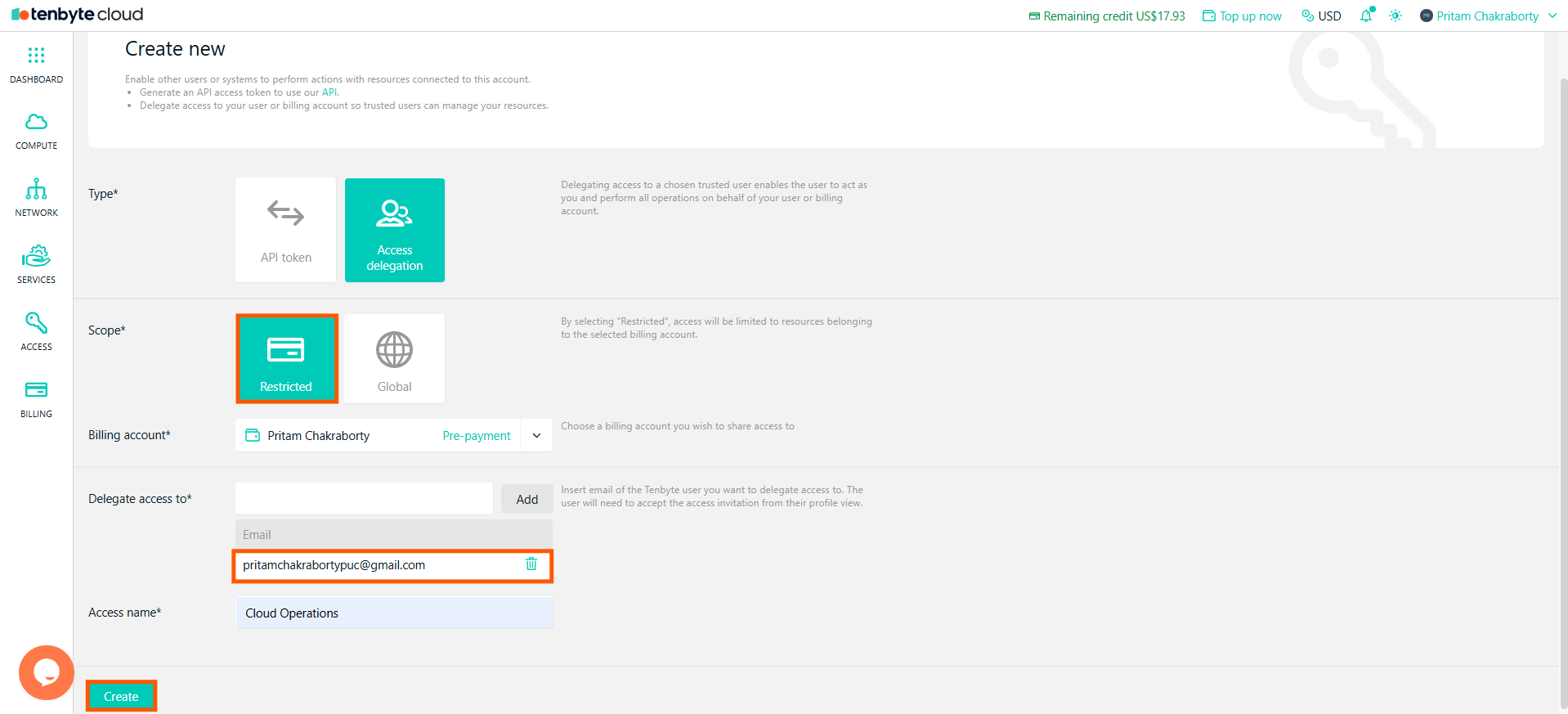
Allows you to delegate access to a user or system, enabling them to manage resources under your account.For Restricted Scope
Restricted Scope means the user will have access only to the resources tied to the selected billing account.- Click on New to create a new access delegation.
- Under Scope, select Restricted.
- Choose the Billing Account you wish to share access to.
- Enter the email address of the user you want to delegate access to.
- Provide an Access Name.
-
Click Create to send the access invitation to the specified email.
Access Delegation for Restricted Scope
For Global Scope
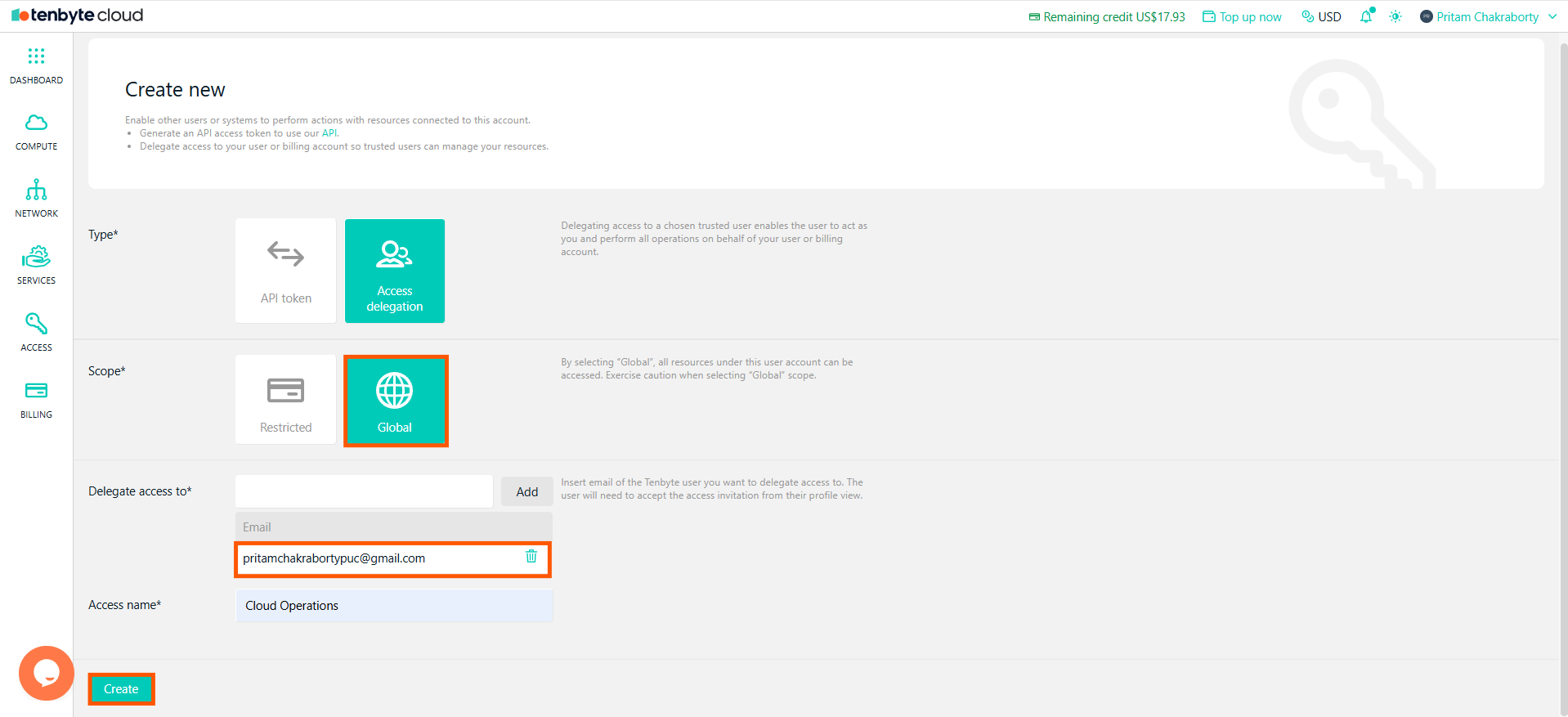
Global Scope means the user will have access to all resources under the billing account.- Follow the same steps as above to create a new access delegation.
- Under Scope, select Global.
- Choose the Billing Account you wish to share access to.
- Enter the email address of the user for access delegation.
- Provide an Access Name.
-
Click Create to send the access invitation.
Access Delegation for Global Scope
The user will receive an invitation to accept access to the specified billing account.
Access for API Token
API Token is used to generate a key for interacting with Tenbyte Cloud’s API.- Navigate to the Access section again and click on New.
- Select API Token under Type.
- Provide an Access Name for your API token.
-
Click Create to generate the API token.
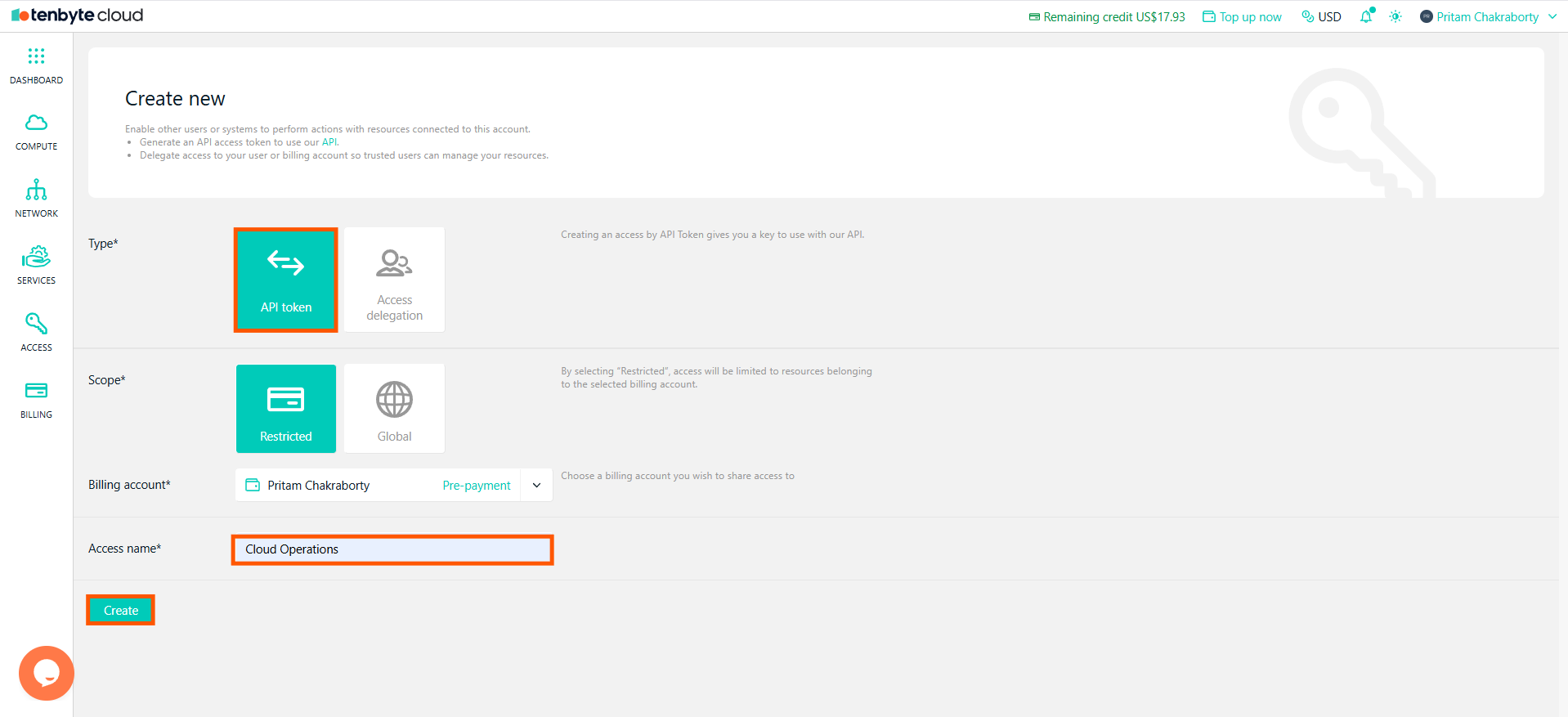
Access for API Token
For API Token, the scope type works similarly to Access Delegations, allowing you to specify restricted or global access.
Created Access Delegations
- Once the Access Delegation is created, you will see the delegated access listed under the Access section.
- The status of the delegated access will be shown as Pending until the user accepts the access invitation.
-
Once accepted, the user will be able to perform actions as per the scope of access.
Created Access Delegations Lists
- You can view or remove delegations anytime from the Access section.