Documentation Index
Fetch the complete documentation index at: https://docs.tenbyte.io/llms.txt
Use this file to discover all available pages before exploring further.
Use a custom certificate when you need EV / OV identity, a wildcard, an internal CA, or a cert your security team manages. You upload PEM-format material and the edge installs it.
For free DV certs, use Let’s Encrypt — it auto-renews.
Prerequisites
- Custom domain CNAMEs to your distribution.
- Cert files in PEM format:
- Server certificate (with
BEGIN CERTIFICATE / END CERTIFICATE lines).
- Private key (with
BEGIN PRIVATE KEY / END PRIVATE KEY).
- Intermediate / chain (one or more PEM blocks concatenated).
- Cert covers the hostname (CN or SAN match).
Validate locally before uploading
# 1. Subject and SANs cover the hostname
openssl x509 -in cert.pem -noout -subject -ext subjectAltName
# 2. Cert and key match
openssl x509 -in cert.pem -noout -modulus | openssl md5
openssl rsa -in key.pem -noout -modulus | openssl md5
# both md5 hashes must be identical
# 3. Chain validates
openssl verify -CAfile chain.pem cert.pem
# cert.pem: OK
# 4. Expiry
openssl x509 -in cert.pem -noout -dates
If any step fails, fix locally before uploading — the upload form does the same checks.
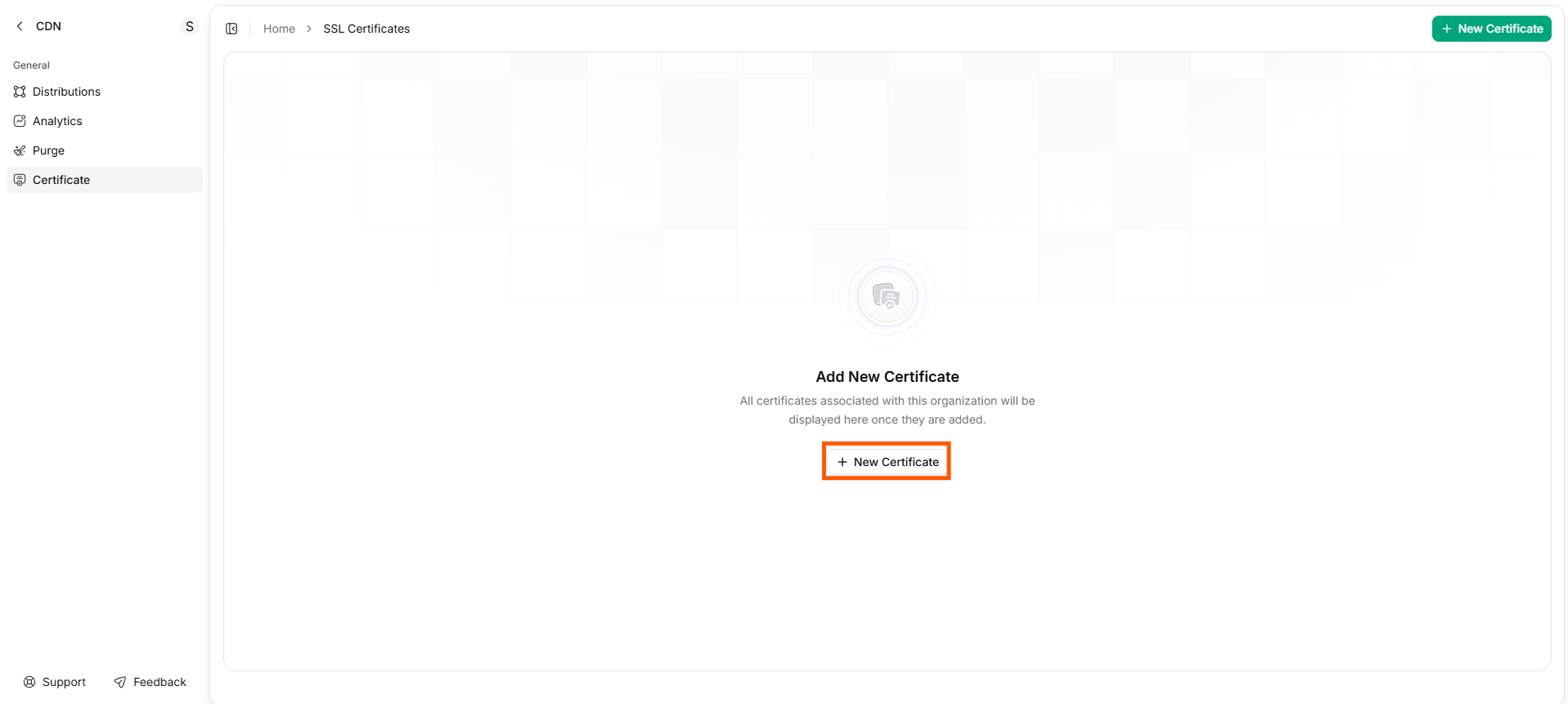
Upload via console
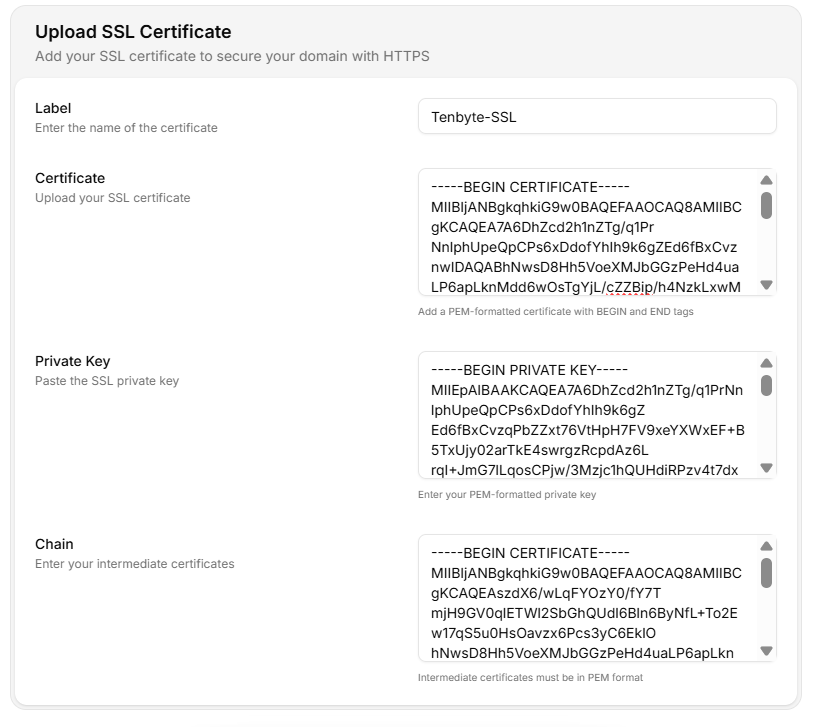
Enter certificate details
| Field | Value |
|---|
| Label | Internal name (prod-2026-wildcard). Include year for easy rotation. |
| Certificate | Paste the server cert PEM. |
| Private Key | Paste the private key PEM. |
| Chain | Paste intermediate certs PEM (root not required). |
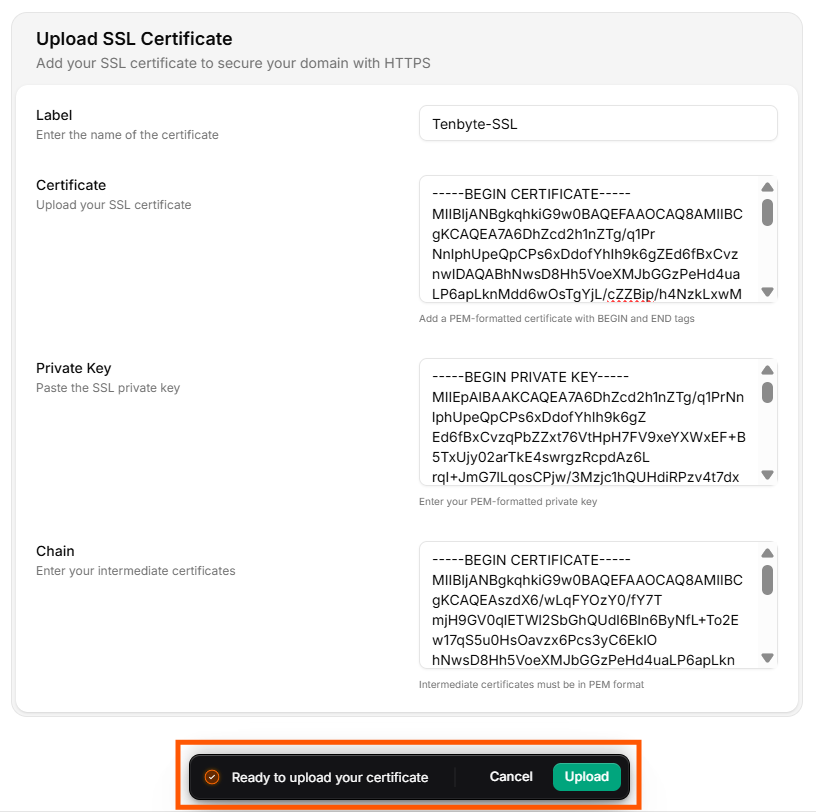
Upload
Tenbyte validates the cert/key match and chain order. On success, attach the cert to your distribution from the SSL tab.
Upload via API
curl -X POST "https://api.tenbyte.io/cdn/certificates" \
-H "Authorization: Bearer $TENBYTE_API_TOKEN" \
-H "Content-Type: application/json" \
-d "$(jq -n \
--arg label 'prod-2026-wildcard' \
--arg cert "$(cat cert.pem)" \
--arg key "$(cat key.pem)" \
--arg chain "$(cat chain.pem)" \
'{label: $label, certificate: $cert, private_key: $key, chain: $chain}')"
Attach to a distribution:
curl -X PUT "https://api.tenbyte.io/cdn/distributions/$DISTRIBUTION_ID/ssl" \
-H "Authorization: Bearer $TENBYTE_API_TOKEN" \
-H "Content-Type: application/json" \
-d '{"type": "custom", "certificate_id": "cert_..."}'
See the CDN API reference for canonical fields.
Verify
openssl s_client -connect cdn.yoursite.com:443 -servername cdn.yoursite.com </dev/null \
2>/dev/null | openssl x509 -noout -subject -issuer -dates
Confirm subject matches your domain and notAfter is the expected date.
Rotation runbook
Custom certs do not auto-renew. You must replace before notAfter.
| When | Action |
|---|
| 30 d before expiry | Calendar reminder fires. Order / generate new cert. |
| 14 d before expiry | Upload new cert via console / API. Do not detach the old one yet. |
| 7 d before expiry | Switch the distribution’s SSL config to the new certificate_id. Verify: openssl s_client and SSL Labs. |
| Immediately after | Watch response classes for unexpected 5xx — rare but possible if the new chain is wrong. |
| Old cert expired | Delete the old cert from the certificate store. |
Never replace a private key on a hot endpoint without a tested rollback. Keep the previous cert + key around for at least one rollback window.
| You have | Convert to PEM |
|---|
.pfx / .p12 | openssl pkcs12 -in cert.pfx -nodes -out combined.pem, then split into cert / key / chain. |
.cer (DER) | openssl x509 -inform DER -in cert.cer -out cert.pem |
| Private key encrypted | openssl rsa -in key.pem -out key.pem (writes unencrypted — handle carefully). |
| Chain order wrong | Concatenate as: leaf → intermediate(s) → (omit root). |
Troubleshooting
| Symptom | Fix |
|---|
Upload rejected — cert/key mismatch | The key doesn’t match this cert. Re-export both from the same source. |
Upload rejected — chain incomplete | Add the issuing intermediate(s). Test with openssl verify -CAfile chain.pem cert.pem. |
Browser shows NET::ERR_CERT_AUTHORITY_INVALID | Chain missing or out of order. Reconcatenate leaf → intermediates. |
notAfter already passed at upload | Generate / order a new cert; you can’t upload an expired one. |
| Wildcard cert not matching subdomain | Wildcard covers one level only — *.example.com doesn’t match a.b.example.com. Use a multi-SAN cert. |