

What you need
Before updating your profile, make sure you have:- Access to the email linked to your Tenbyte account
- A new password ready if you plan to change it
- The image file you want to use as your profile picture
User Profile Settings
-
Click your profile icon in the left sidebar. When the dropdown menu opens, choose Account to access your user settings.
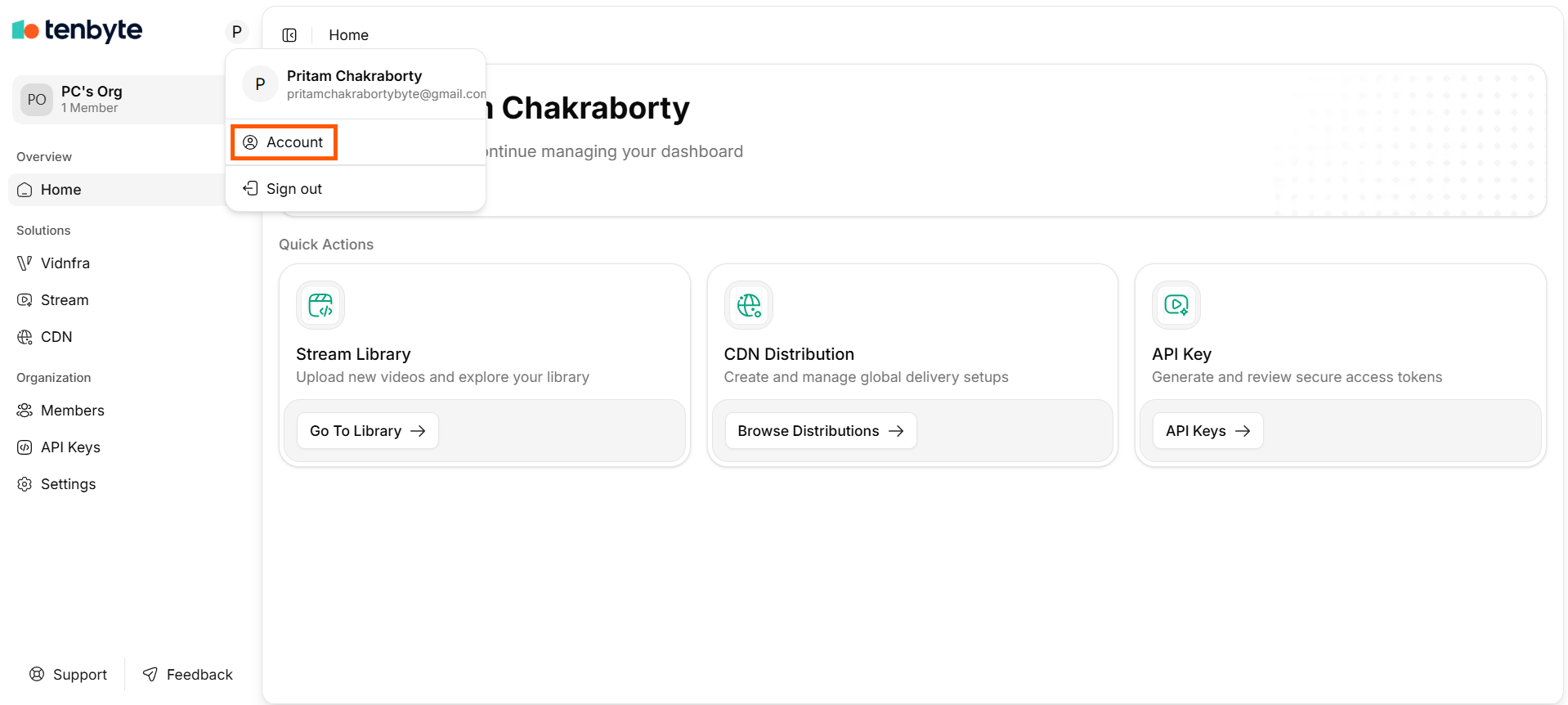
Account Settings
- The User section allows you to manage your personal information, update login details, and perform critical account actions. Follow the steps below to update your profile.
Update Account Information
-
In the Account Information section, you can edit your basic profile details.
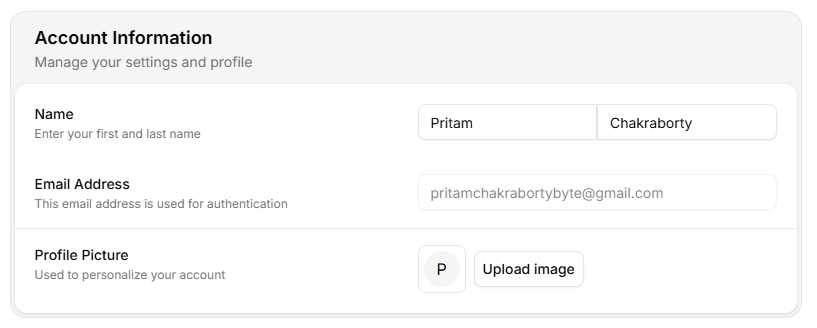
Account Information
- Name: Enter or update your first name and last name.
- Email Address: Your email address is shown here for authentication purposes.
If you signed in using a social provider like Google or GitHub, this field shows the associated login email.- Profile Picture: Click Upload image to add or change your profile picture.
Create or Update Your Password
-
If you signed in using a social login, you may not have a password yet. Use the Create a Password section to set one.
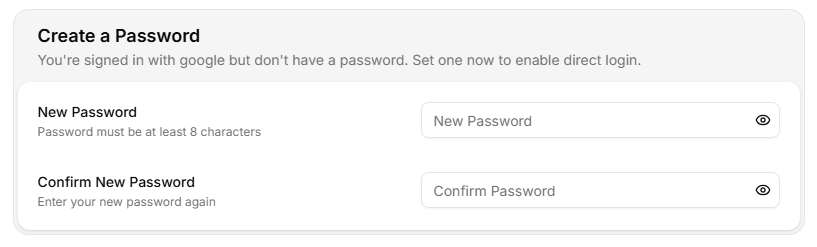
Account Information
- New Password: Enter a new password. It must meet Tenbyte’s security rules (minimum 8 characters).
- Confirm New Password: Re-enter the same password to verify it.
Setting a password enables direct email-based login alongside your social provider.
Manage Critical Account Actions
-
The Danger Zone contains irreversible actions.
- Account Deletion: Click Delete Account to permanently remove your Tenbyte account. A confirmation step will appear to ensure you understand the impact.
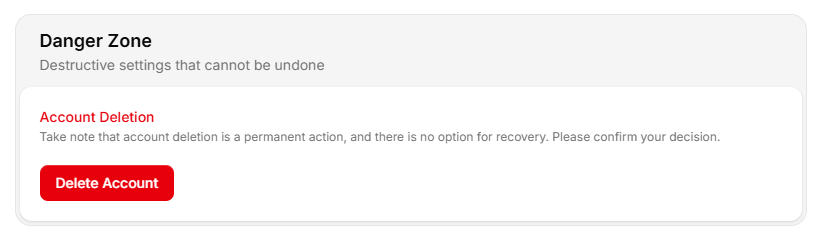
Critical Account Actions
This action cannot be undone and will delete all associated data.