

Create a Webhook
To create a new webhook, click New Webhook in the top right corner of the dashboard.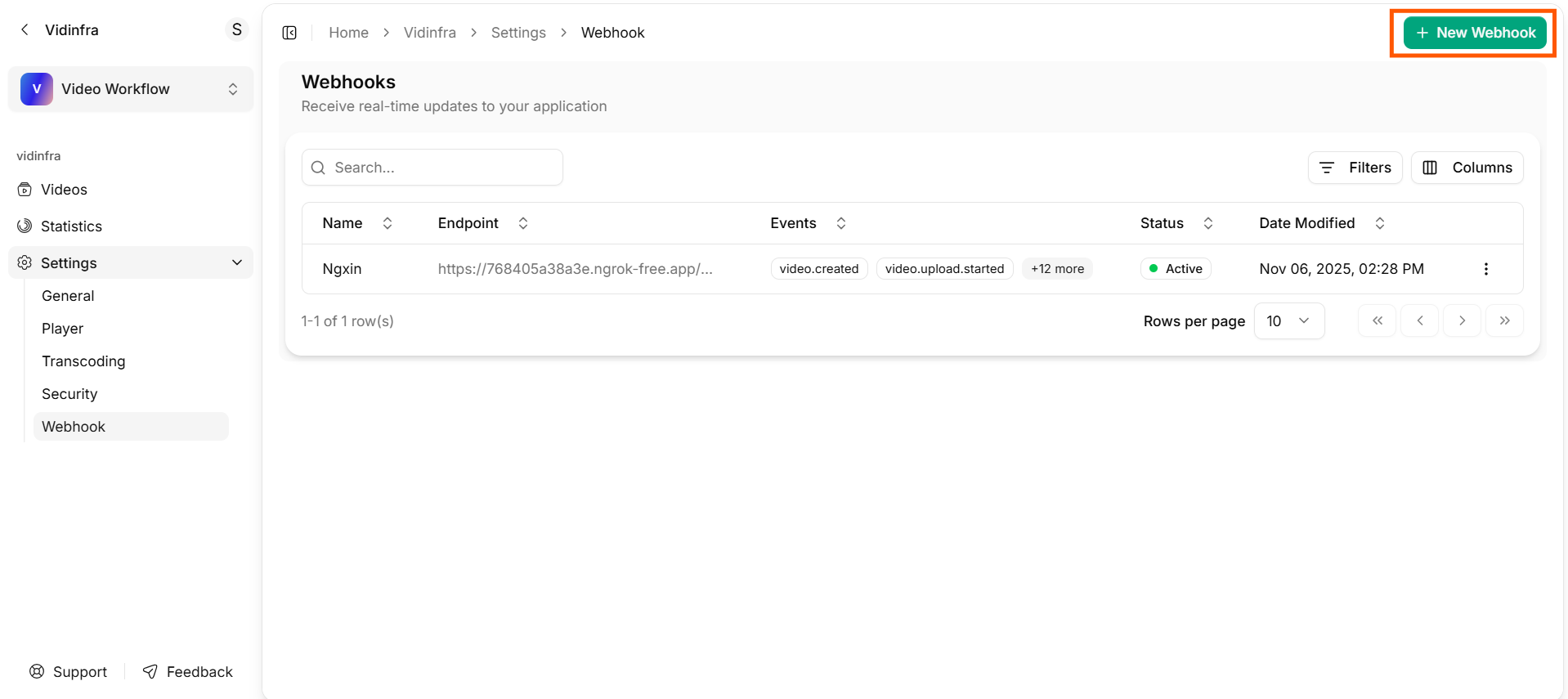
Create New Webhook
Add a Name
Enter a name for your webhook under Video Event Notifications. This helps you identify the webhook when you manage multiple integrations.Provide the Endpoint URL
Paste the URL where Vidinfra should send webhook events into the Endpoints field. This must be a valid, publicly accessible endpoint from your server or application.Select Events to Monitor
Choose the video lifecycle events you want to receive notifications for. Available events include:createduploadingqueuedprocessingpartial_playableplayabletranscodingpackagingsavingtranscoding_failedpullingpulling_failedfailed
Add a Secret Token (Optional)
You can add a Secret Token to secure webhook deliveries. This token allows your server to verify that the request came from Vidinfra.Create the Webhook
Click Create to save your webhook. Your endpoint will now start receiving notifications for the selected events.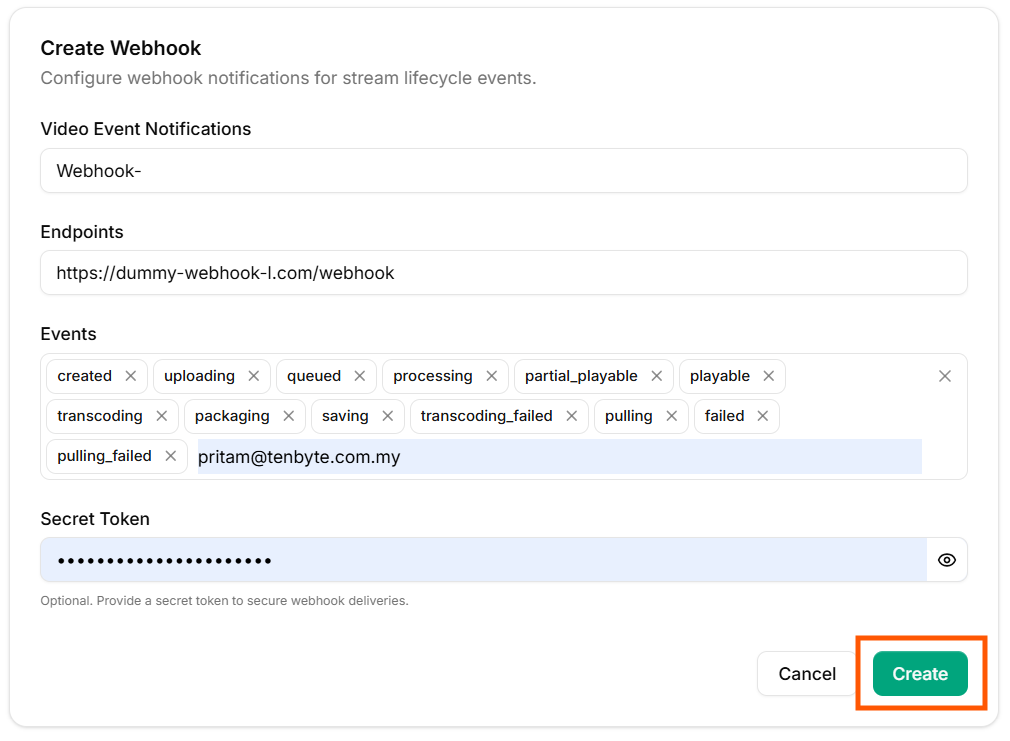
Create your Webhook