

HLS and DASH, ensuring smooth playback with minimal buffering.
ABR is a core part of Tenbyte’s video delivery workflow, improving performance across devices and adapting reliably to changing network speeds, especially on mobile connections.
Open Transcoding Settings
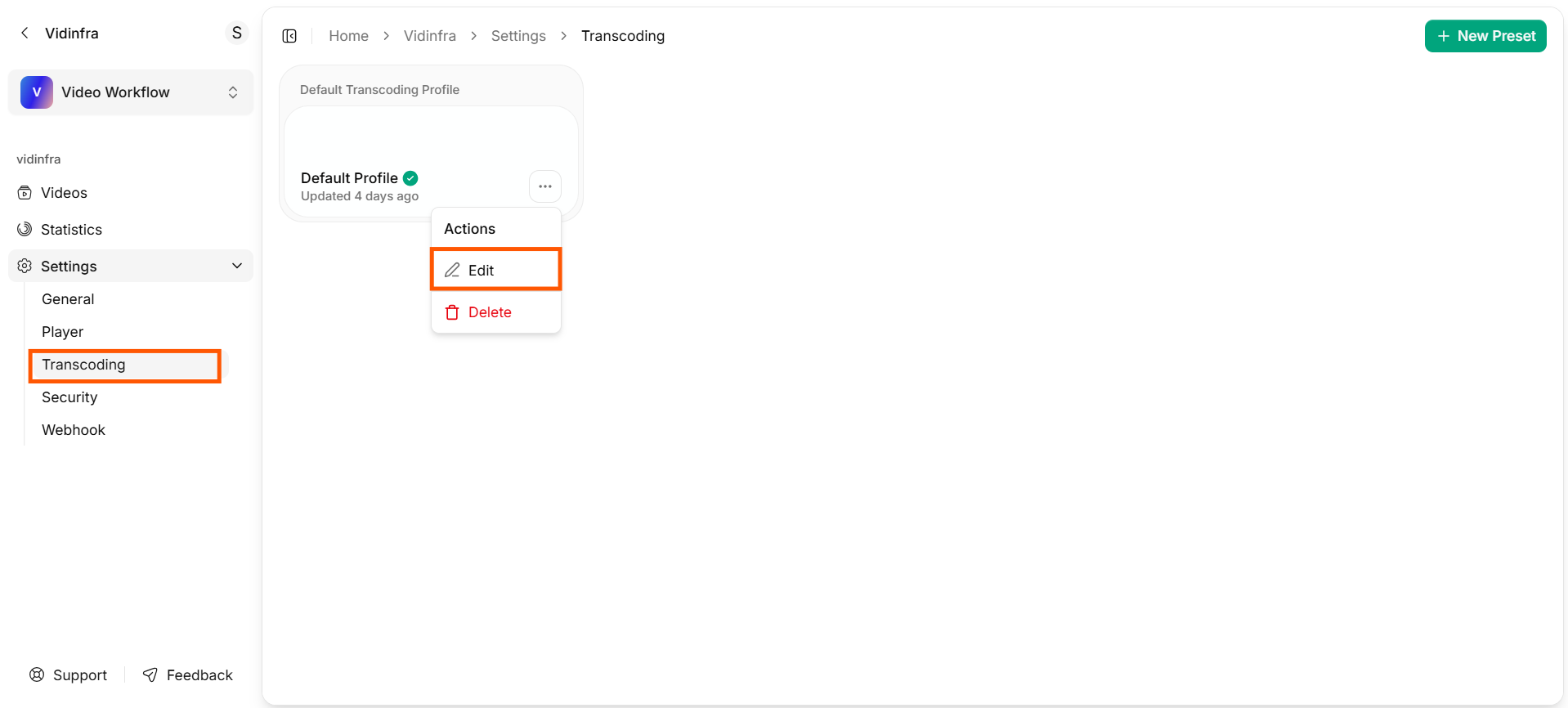
- From the left sidebar, open the Settings dropdown and select Transcoding.
- This opens the transcoding dashboard, where you will see the default transcoding profile.
-
To edit it, click the three-dot menu next to the profile and choose Edit.
Transcoding Configuration
-
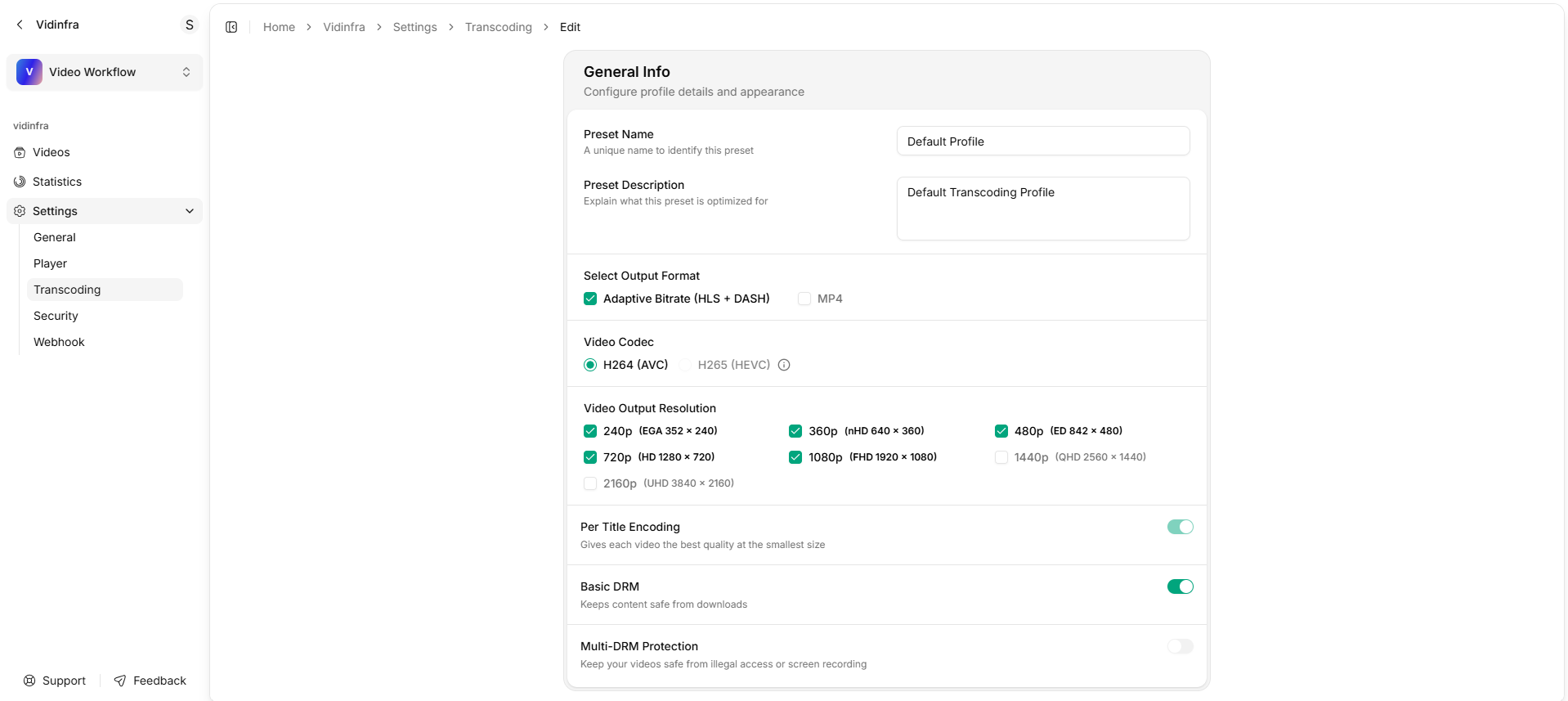
You will be taken to a new dashboard where you can adjust all transcoding options.
Transcoding Configuration Dashboard
Preset Name
Enter a unique name to identify this transcoding preset.Preset Description
Add a short description that explains what the preset is optimized for.ABR in Vidinfra
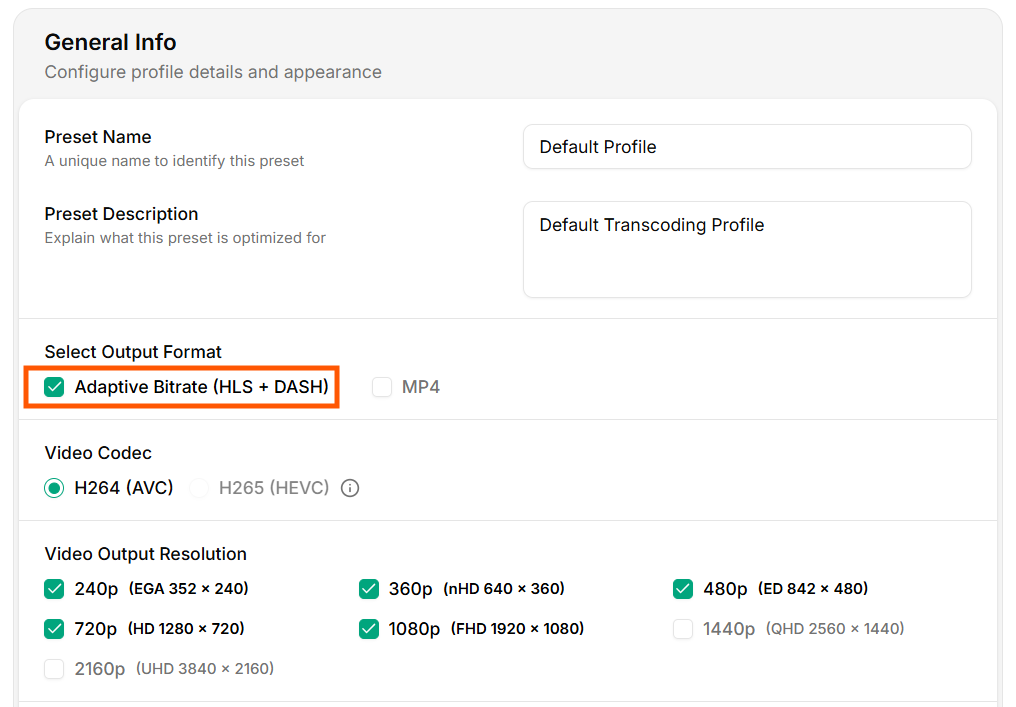
When Adaptive Bitrate (HLS + DASH) is selected in the transcoding profile:
-
Vidinfra creates multiple output resolutions (e.g.,
240p,360p,480p,720p,1080p). -
Each resolution is encoded separately using the selected codec (
H.264orH.265). - The player automatically switches between these qualities during playback.
-
Viewers on strong networks get high-quality video, while slower networks receive lower resolutions for uninterrupted viewing.
Transcoding Configuration
HLS(HTTP Live Streaming)DASH(Dynamic Adaptive Streaming over HTTP)
Video Codec
A video codec compresses a video into a smaller file for storage and streaming, then decompresses it during playback so the viewer can watch it smoothly.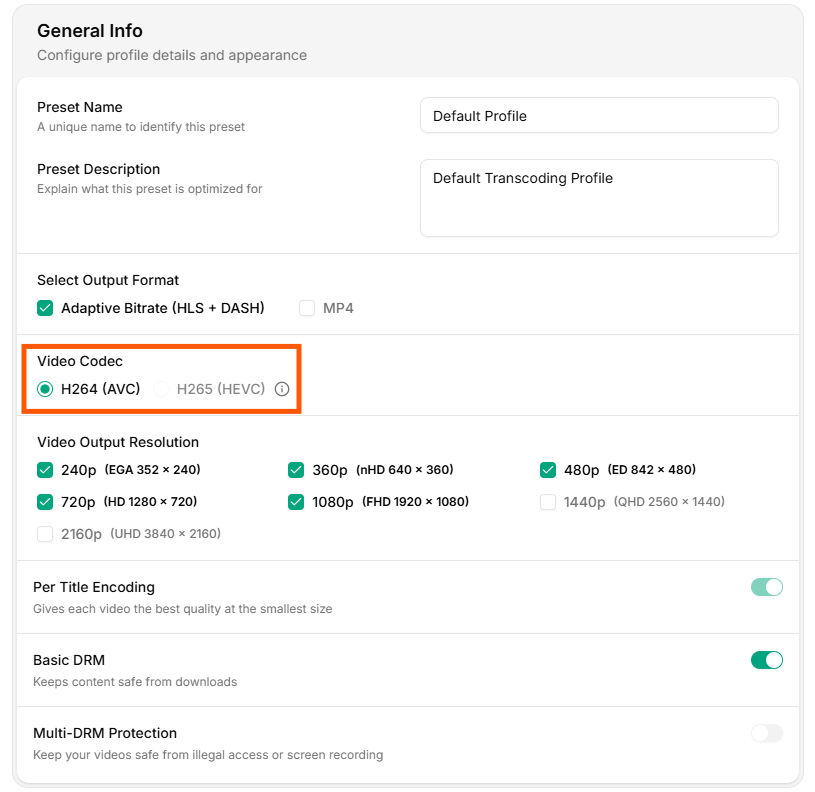
Video Codec Configuration
-
H.264(AVC)H.264is the default codec used in Vidinfra. It offers a strong balance between video quality and file size and is supported across all major devices, browsers, and players. -
H.265(HEVC)H.265provides higher compression efficiency compared to H.264, meaning it can deliver similar quality at a smaller file size.
Video Output Resolution
Vidinfra lets you choose the set of resolutions generated during transcoding.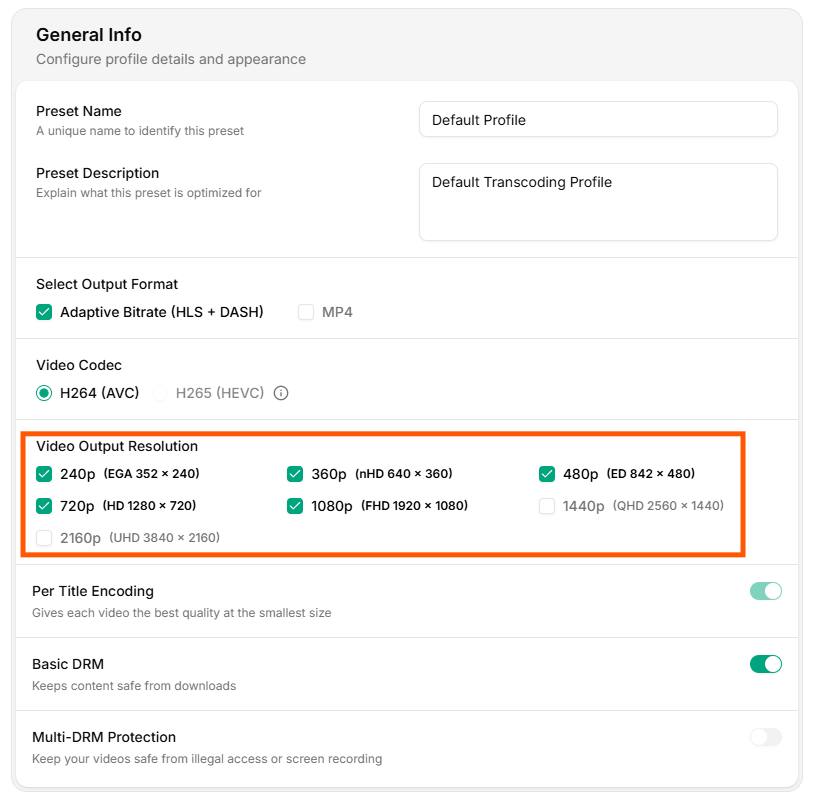
Video Output Resolution
- 240p (EGA 352 × 240): Ideal for low-bandwidth environments and basic mobile connectivity.
- 360p (nHD 640 × 360): Good for medium-bandwidth users while keeping file sizes small.
- 480p (ED 842 × 480): Standard-definition quality suitable for most general-purpose playback.
- 720p (HD 1280 × 720): High-definition output for users with stable network connections.
- 1080p (FHD 1920 × 1080): Full HD resolution for high-quality viewing on larger screens.
- 1440p (QHD 2560 × 1440): Quad HD quality that offers sharper detail than 1080p.
- 2160p (UHD 3840 × 2160): Ultra HD resolution designed for premium viewing.
Per-Title Encoding
It analyzes each video and adjusts the bitrate ladder, so that every resolution uses the lowest possible bitrate without losing quality.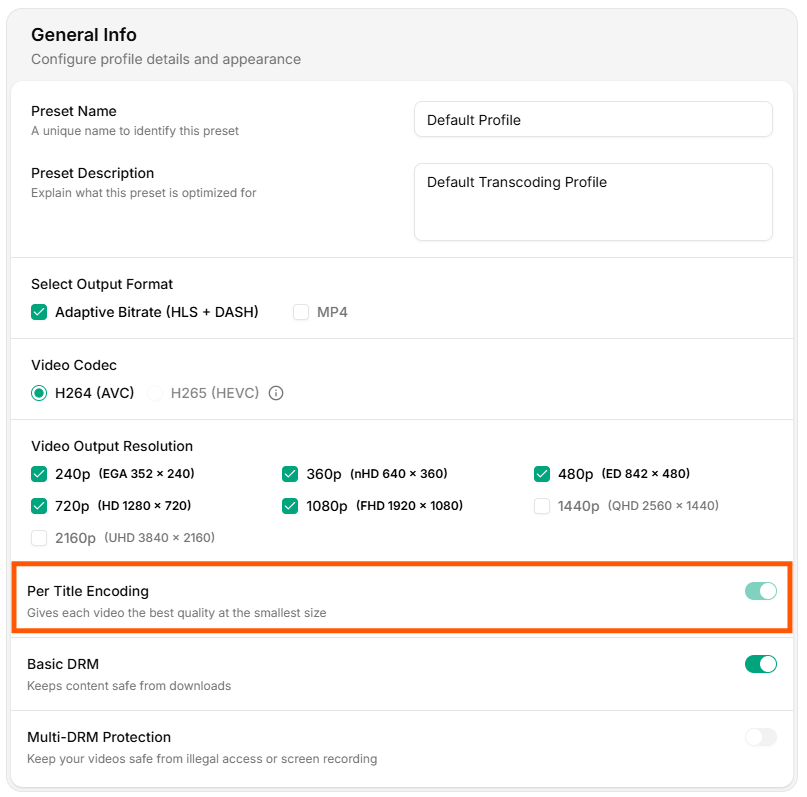
Per Title Encoding
Per-Title Encoding is not ABR, but it fine-tunes the quality and bitrate of each ABR resolution to deliver the best visual result at a smaller file size.