> ## Documentation Index
> Fetch the complete documentation index at: https://docs.tenbyte.io/llms.txt
> Use this file to discover all available pages before exploring further.
# Webhook Dashboard
View, manage, and monitor all webhook integrations from a single centralized dashboard.
## Open the Webhook Settings
* From the left sidebar, open the **Settings** dropdown and select **Webhook**.
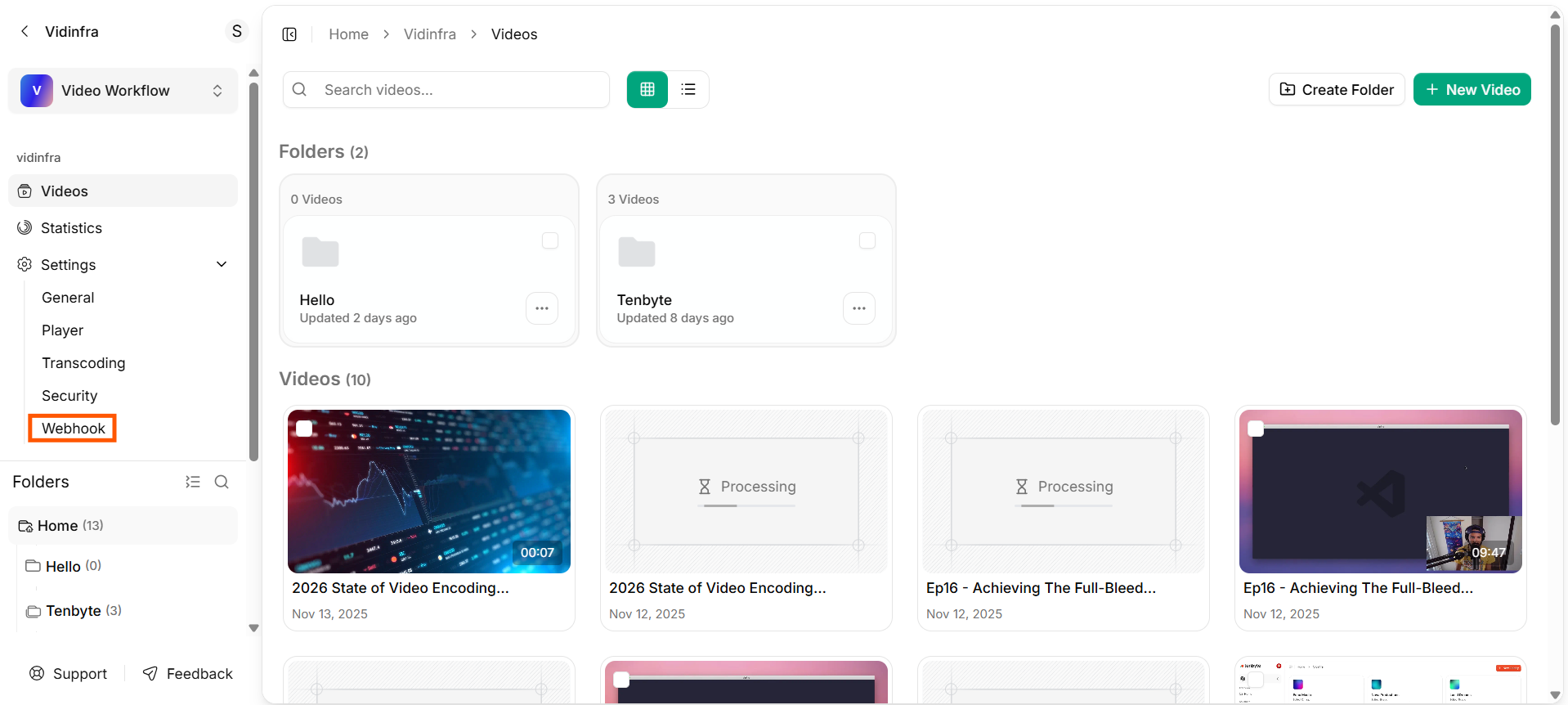 * This will open the webhook dashboard for your video library.
* The Webhooks dashboard shows all the webhook integrations you have created.
* This will open the webhook dashboard for your video library.
* The Webhooks dashboard shows all the webhook integrations you have created.
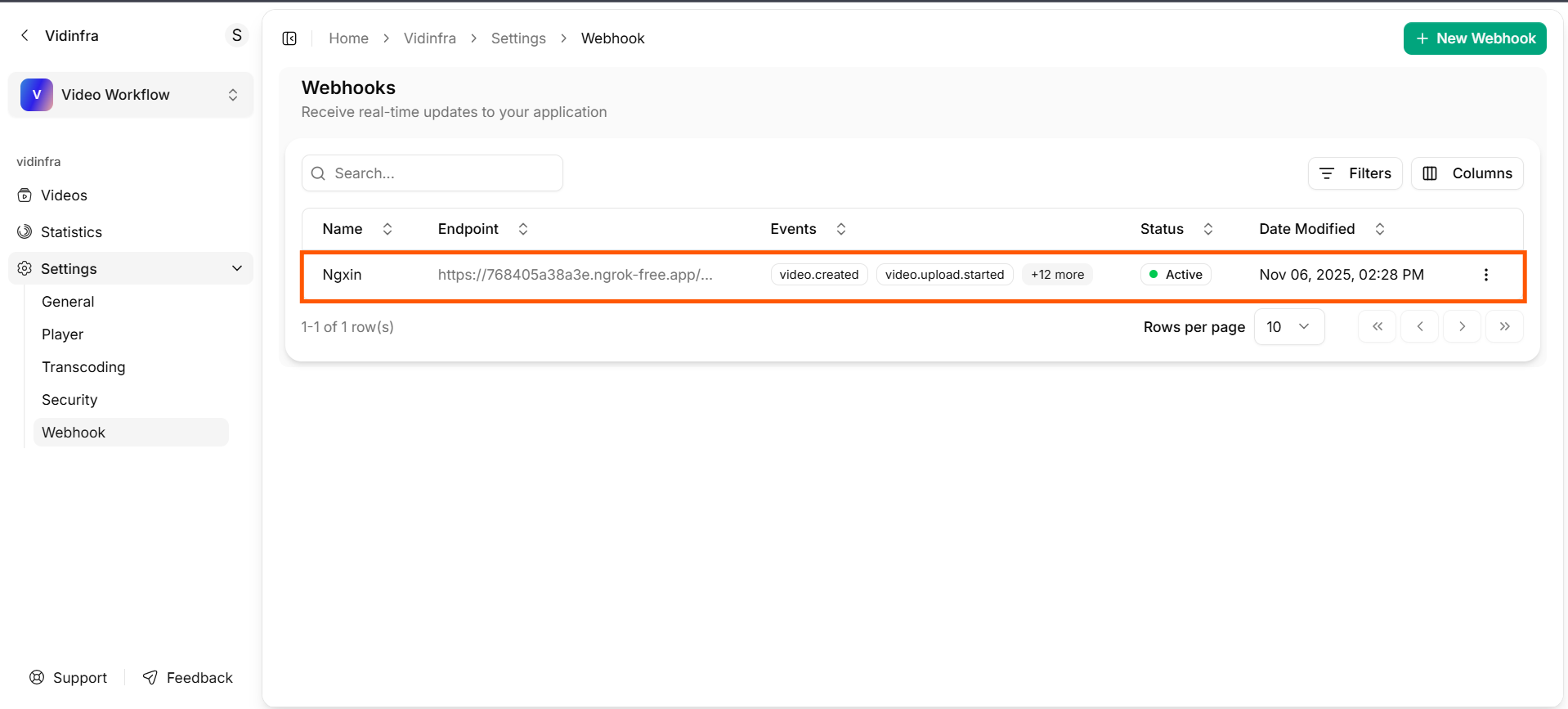 Each entry provides a quick overview of the endpoint, subscribed events, and the current status of the webhook.
### Name
Displays the name you assigned to the webhook. This helps you identify different integrations at a glance.
### Endpoint
* Shows the URL where Vidinfra sends event notifications.
* Only valid and publicly accessible endpoints will receive webhook requests.
### Events
Lists the video events the webhook is subscribed to, such as `video.created`, `video.upload.started`, `video.upload.completed`, `video.upload.failed`, `video.queued` and more.
You can see additional events by selecting the **event count indicator**.
### Status
Indicates whether the webhook is **active** or **inactive**. An **Active webhook** is currently receiving event updates.
### Date Modified
Displays the last time the webhook configuration was updated.
### Actions Menu
Use the options menu (**`three dots`**) to **edit** or **delete** a webhook.
Each entry provides a quick overview of the endpoint, subscribed events, and the current status of the webhook.
### Name
Displays the name you assigned to the webhook. This helps you identify different integrations at a glance.
### Endpoint
* Shows the URL where Vidinfra sends event notifications.
* Only valid and publicly accessible endpoints will receive webhook requests.
### Events
Lists the video events the webhook is subscribed to, such as `video.created`, `video.upload.started`, `video.upload.completed`, `video.upload.failed`, `video.queued` and more.
You can see additional events by selecting the **event count indicator**.
### Status
Indicates whether the webhook is **active** or **inactive**. An **Active webhook** is currently receiving event updates.
### Date Modified
Displays the last time the webhook configuration was updated.
### Actions Menu
Use the options menu (**`three dots`**) to **edit** or **delete** a webhook.