> ## Documentation Index
> Fetch the complete documentation index at: https://docs.tenbyte.io/llms.txt
> Use this file to discover all available pages before exploring further.
# Set Up Webhook
Configure webhooks to receive real-time updates about video events and processing status.
## Create a Webhook
To create a new webhook, click **New Webhook** in the top right corner of the dashboard.
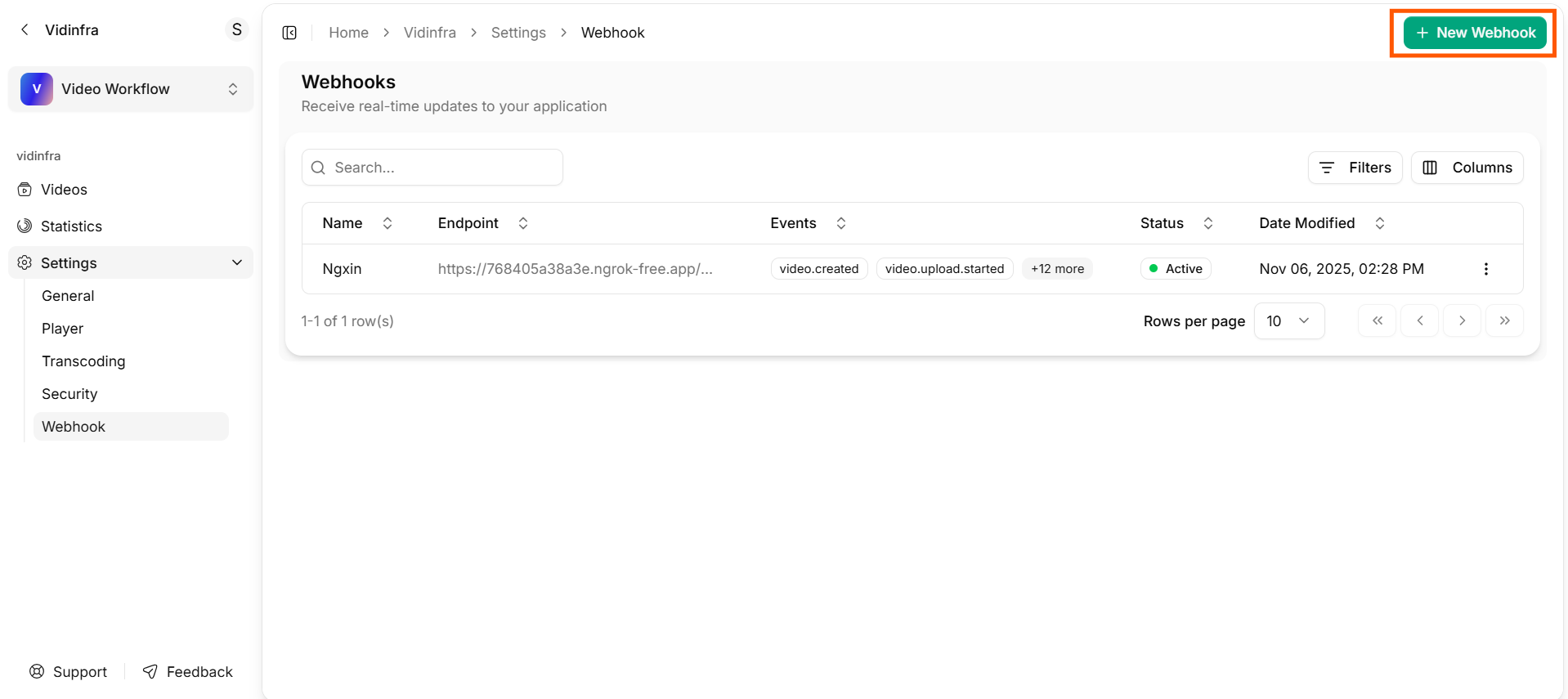 Follow these steps to create a new webhook for receiving video event notifications:
***
### Add a Name
Enter a name for your webhook under Video Event Notifications. This helps you identify the webhook when you manage multiple integrations.
### Provide the Endpoint URL
Paste the URL where Vidinfra should send webhook events into the Endpoints field. This must be a valid, publicly accessible endpoint from your server or application.
Make sure your webhook endpoint is publicly accessible and returns a 200 response.
### Select Events to Monitor
Choose the video lifecycle events you want to receive notifications for. Available events include:
* **`created`**
* **`uploading`**
* **`queued`**
* **`processing`**
* **`partial_playable`**
* **`playable`**
* **`transcoding`**
* **`packaging`**
* **`saving`**
* **`transcoding_failed`**
* **`pulling`**
* **`pulling_failed`**
* **`failed`**
Select the events relevant to your workflow.
Selecting too many event types may generate a high number of webhook calls. Choose only the events your workflow needs.
### Add a Secret Token (Optional)
You can add a Secret Token to secure webhook deliveries. This token allows your server to verify that the request came from Vidinfra.
### Create the Webhook
Click Create to save your webhook. Your endpoint will now start receiving notifications for the selected events.
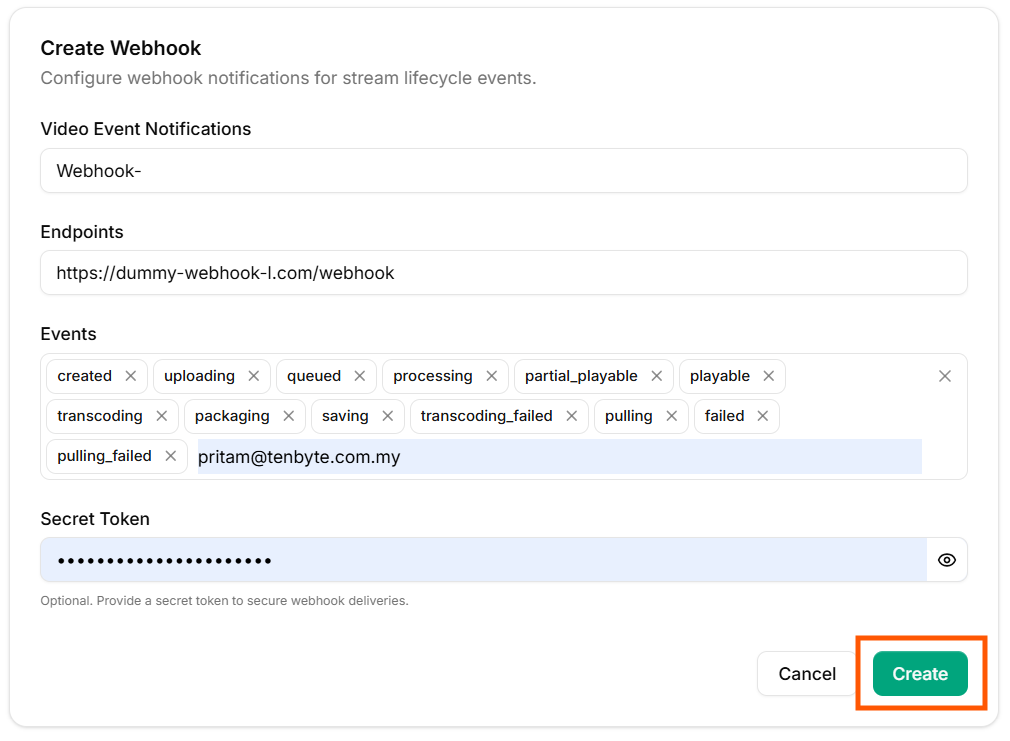
Follow these steps to create a new webhook for receiving video event notifications:
***
### Add a Name
Enter a name for your webhook under Video Event Notifications. This helps you identify the webhook when you manage multiple integrations.
### Provide the Endpoint URL
Paste the URL where Vidinfra should send webhook events into the Endpoints field. This must be a valid, publicly accessible endpoint from your server or application.
Make sure your webhook endpoint is publicly accessible and returns a 200 response.
### Select Events to Monitor
Choose the video lifecycle events you want to receive notifications for. Available events include:
* **`created`**
* **`uploading`**
* **`queued`**
* **`processing`**
* **`partial_playable`**
* **`playable`**
* **`transcoding`**
* **`packaging`**
* **`saving`**
* **`transcoding_failed`**
* **`pulling`**
* **`pulling_failed`**
* **`failed`**
Select the events relevant to your workflow.
Selecting too many event types may generate a high number of webhook calls. Choose only the events your workflow needs.
### Add a Secret Token (Optional)
You can add a Secret Token to secure webhook deliveries. This token allows your server to verify that the request came from Vidinfra.
### Create the Webhook
Click Create to save your webhook. Your endpoint will now start receiving notifications for the selected events.
 Your **webhook** is now created and ready to receive events.