> ## Documentation Index
> Fetch the complete documentation index at: https://docs.tenbyte.io/llms.txt
> Use this file to discover all available pages before exploring further.
# Referrer Access Policy
Restrict video playback to approved websites by allowing or blocking specific referrer domains and preventing unauthorized embeds.
To open Security Settings, see Open Security Settings in the [Country Access Policy](/docs/vidinfra/security/signed-urls#1-open-security-settings) section.
***
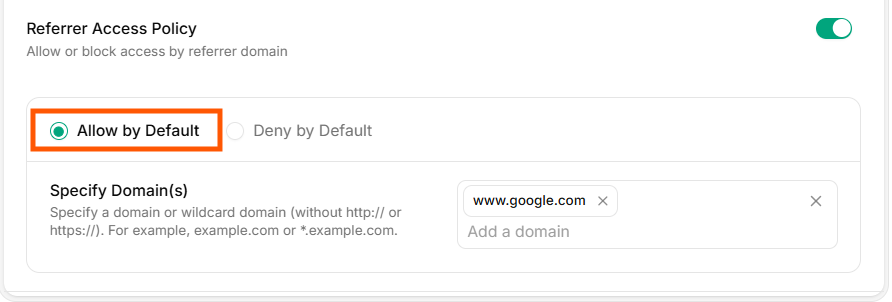
## Allow by Default
All websites can access your video unless you add blocked domains.
 ***
## Deny by Default
All websites are blocked unless you add allowed domains.
***
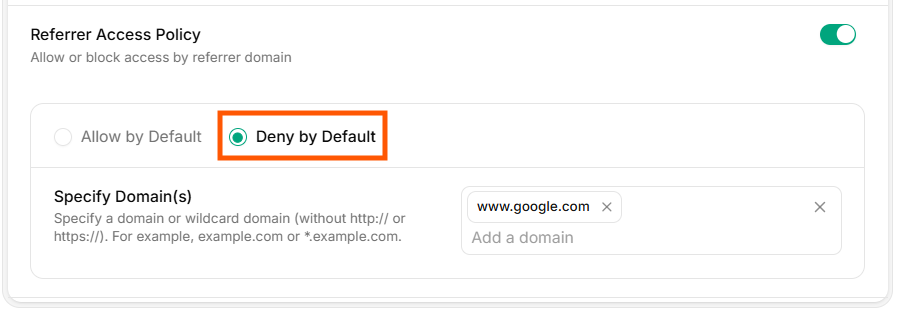
## Deny by Default
All websites are blocked unless you add allowed domains.
 ***
## Domain Restrictions
Add the domains that should be allowed or blocked based on your chosen rule. Use the same list field for either mode.
**Examples**
* `example.com`
* `app.example.com`
Only the specified domains will be permitted according to your policy settings.
***
## Verify access
* Test playback on an allowed domain (should succeed).
* Test playback on a non-allowed domain (should be blocked based on your default rule).
***
## Domain Restrictions
Add the domains that should be allowed or blocked based on your chosen rule. Use the same list field for either mode.
**Examples**
* `example.com`
* `app.example.com`
Only the specified domains will be permitted according to your policy settings.
***
## Verify access
* Test playback on an allowed domain (should succeed).
* Test playback on a non-allowed domain (should be blocked based on your default rule).