> ## Documentation Index
> Fetch the complete documentation index at: https://docs.tenbyte.io/llms.txt
> Use this file to discover all available pages before exploring further.
# Library Configuration
Manage how your video library is structured and controlled using a centralized configuration panel.
## Create your Library
* Start by creating a library that fits your workflow. Add a name, choose a category, and set it as your workspace base. For detailed steps, visit [Set Up Your Vidinfra Workspace](/docs/vidinfra/quickstart).
***
## Open Your Vidinfra Library
* When you select Vidinfra from the left sidebar, you will see all the libraries you created.
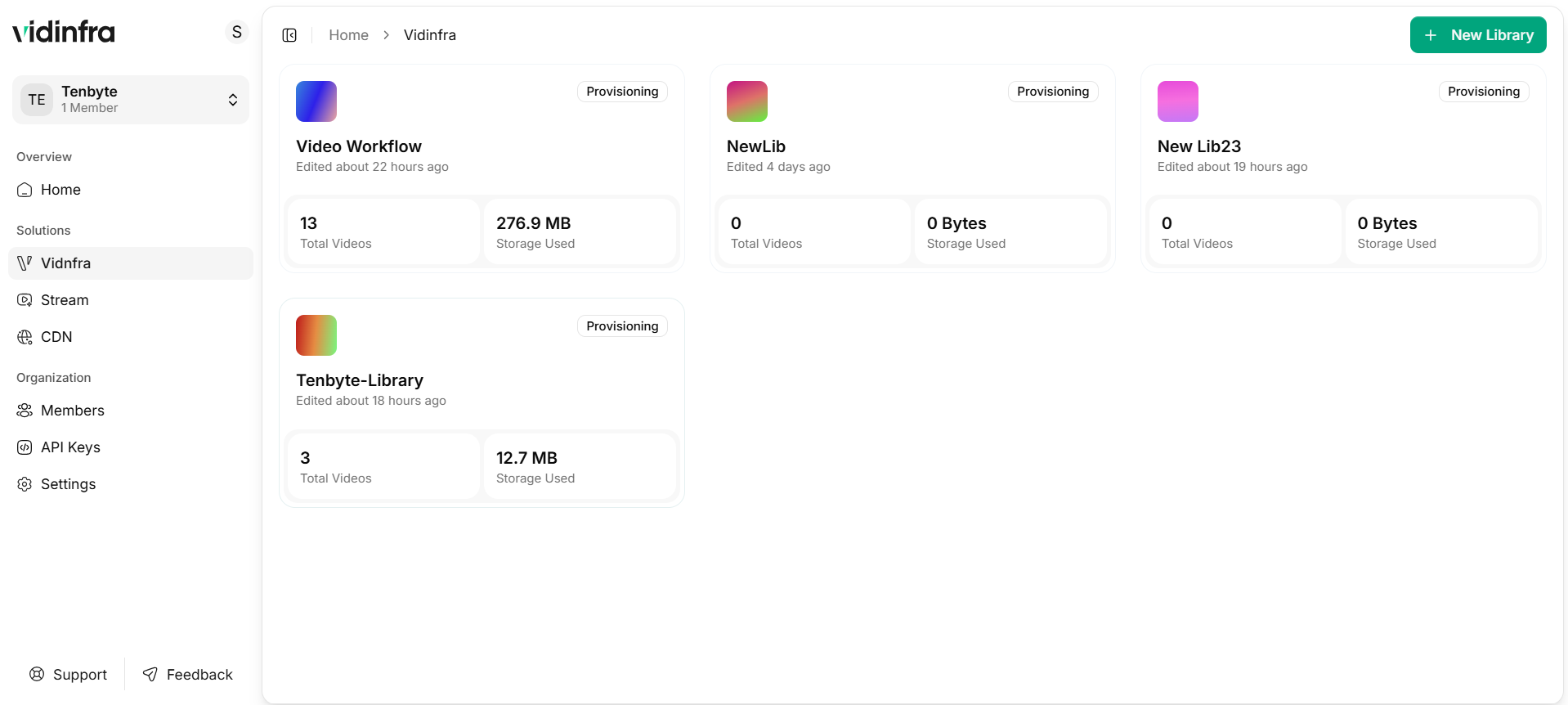 * Choose the library you want to work with. Inside the library, your uploaded videos and folders are listed in one place.
***
## Search and Filter
Vidinfra includes built-in tools to help you find videos quickly in large collections.
### Search by File Name
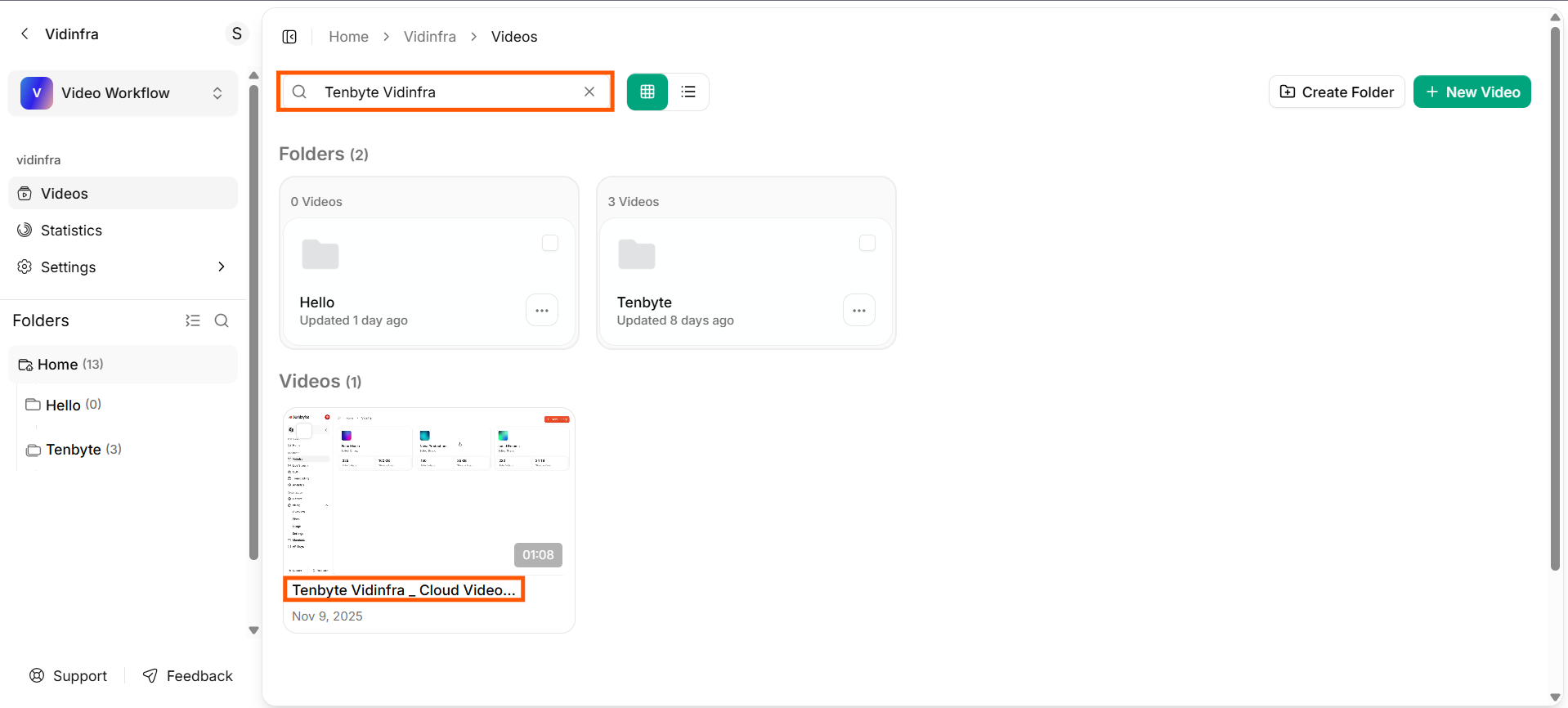
Use the search bar to locate videos by title. Results update instantly as you type.
* Choose the library you want to work with. Inside the library, your uploaded videos and folders are listed in one place.
***
## Search and Filter
Vidinfra includes built-in tools to help you find videos quickly in large collections.
### Search by File Name
Use the search bar to locate videos by title. Results update instantly as you type.
 ### Filter by Tags
Filter your videos using the tags you assigned during upload or editing. This is useful for grouping videos by category, project, or workflow.
### Filter by Status
You can filter videos based on their current state, including **Processing**, **Transcoding**, or other workflow stages. This helps you review progress at a glance and track pending tasks.
***
## Organize Videos with Tags
Tags help you group videos by topic, project stage, event type, or team ownership. You can attach several tags to the same video to keep large collections easier to navigate.
### How to Add Tags
1. Pick the videos you want to update from your library.
2. Scroll to the Tags section in the details panel.
3. Type the tags you want to assign and save your changes.
### Filter by Tags
Filter your videos using the tags you assigned during upload or editing. This is useful for grouping videos by category, project, or workflow.
### Filter by Status
You can filter videos based on their current state, including **Processing**, **Transcoding**, or other workflow stages. This helps you review progress at a glance and track pending tasks.
***
## Organize Videos with Tags
Tags help you group videos by topic, project stage, event type, or team ownership. You can attach several tags to the same video to keep large collections easier to navigate.
### How to Add Tags
1. Pick the videos you want to update from your library.
2. Scroll to the Tags section in the details panel.
3. Type the tags you want to assign and save your changes.
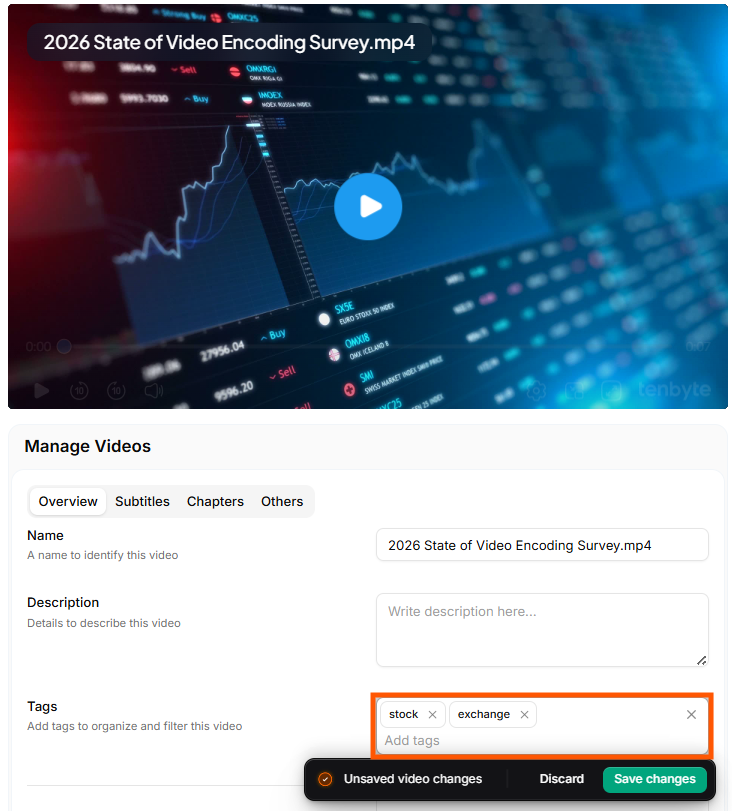 You can create unlimited tags and assign them to any video for flexible organization.