> ## Documentation Index
> Fetch the complete documentation index at: https://docs.tenbyte.io/llms.txt
> Use this file to discover all available pages before exploring further.
# Manage API Keys
Create and manage API keys to securely connect applications with Tenbyte. Control key permissions, define access scope, and set validity periods without using primary login credentials.
## Open the API Keys Page
* To get started, open **API Keys** from the Organization menu in the left sidebar. You’ll be taken to a simple dashboard that lists your existing keys.
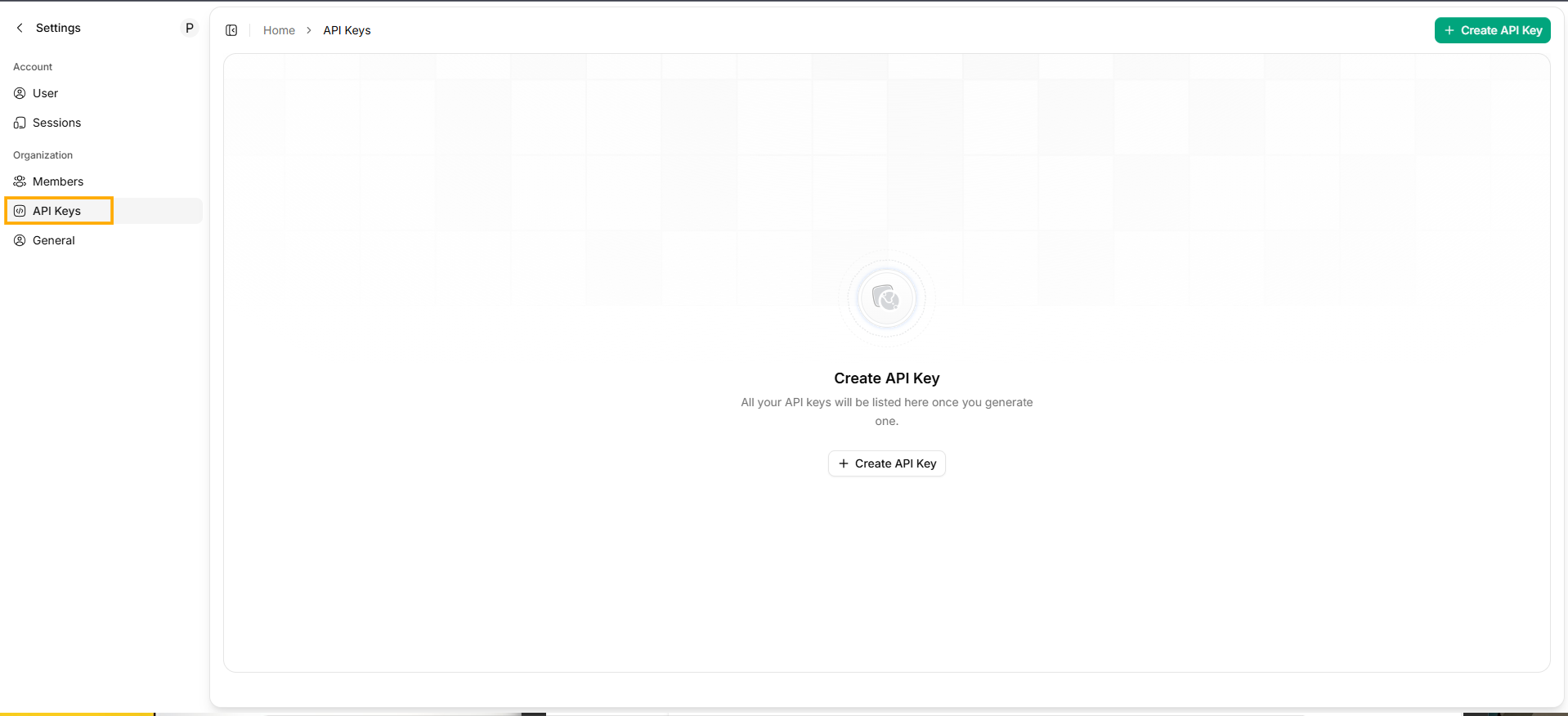 * If you haven’t created any keys yet, the page will show an empty state with a **Create API Key** option.
***
## Create a New API Key
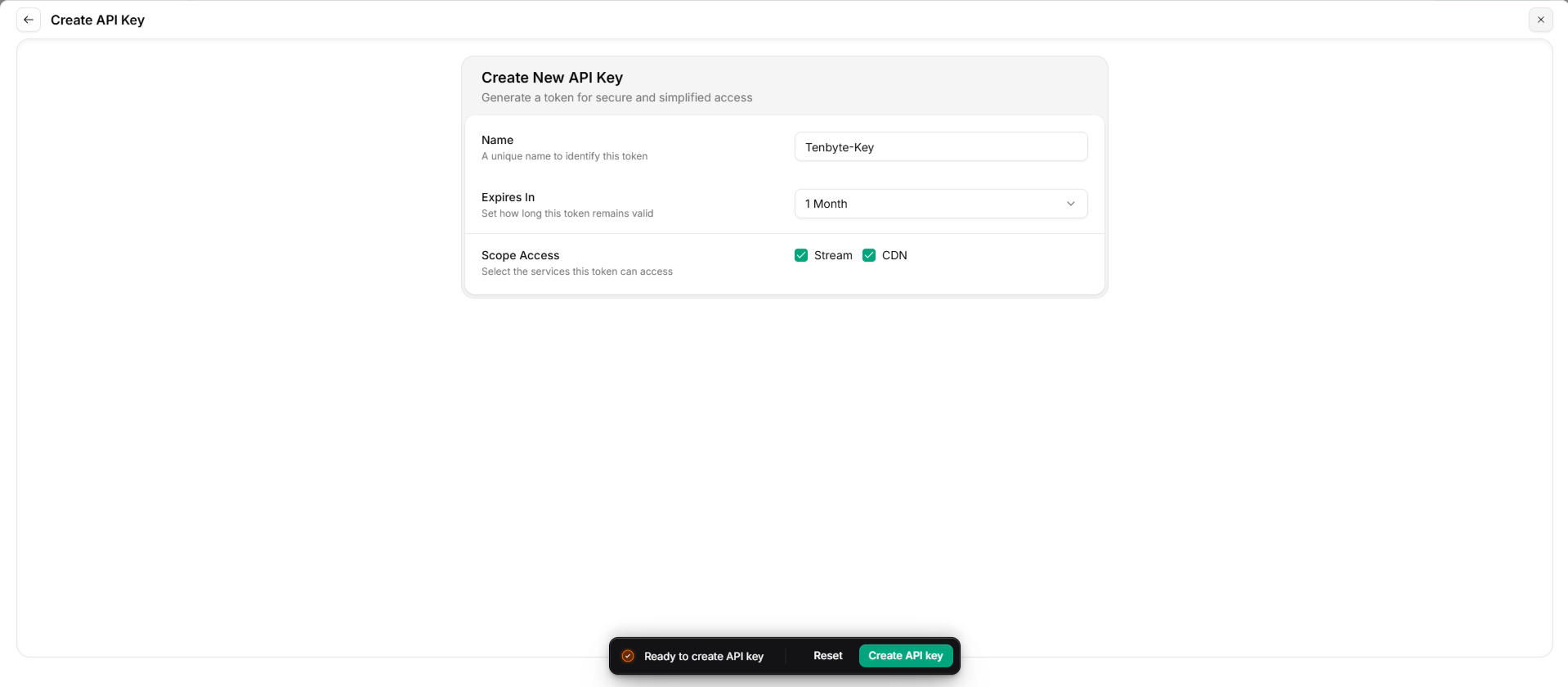
* Click **+ Create API Key** in the top-right corner to open the creation form.
Here’s what you’ll need to fill in:
* **Name** — Give the key a short name so you know what it’s used for.
* **Expiration** — Choose how long the key should remain valid:
* 1 Month
* 6 Months
* 12 Months
* Unlimited
* **Scope Access** — Pick the services or areas this key should be able to access.
***
## Generate the Key
* After completing the fields, select **Create** to generate the key.
* If you haven’t created any keys yet, the page will show an empty state with a **Create API Key** option.
***
## Create a New API Key
* Click **+ Create API Key** in the top-right corner to open the creation form.
Here’s what you’ll need to fill in:
* **Name** — Give the key a short name so you know what it’s used for.
* **Expiration** — Choose how long the key should remain valid:
* 1 Month
* 6 Months
* 12 Months
* Unlimited
* **Scope Access** — Pick the services or areas this key should be able to access.
***
## Generate the Key
* After completing the fields, select **Create** to generate the key.
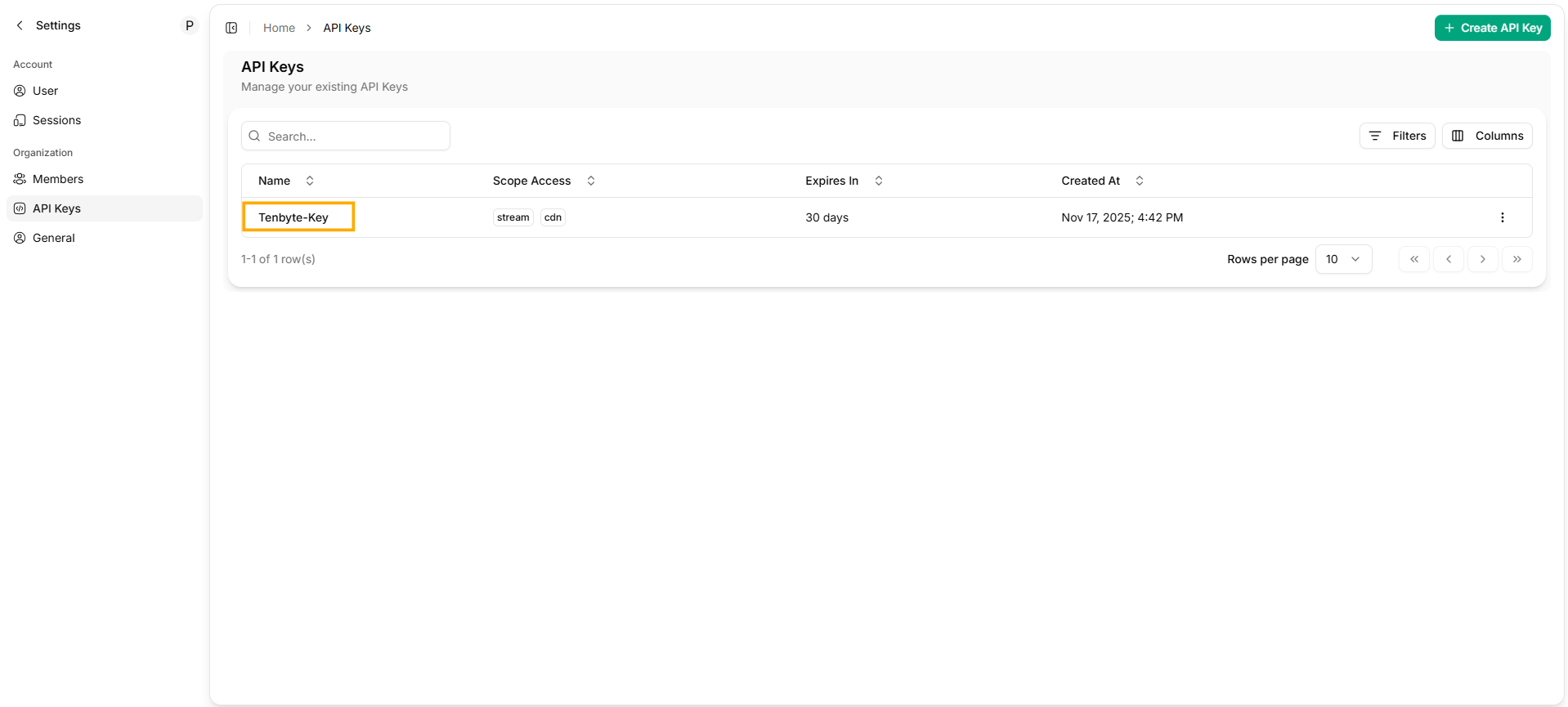
 * Your new API key will be generated and displayed once.
 ***
## View or Manage Existing Keys
* Any key you’ve already created will appear in the dashboard.\
From here, you can:
* Check the key’s metadata
* Disable a key if you no longer want it active
* Delete a key entirely
* Create new keys whenever your applications need separate access
This setup helps you keep your API usage organized and gives you a clear way to control which systems can interact with your Tenbyte workspace.
***
## View or Manage Existing Keys
* Any key you’ve already created will appear in the dashboard.\
From here, you can:
* Check the key’s metadata
* Disable a key if you no longer want it active
* Delete a key entirely
* Create new keys whenever your applications need separate access
This setup helps you keep your API usage organized and gives you a clear way to control which systems can interact with your Tenbyte workspace.