> ## Documentation Index
> Fetch the complete documentation index at: https://docs.tenbyte.io/llms.txt
> Use this file to discover all available pages before exploring further.
# Quick Start Guide
> Create a Tenbyte CDN distribution, verify the edge with curl, and automate purges via the API.
Get a Tenbyte CDN distribution serving traffic in under 10 minutes. This guide covers the console flow plus the curl checks and API calls that let you automate the rest.
## Prerequisites
* A **Tenbyte account** — [Sign up](https://beta.tenbyte.io/vidinfra)
* An **origin URL** that responds to HTTPS (your website, S3 bucket, or custom server)
* An **API token** if you plan to script things — generate one in **Organization → API Keys**
* `curl` (bundled with macOS / Linux / WSL)
## Architecture at a glance
```mermaid theme={null}
flowchart LR
DEV[You] -->|console / API| TB[Tenbyte CDN]
TB -->|distribution| EDGE[Global edge PoPs]
USER[End user] -->|GET| EDGE
EDGE -->|cache miss| ORIGIN[Your origin]
ORIGIN -->|bytes| EDGE
EDGE -->|cached bytes| USER
```
## 1. Open the CDN workspace
Sign in, then pick **CDN** from the left sidebar.
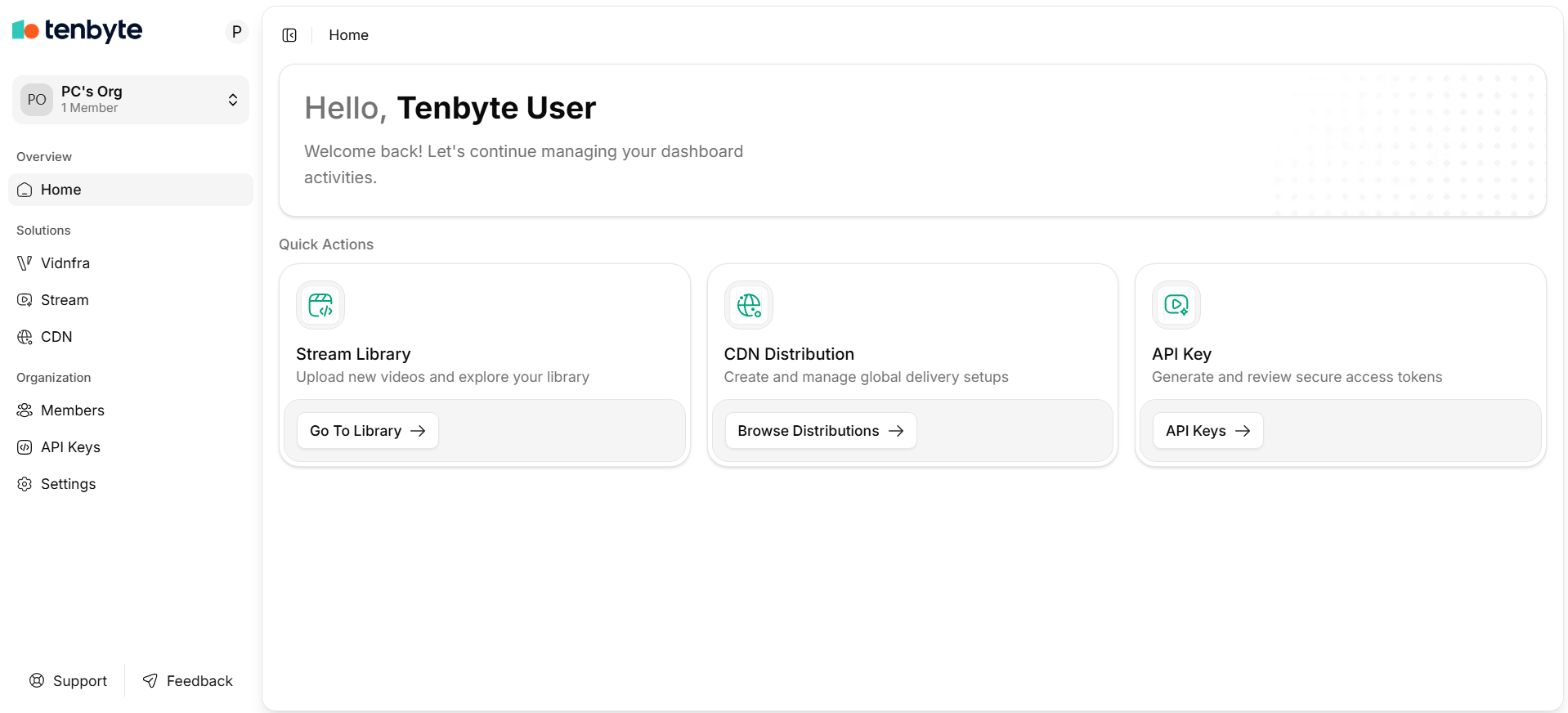
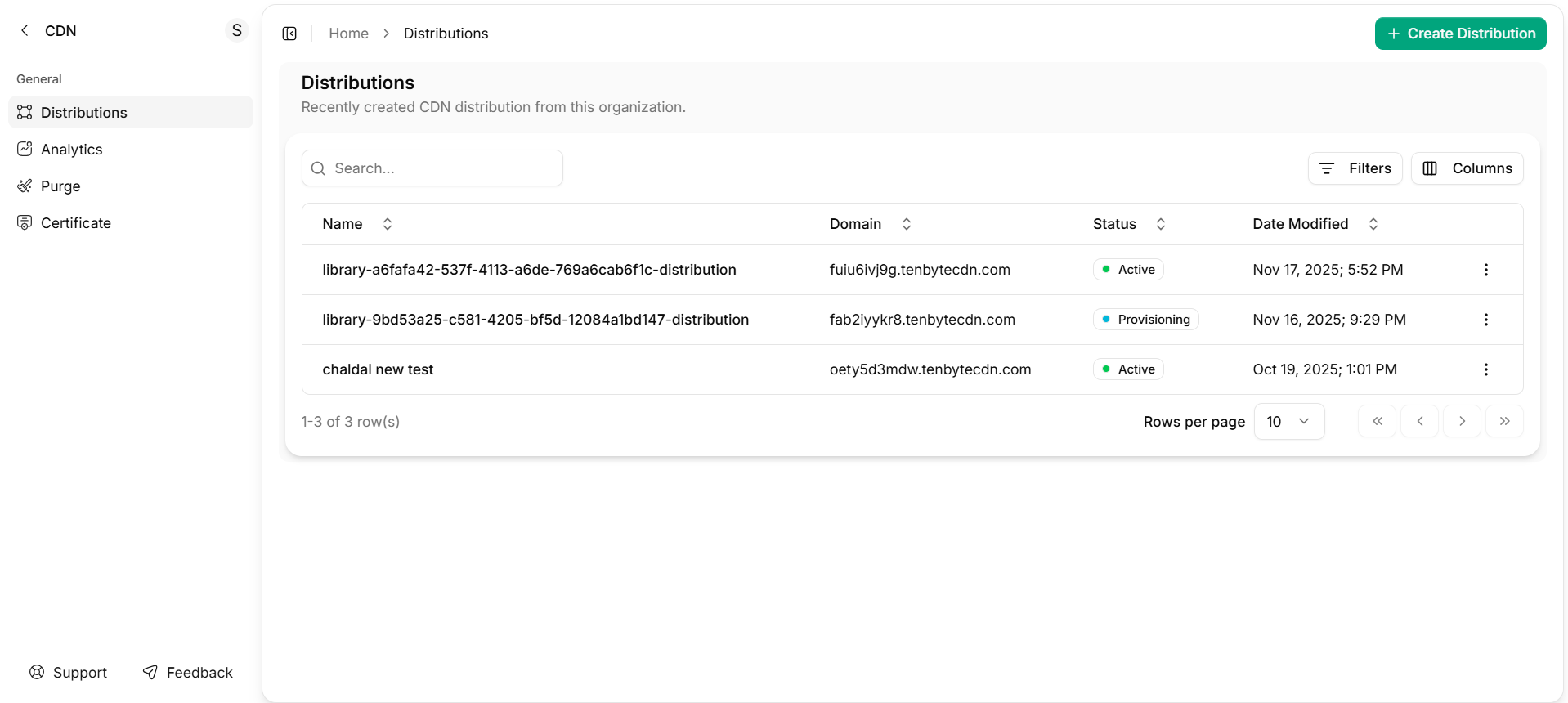
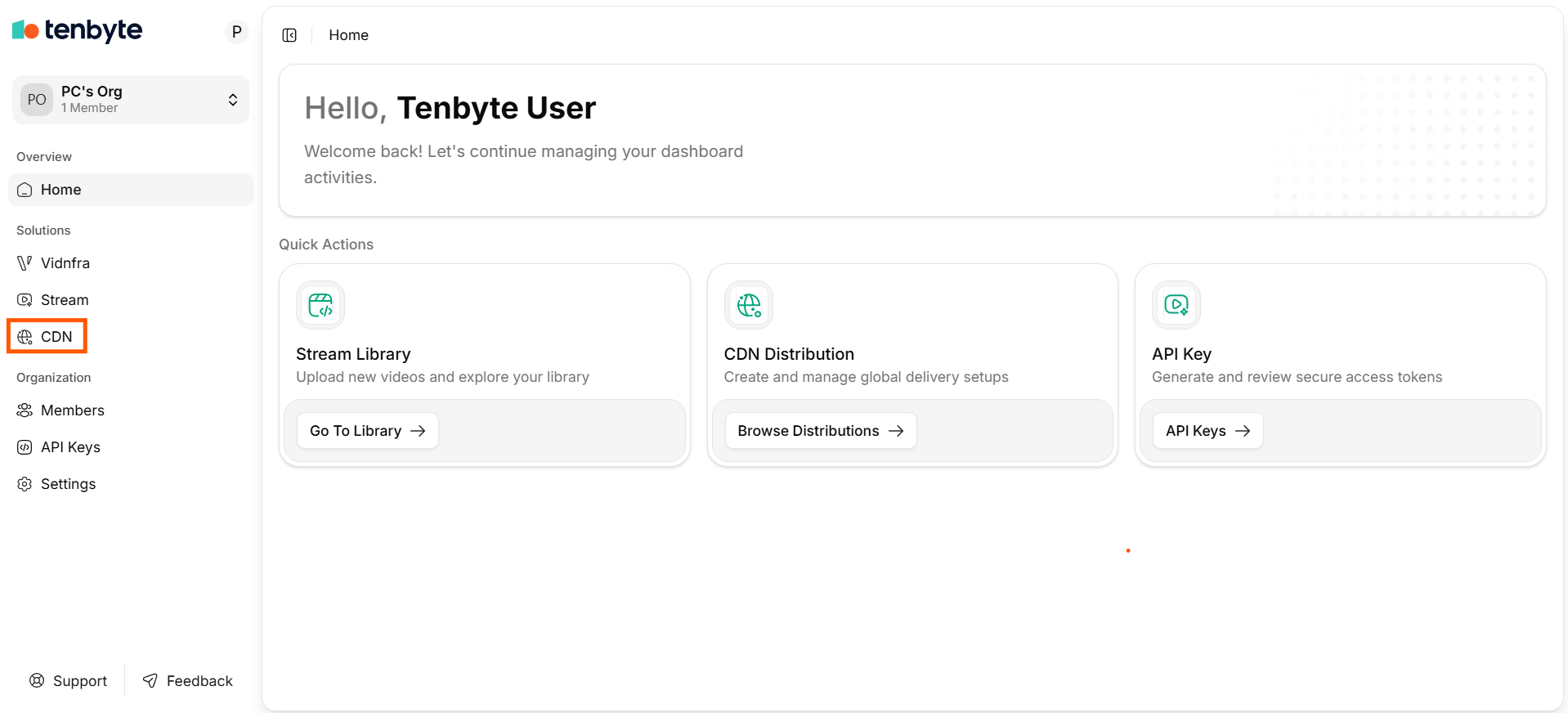 The CDN workspace lists your distributions.
 ## 2. Create a distribution
Walk through [Create distribution](/docs/cdn/distributions/create-distribution) to point at your origin. Once active, the console shows a distribution hostname like `your-distribution.tenbytecdn.com`.
Save it to your shell so the snippets below work as-is:
```bash theme={null}
export CDN_HOST="https://your-distribution.tenbytecdn.com"
export CDN_PATH="/index.html"
```
## 3. Verify the edge with curl
First request — expect `MISS` (origin fetch):
```bash theme={null}
curl -sSI "$CDN_HOST$CDN_PATH" | grep -iE 'http/|x-cache|cache-control|server'
```
Second request — expect `HIT` (served from cache):
```bash theme={null}
curl -sSI "$CDN_HOST$CDN_PATH" | grep -iE 'http/|x-cache'
# HTTP/2 200
# x-cache: HIT
```
If you see `MISS` repeatedly, jump to [Cache rules](/docs/cdn/distributions/cache-rules) — the origin is probably sending `Cache-Control: no-store` or `private`.
## 4. Add cache, header, and access rules
| Goal | Where |
| ------------------------------------- | --------------------------------------------------------------------------------- |
| Override TTLs per path | [Cache rules](/docs/cdn/distributions/cache-rules) |
| Add CORS / security headers | [Headers](/docs/cdn/distributions/headers) |
| Geo-block, IP-allow, or referrer-lock | [Access rules](/docs/cdn/distributions/access-rules/overview) |
| Sign URLs for paid / private content | [Token authentication](/docs/cdn/distributions/access-rules/token-authentication) |
| Issue an SSL cert | [SSL](/docs/cdn/distributions/ssl) |
## 5. Automate via the API
All console operations also live in the [CDN API](/api-reference/cdn). Drop these into CI/CD or a deploy script.
```bash theme={null}
export TENBYTE_API_TOKEN="..." # from Organization → API Keys
export DISTRIBUTION_ID="..." # from the distribution detail page
```
Purge a path after a deploy:
```bash theme={null}
curl -X POST "https://api.tenbyte.io/cdn/distributions/$DISTRIBUTION_ID/purge" \
-H "Authorization: Bearer $TENBYTE_API_TOKEN" \
-H "Content-Type: application/json" \
-d '{"paths": ["/index.html", "/static/*"]}'
```
Inspect the distribution config:
```bash theme={null}
curl -sS "https://api.tenbyte.io/cdn/distributions/$DISTRIBUTION_ID" \
-H "Authorization: Bearer $TENBYTE_API_TOKEN" | jq
```
Endpoint paths shown here mirror the [CDN API reference](/api-reference/cdn). Always check the reference for the exact shape — it is the source of truth.
## What "done" looks like
* [ ] `curl -I` returns `HTTP/2 200` from the distribution hostname.
* [ ] Repeat requests show `x-cache: HIT`.
* [ ] DNS for your custom domain (if any) points at the distribution CNAME.
* [ ] SSL certificate is **Active** in the console.
* [ ] You can purge a path via the API and watch the next request return `MISS`.
## Next steps
* [Cache rules](/docs/cdn/distributions/cache-rules) — fine-tune TTLs and query-string handling.
* [Token authentication](/docs/cdn/distributions/access-rules/token-authentication) — sign URLs for protected media.
* [Image optimization](/docs/cdn/distributions/image-optimizer) — resize, convert, and compress on the fly.
* [Analytics](/docs/cdn/analytics/overview) — bandwidth, cache-hit ratio, response classes.
* [FAQs](/docs/cdn/cdn-faqs) — quick answers for ops and billing questions.
## 2. Create a distribution
Walk through [Create distribution](/docs/cdn/distributions/create-distribution) to point at your origin. Once active, the console shows a distribution hostname like `your-distribution.tenbytecdn.com`.
Save it to your shell so the snippets below work as-is:
```bash theme={null}
export CDN_HOST="https://your-distribution.tenbytecdn.com"
export CDN_PATH="/index.html"
```
## 3. Verify the edge with curl
First request — expect `MISS` (origin fetch):
```bash theme={null}
curl -sSI "$CDN_HOST$CDN_PATH" | grep -iE 'http/|x-cache|cache-control|server'
```
Second request — expect `HIT` (served from cache):
```bash theme={null}
curl -sSI "$CDN_HOST$CDN_PATH" | grep -iE 'http/|x-cache'
# HTTP/2 200
# x-cache: HIT
```
If you see `MISS` repeatedly, jump to [Cache rules](/docs/cdn/distributions/cache-rules) — the origin is probably sending `Cache-Control: no-store` or `private`.
## 4. Add cache, header, and access rules
| Goal | Where |
| ------------------------------------- | --------------------------------------------------------------------------------- |
| Override TTLs per path | [Cache rules](/docs/cdn/distributions/cache-rules) |
| Add CORS / security headers | [Headers](/docs/cdn/distributions/headers) |
| Geo-block, IP-allow, or referrer-lock | [Access rules](/docs/cdn/distributions/access-rules/overview) |
| Sign URLs for paid / private content | [Token authentication](/docs/cdn/distributions/access-rules/token-authentication) |
| Issue an SSL cert | [SSL](/docs/cdn/distributions/ssl) |
## 5. Automate via the API
All console operations also live in the [CDN API](/api-reference/cdn). Drop these into CI/CD or a deploy script.
```bash theme={null}
export TENBYTE_API_TOKEN="..." # from Organization → API Keys
export DISTRIBUTION_ID="..." # from the distribution detail page
```
Purge a path after a deploy:
```bash theme={null}
curl -X POST "https://api.tenbyte.io/cdn/distributions/$DISTRIBUTION_ID/purge" \
-H "Authorization: Bearer $TENBYTE_API_TOKEN" \
-H "Content-Type: application/json" \
-d '{"paths": ["/index.html", "/static/*"]}'
```
Inspect the distribution config:
```bash theme={null}
curl -sS "https://api.tenbyte.io/cdn/distributions/$DISTRIBUTION_ID" \
-H "Authorization: Bearer $TENBYTE_API_TOKEN" | jq
```
Endpoint paths shown here mirror the [CDN API reference](/api-reference/cdn). Always check the reference for the exact shape — it is the source of truth.
## What "done" looks like
* [ ] `curl -I` returns `HTTP/2 200` from the distribution hostname.
* [ ] Repeat requests show `x-cache: HIT`.
* [ ] DNS for your custom domain (if any) points at the distribution CNAME.
* [ ] SSL certificate is **Active** in the console.
* [ ] You can purge a path via the API and watch the next request return `MISS`.
## Next steps
* [Cache rules](/docs/cdn/distributions/cache-rules) — fine-tune TTLs and query-string handling.
* [Token authentication](/docs/cdn/distributions/access-rules/token-authentication) — sign URLs for protected media.
* [Image optimization](/docs/cdn/distributions/image-optimizer) — resize, convert, and compress on the fly.
* [Analytics](/docs/cdn/analytics/overview) — bandwidth, cache-hit ratio, response classes.
* [FAQs](/docs/cdn/cdn-faqs) — quick answers for ops and billing questions.