> ## Documentation Index
> Fetch the complete documentation index at: https://docs.tenbyte.io/llms.txt
> Use this file to discover all available pages before exploring further.
# Shopify
> Route Shopify product images through Tenbyte CDN for faster storefronts. Includes theme settings, snippet, and srcset example.
Shopify hosts your product images on `cdn.shopify.com`. By proxying that origin through Tenbyte CDN, you get on-the-fly resizing, format conversion, and faster regional delivery without changing how you upload products.
## How the integration works
```mermaid theme={null}
flowchart LR
THEME[Shopify theme
tenbyte.liquid] -->|rewrite URL| TENBYTE[your-distribution.tenbytecdn.com]
TENBYTE -->|cache miss| SHOPIFY[cdn.shopify.com]
SHOPIFY -->|original image| TENBYTE
TENBYTE -->|optimized variant| BROWSER[Browser]
```
The `tenbyte.liquid` snippet rewrites Shopify CDN URLs to Tenbyte URLs and appends transform params.
## Prerequisites
* A Shopify store with theme edit access.
* A Tenbyte distribution with [Image Optimizer enabled](/docs/cdn/distributions/image-optimizer).
* **Backup your theme** before editing — Online Store → Themes → "..." → Download theme file.
## 1. Add Shopify as an origin
In your Tenbyte distribution → **Origins** → **Add Origin**:
| Field | Value |
| ----------- | ------------------------- |
| Origin Name | `Origin-Shopify` |
| Type | Hostname |
| Domain / IP | `https://cdn.shopify.com` |
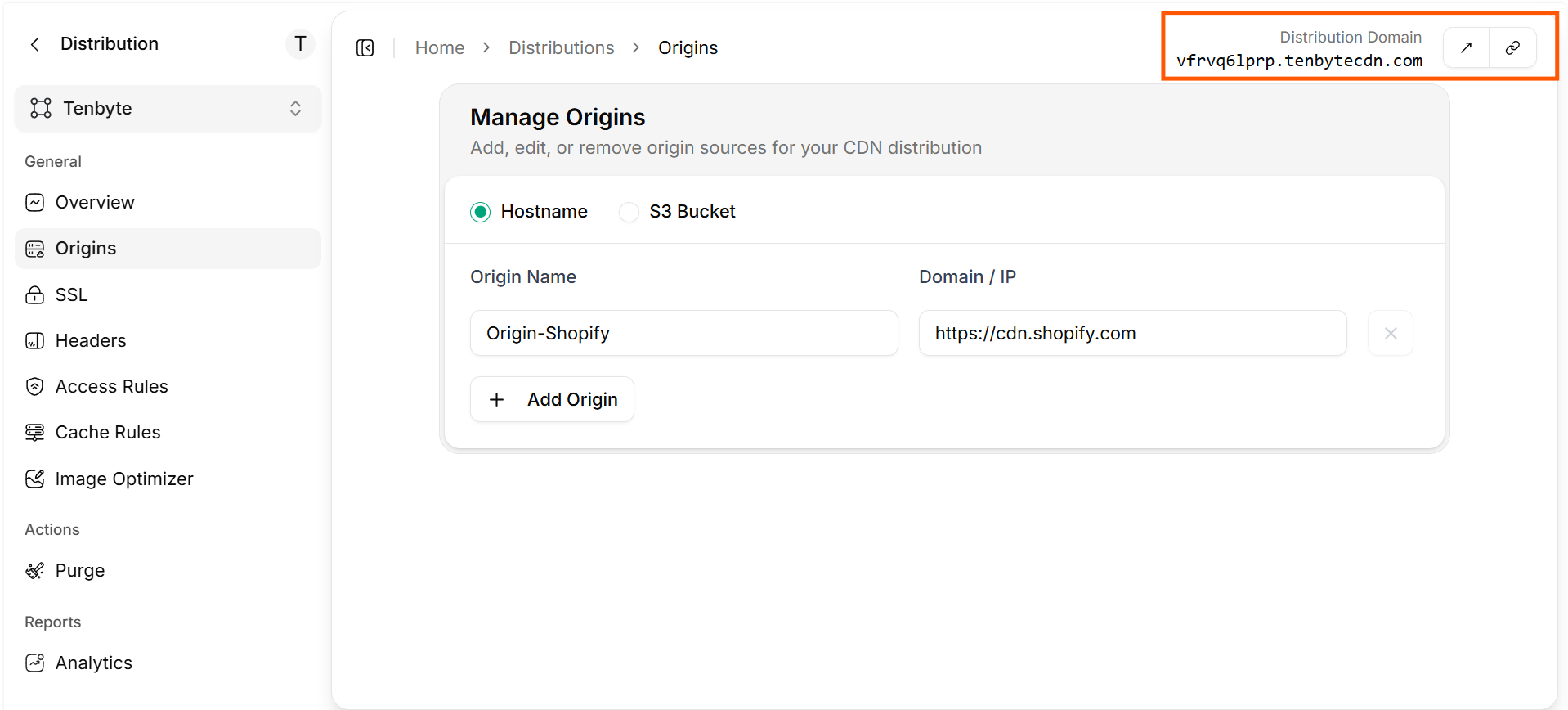
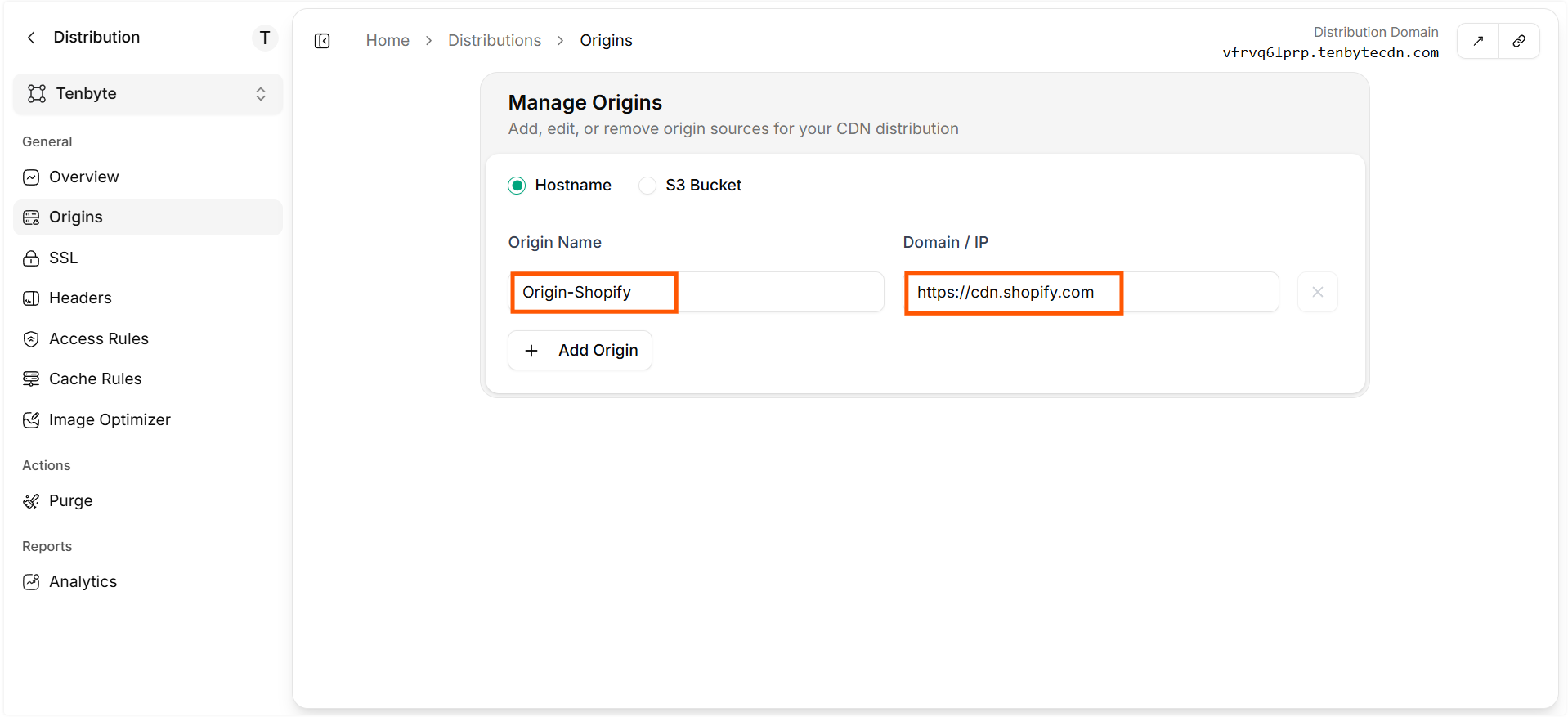 Save. Your Tenbyte CDN domain can now fetch and optimize Shopify-hosted images.
 ## 2. Add Tenbyte settings to the theme
In Shopify Admin → **Online Store → Themes**, find your theme, click **"..." → Edit code**.
Open `Config/settings_schema.json`, scroll to the bottom, and append this block. Save.
```json settings_schema.json theme={null}
{
"name": "Tenbyte",
"settings": [
{
"type": "paragraph",
"content": "Tenbyte Image Optimization. See https://docs.tenbyte.io/docs/cdn/image-optimization/integration-guide/shopify"
},
{
"type": "checkbox",
"id": "enableTenbyte",
"label": "Enable Tenbyte"
},
{
"type": "text",
"id": "tenbyteUrl",
"label": "Tenbyte URL endpoint",
"info": "Your Tenbyte distribution. Example: https://your-distribution.tenbytecdn.com/"
},
{
"type": "text",
"id": "tenbyteShopifyCdnUrl",
"label": "Shopify CDN domain",
"info": "Leave as //cdn.shopify.com unless you have a proxy in place."
}
]
}
```
## 3. Create the `tenbyte.liquid` snippet
In **Snippets**, create `tenbyte.liquid` and paste:
```liquid tenbyte.liquid theme={null}
{% capture TENBYTE %}
{% if settings.enableTenbyte %}
{% for i in (1..1) %}
{% unless src or settings.tenbyteUrl != blank %}
{{ src }}{% break %}
{% endunless %}
{% assign cdnUrl = settings.tenbyteShopifyCdnUrl | strip %}
{% unless src contains cdnUrl %}
{{ src }}{% break %}
{% endunless %}
{% assign tenbyteUrl = settings.tenbyteUrl | strip %}
{% assign filters = 'w,h,q,fm,fit,dpr,format,quality,bri,con,sat,sharp,blur,auto' | split:',' %}
{% assign imgWithQuerystring = "?" %}
{% if src contains '?' %}{% assign imgWithQuerystring = '' %}{% endif %}
{% for _filter in filters %}
{% if [_filter] %}
{% assign imgWithQuerystring = imgWithQuerystring | append:_filter | append:'=' | append:[_filter] | append:'&' %}
{% endif %}
{% endfor %}
{% assign modifySrc = src | split:'?' | first | append:"?" %}
{% assign newSrc = modifySrc | strip | replace:cdnUrl,tenbyteUrl | append:imgWithQuerystring %}
{% endfor %}
{{ newSrc | default:src }}
{% else %}
{{ src }}
{% endif %}
{% endcapture %}{{ TENBYTE | strip | replace:' ' | strip_newlines }}
```
## 4. Enable Tenbyte in theme settings
**Online Store → Themes → Customize**. In the left panel, open the **Tenbyte** section under General settings:
| Field | Value |
| -------------------- | ------------------------------------------- |
| Enable Tenbyte | ✓ |
| Tenbyte URL endpoint | `https://your-distribution.tenbytecdn.com/` |
| Shopify CDN domain | `//cdn.shopify.com` |
## 5. Update theme image renders
Replace direct image renders with the snippet. The before/after pattern:
**Before:**
```liquid theme={null}
{{ product.featured_image }}
```
**After:**
```liquid theme={null}
{% assign feat_img_url = product.featured_image | image_url %}
{% render 'tenbyte', src: feat_img_url, w: 600 %}
```
### Responsive `srcset` example
```liquid theme={null}
{% assign feat_img_url = product.featured_image | image_url %}
## 2. Add Tenbyte settings to the theme
In Shopify Admin → **Online Store → Themes**, find your theme, click **"..." → Edit code**.
Open `Config/settings_schema.json`, scroll to the bottom, and append this block. Save.
```json settings_schema.json theme={null}
{
"name": "Tenbyte",
"settings": [
{
"type": "paragraph",
"content": "Tenbyte Image Optimization. See https://docs.tenbyte.io/docs/cdn/image-optimization/integration-guide/shopify"
},
{
"type": "checkbox",
"id": "enableTenbyte",
"label": "Enable Tenbyte"
},
{
"type": "text",
"id": "tenbyteUrl",
"label": "Tenbyte URL endpoint",
"info": "Your Tenbyte distribution. Example: https://your-distribution.tenbytecdn.com/"
},
{
"type": "text",
"id": "tenbyteShopifyCdnUrl",
"label": "Shopify CDN domain",
"info": "Leave as //cdn.shopify.com unless you have a proxy in place."
}
]
}
```
## 3. Create the `tenbyte.liquid` snippet
In **Snippets**, create `tenbyte.liquid` and paste:
```liquid tenbyte.liquid theme={null}
{% capture TENBYTE %}
{% if settings.enableTenbyte %}
{% for i in (1..1) %}
{% unless src or settings.tenbyteUrl != blank %}
{{ src }}{% break %}
{% endunless %}
{% assign cdnUrl = settings.tenbyteShopifyCdnUrl | strip %}
{% unless src contains cdnUrl %}
{{ src }}{% break %}
{% endunless %}
{% assign tenbyteUrl = settings.tenbyteUrl | strip %}
{% assign filters = 'w,h,q,fm,fit,dpr,format,quality,bri,con,sat,sharp,blur,auto' | split:',' %}
{% assign imgWithQuerystring = "?" %}
{% if src contains '?' %}{% assign imgWithQuerystring = '' %}{% endif %}
{% for _filter in filters %}
{% if [_filter] %}
{% assign imgWithQuerystring = imgWithQuerystring | append:_filter | append:'=' | append:[_filter] | append:'&' %}
{% endif %}
{% endfor %}
{% assign modifySrc = src | split:'?' | first | append:"?" %}
{% assign newSrc = modifySrc | strip | replace:cdnUrl,tenbyteUrl | append:imgWithQuerystring %}
{% endfor %}
{{ newSrc | default:src }}
{% else %}
{{ src }}
{% endif %}
{% endcapture %}{{ TENBYTE | strip | replace:' ' | strip_newlines }}
```
## 4. Enable Tenbyte in theme settings
**Online Store → Themes → Customize**. In the left panel, open the **Tenbyte** section under General settings:
| Field | Value |
| -------------------- | ------------------------------------------- |
| Enable Tenbyte | ✓ |
| Tenbyte URL endpoint | `https://your-distribution.tenbytecdn.com/` |
| Shopify CDN domain | `//cdn.shopify.com` |
## 5. Update theme image renders
Replace direct image renders with the snippet. The before/after pattern:
**Before:**
```liquid theme={null}
{{ product.featured_image }}
```
**After:**
```liquid theme={null}
{% assign feat_img_url = product.featured_image | image_url %}
{% render 'tenbyte', src: feat_img_url, w: 600 %}
```
### Responsive `srcset` example
```liquid theme={null}
{% assign feat_img_url = product.featured_image | image_url %}
 ```
## Verify
1. Open a product page.
2. View source / inspect element.
3. Confirm image URLs go to `your-distribution.tenbytecdn.com` instead of `cdn.shopify.com`.
4. In DevTools Network, check `content-type: image/webp` on supported browsers.
```bash theme={null}
# Or test directly
curl -sSI "https://your-distribution.tenbytecdn.com/s/files/1/.../photo.jpg?w=480&fm=auto" \
| grep -iE 'content-type|x-cache'
```
## Operational tips
* **Ship behind the checkbox.** The `enableTenbyte` toggle lets you roll back instantly.
* **Test in a draft theme.** Edit a copy, preview, then publish.
* **Watch [cache hit ratio](/docs/cdn/analytics/cache-hit-ratio).** Shopify pages reuse images aggressively; CHR should climb past 95%.
* **Cap widths.** Match Shopify's preset image sizes (320, 480, 640, 960, 1280, 1600) so you don't fragment the cache.
* **Lazy-load below the fold.** `loading="lazy"` is supported in Liquid `
```
## Verify
1. Open a product page.
2. View source / inspect element.
3. Confirm image URLs go to `your-distribution.tenbytecdn.com` instead of `cdn.shopify.com`.
4. In DevTools Network, check `content-type: image/webp` on supported browsers.
```bash theme={null}
# Or test directly
curl -sSI "https://your-distribution.tenbytecdn.com/s/files/1/.../photo.jpg?w=480&fm=auto" \
| grep -iE 'content-type|x-cache'
```
## Operational tips
* **Ship behind the checkbox.** The `enableTenbyte` toggle lets you roll back instantly.
* **Test in a draft theme.** Edit a copy, preview, then publish.
* **Watch [cache hit ratio](/docs/cdn/analytics/cache-hit-ratio).** Shopify pages reuse images aggressively; CHR should climb past 95%.
* **Cap widths.** Match Shopify's preset image sizes (320, 480, 640, 960, 1280, 1600) so you don't fragment the cache.
* **Lazy-load below the fold.** `loading="lazy"` is supported in Liquid `![]() ` tags.
## Troubleshooting
| Symptom | Fix |
| ---------------------------------- | ------------------------------------------------------------------------- |
| Images still hit `cdn.shopify.com` | `enableTenbyte` is off or `tenbyteUrl` is blank in theme settings. |
| `404` from Tenbyte | Origin not added or wrong path; the path on Tenbyte must match Shopify's. |
| Layout shifts | Add `width` and `height` to `
` tags.
## Troubleshooting
| Symptom | Fix |
| ---------------------------------- | ------------------------------------------------------------------------- |
| Images still hit `cdn.shopify.com` | `enableTenbyte` is off or `tenbyteUrl` is blank in theme settings. |
| `404` from Tenbyte | Origin not added or wrong path; the path on Tenbyte must match Shopify's. |
| Layout shifts | Add `width` and `height` to `![]() ` so the browser reserves space. |
| Broken theme | Restore from the backup you took in step 0. |
` so the browser reserves space. |
| Broken theme | Restore from the backup you took in step 0. |