> ## Documentation Index
> Fetch the complete documentation index at: https://docs.tenbyte.io/llms.txt
> Use this file to discover all available pages before exploring further.
# Image Optimizer
> Resize, convert, and compress images at the edge with URL-based transforms.
Image Optimizer transforms images on the fly at the edge: resize, format conversion (WebP / AVIF), quality, crop, and more. You ship one master file to your origin and the CDN serves the perfect variant per device.
## How it works
```mermaid theme={null}
flowchart LR
BROWSER[Browser request
?width=400&format=webp] --> EDGE[Tenbyte edge]
EDGE -->|cache miss| TRANSFORM[Transform pipeline]
TRANSFORM -->|fetch master| ORIGIN[Origin: original.jpg]
TRANSFORM --> CACHE[Cache variant]
CACHE --> BROWSER
```
The query string is part of the cache key, so each variant is cached independently after the first miss.
## Enable Image Optimizer
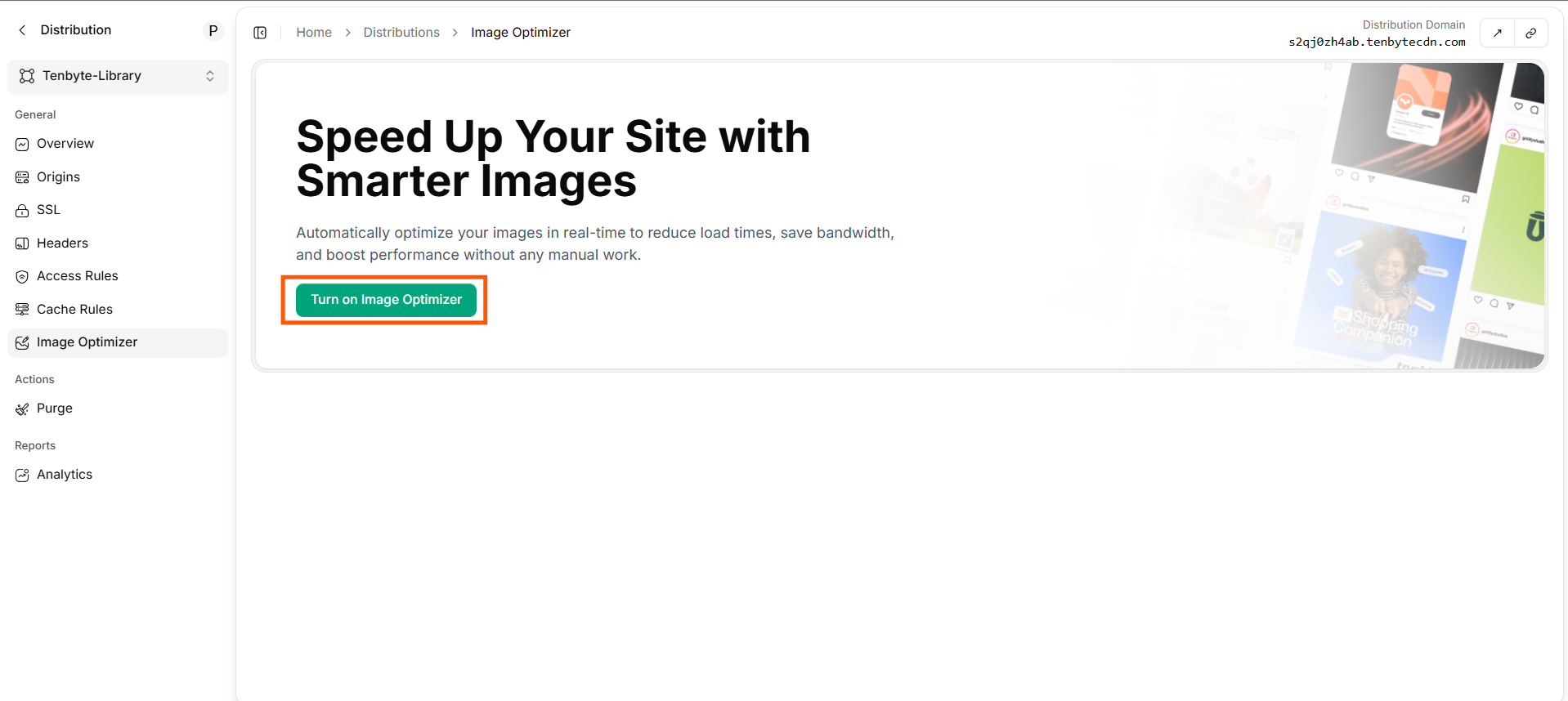 Click **Turn on Image Optimizer**. Once active:
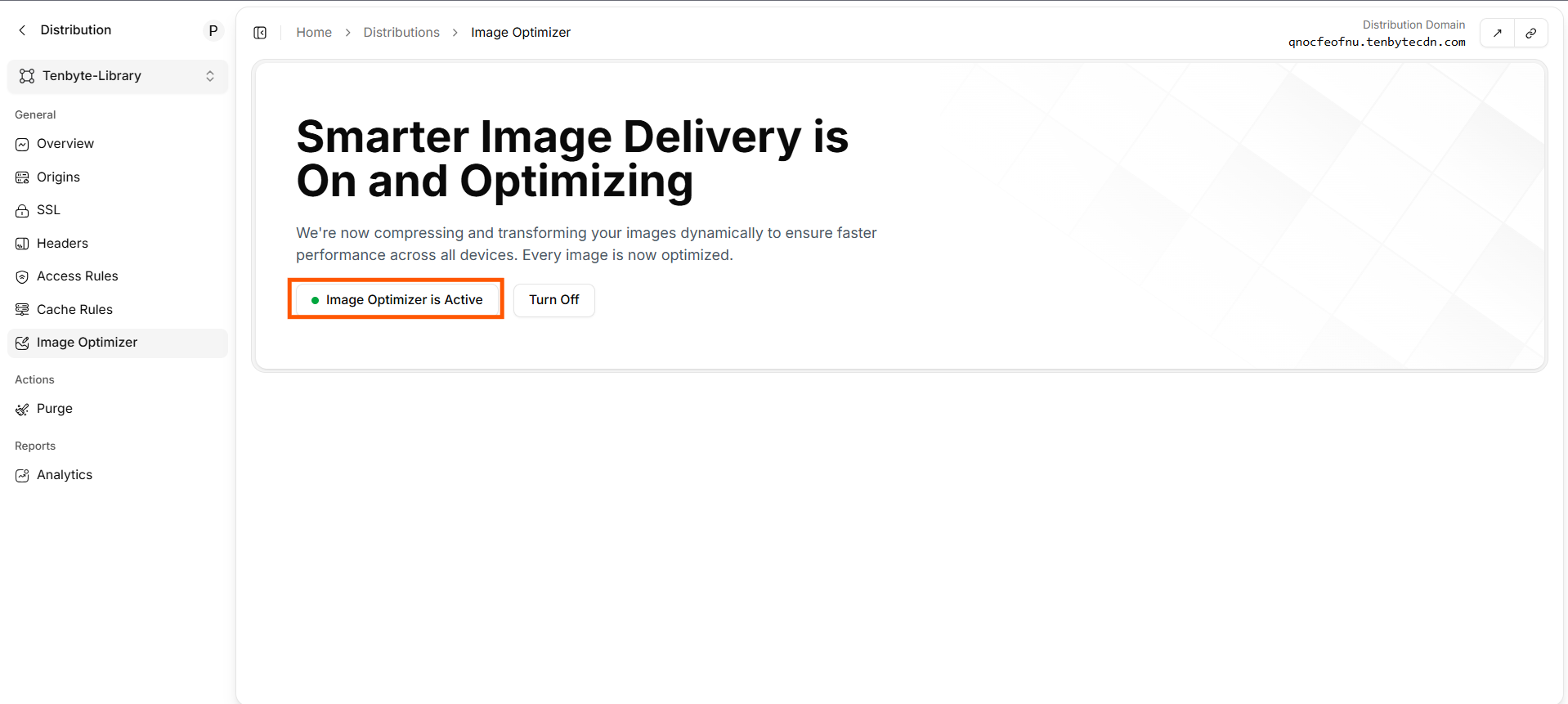 The status flips to **Image Optimizer is Active**. Transforms work immediately on any image path on this distribution.
## URL-based transforms
Append query parameters to any image URL.
| Parameter | Values | Example |
| --------- | ----------------------------------------------- | -------------- |
| `width` | px | `?width=800` |
| `height` | px | `?height=600` |
| `format` | `auto`, `webp`, `avif`, `jpeg`, `png` | `?format=webp` |
| `quality` | `1–100` | `?quality=80` |
| `fit` | `cover`, `contain`, `fill`, `inside`, `outside` | `?fit=cover` |
| `dpr` | device pixel ratio | `?dpr=2` |
Combine freely:
```text theme={null}
https://cdn.yoursite.com/photos/hero.jpg?width=1200&format=auto&quality=80
```
`format=auto` picks WebP / AVIF based on `Accept` header; falls back to the original.
## Recipes
### Responsive image
```html theme={null}
The status flips to **Image Optimizer is Active**. Transforms work immediately on any image path on this distribution.
## URL-based transforms
Append query parameters to any image URL.
| Parameter | Values | Example |
| --------- | ----------------------------------------------- | -------------- |
| `width` | px | `?width=800` |
| `height` | px | `?height=600` |
| `format` | `auto`, `webp`, `avif`, `jpeg`, `png` | `?format=webp` |
| `quality` | `1–100` | `?quality=80` |
| `fit` | `cover`, `contain`, `fill`, `inside`, `outside` | `?fit=cover` |
| `dpr` | device pixel ratio | `?dpr=2` |
Combine freely:
```text theme={null}
https://cdn.yoursite.com/photos/hero.jpg?width=1200&format=auto&quality=80
```
`format=auto` picks WebP / AVIF based on `Accept` header; falls back to the original.
## Recipes
### Responsive image
```html theme={null}
 ```
### Avatar thumbnail
```text theme={null}
https://cdn.yoursite.com/users/123.jpg?width=64&height=64&fit=cover&format=webp
```
### High-DPI screen
```text theme={null}
https://cdn.yoursite.com/photos/hero.jpg?width=800&dpr=2&format=auto
```
## Verify a transform
```bash theme={null}
curl -sSI "$CDN_HOST/photos/hero.jpg?width=400&format=webp" \
| grep -iE 'content-type|content-length|x-cache'
```
Expected:
```text theme={null}
content-type: image/webp
content-length: 18432
x-cache: HIT
```
## Framework integration
Drop straight into your front-end framework. Per-framework guides:
* [Next.js](/docs/cdn/image-optimization/integration-guide/nextjs)
* [Nuxt](/docs/cdn/image-optimization/integration-guide/nuxt)
* [Astro](/docs/cdn/image-optimization/integration-guide/astro)
* [React Native](/docs/cdn/image-optimization/integration-guide/react-native)
* [Android / iOS](/docs/cdn/image-optimization/integration-guide/android-ios)
* [Shopify](/docs/cdn/image-optimization/integration-guide/shopify)
## Turn off
```
### Avatar thumbnail
```text theme={null}
https://cdn.yoursite.com/users/123.jpg?width=64&height=64&fit=cover&format=webp
```
### High-DPI screen
```text theme={null}
https://cdn.yoursite.com/photos/hero.jpg?width=800&dpr=2&format=auto
```
## Verify a transform
```bash theme={null}
curl -sSI "$CDN_HOST/photos/hero.jpg?width=400&format=webp" \
| grep -iE 'content-type|content-length|x-cache'
```
Expected:
```text theme={null}
content-type: image/webp
content-length: 18432
x-cache: HIT
```
## Framework integration
Drop straight into your front-end framework. Per-framework guides:
* [Next.js](/docs/cdn/image-optimization/integration-guide/nextjs)
* [Nuxt](/docs/cdn/image-optimization/integration-guide/nuxt)
* [Astro](/docs/cdn/image-optimization/integration-guide/astro)
* [React Native](/docs/cdn/image-optimization/integration-guide/react-native)
* [Android / iOS](/docs/cdn/image-optimization/integration-guide/android-ios)
* [Shopify](/docs/cdn/image-optimization/integration-guide/shopify)
## Turn off
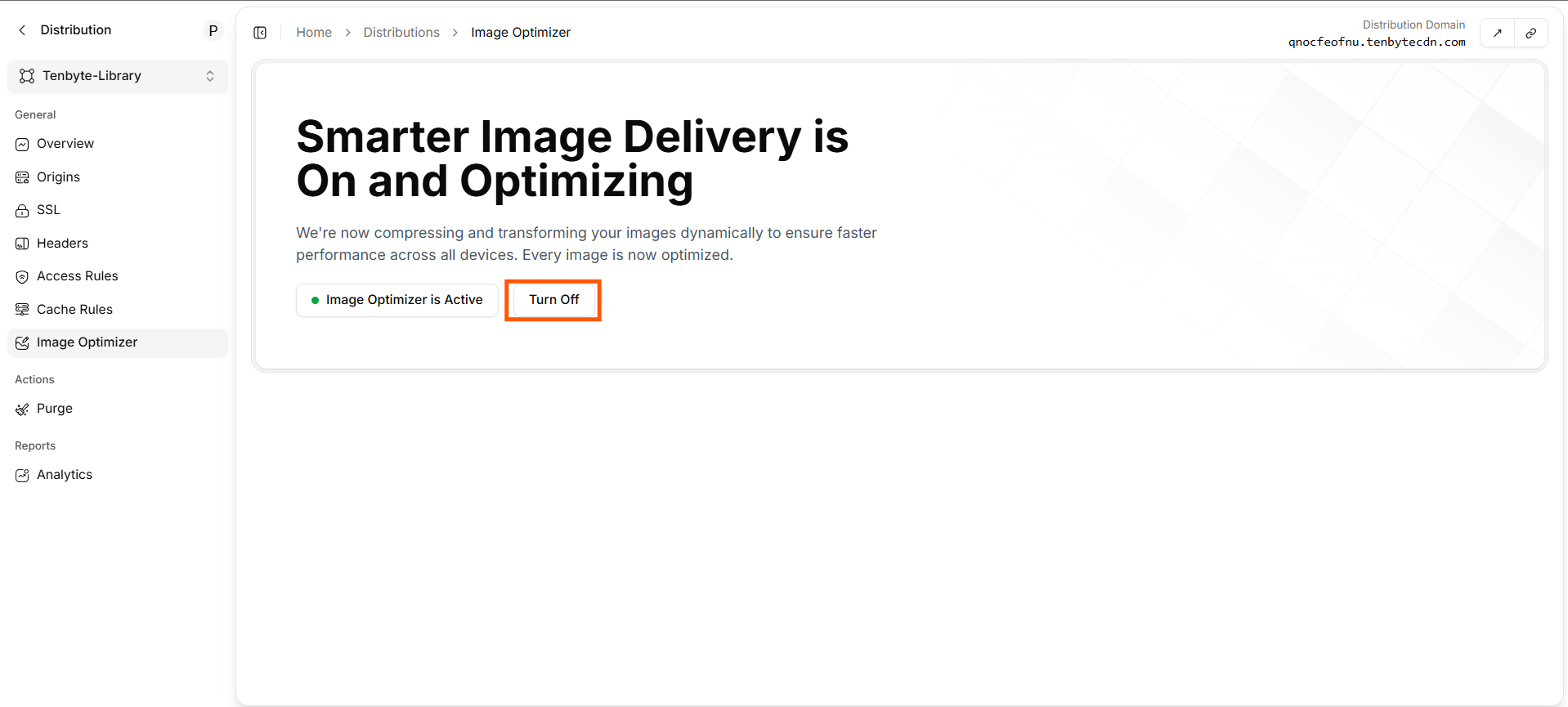 Click **Turn Off**. The CDN stops transforming and serves the master file as-is. Cached variants stay until they expire — [purge](/docs/cdn/purge/purge-by-pattern) `/photos/*` to flush them immediately.
## Operational tips
* **Master in a high-quality format** — JPEG quality 90 or PNG. Let the optimizer downscale; never upscale.
* **`format=auto` everywhere** — covers AVIF-capable Chrome, WebP for everything else, JPEG for old Safari.
* **Cap `width`** — limit the transform to widths you actually use (sizes attribute). Otherwise attackers can hammer the edge with `?width=N` for every N.
* **Watch the cache.** Each `(width, height, format, quality, dpr, fit)` tuple is a separate object. Define a small set in your component layer.
* **Pair with [cache rules](/docs/cdn/distributions/cache-rules)** — long TTLs on `/photos/*` since transforms are deterministic per query.
Click **Turn Off**. The CDN stops transforming and serves the master file as-is. Cached variants stay until they expire — [purge](/docs/cdn/purge/purge-by-pattern) `/photos/*` to flush them immediately.
## Operational tips
* **Master in a high-quality format** — JPEG quality 90 or PNG. Let the optimizer downscale; never upscale.
* **`format=auto` everywhere** — covers AVIF-capable Chrome, WebP for everything else, JPEG for old Safari.
* **Cap `width`** — limit the transform to widths you actually use (sizes attribute). Otherwise attackers can hammer the edge with `?width=N` for every N.
* **Watch the cache.** Each `(width, height, format, quality, dpr, fit)` tuple is a separate object. Define a small set in your component layer.
* **Pair with [cache rules](/docs/cdn/distributions/cache-rules)** — long TTLs on `/photos/*` since transforms are deterministic per query.