> ## Documentation Index
> Fetch the complete documentation index at: https://docs.tenbyte.io/llms.txt
> Use this file to discover all available pages before exploring further.
# Distribution Overview
> Inspect distribution status, hostname, configuration, and lifecycle metadata from the console or API.
The **Overview** tab is your at-a-glance status for a single distribution: hostname, current state, when it was created, and basic config you can edit in place.
## Open the distribution
From the CDN workspace, click **Action → Manage** on the row for your distribution.
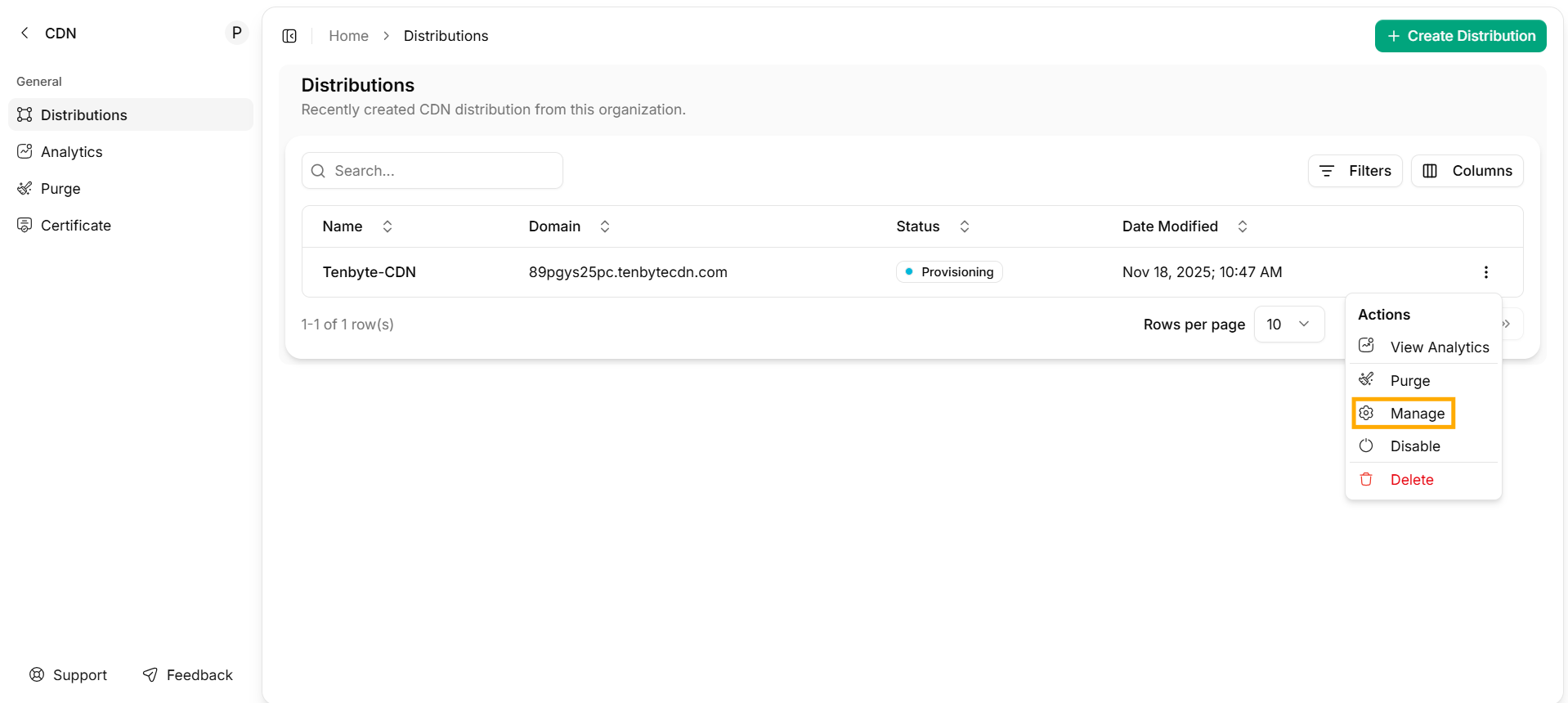 The detail dashboard opens. Pick **Overview** in the left sidebar.
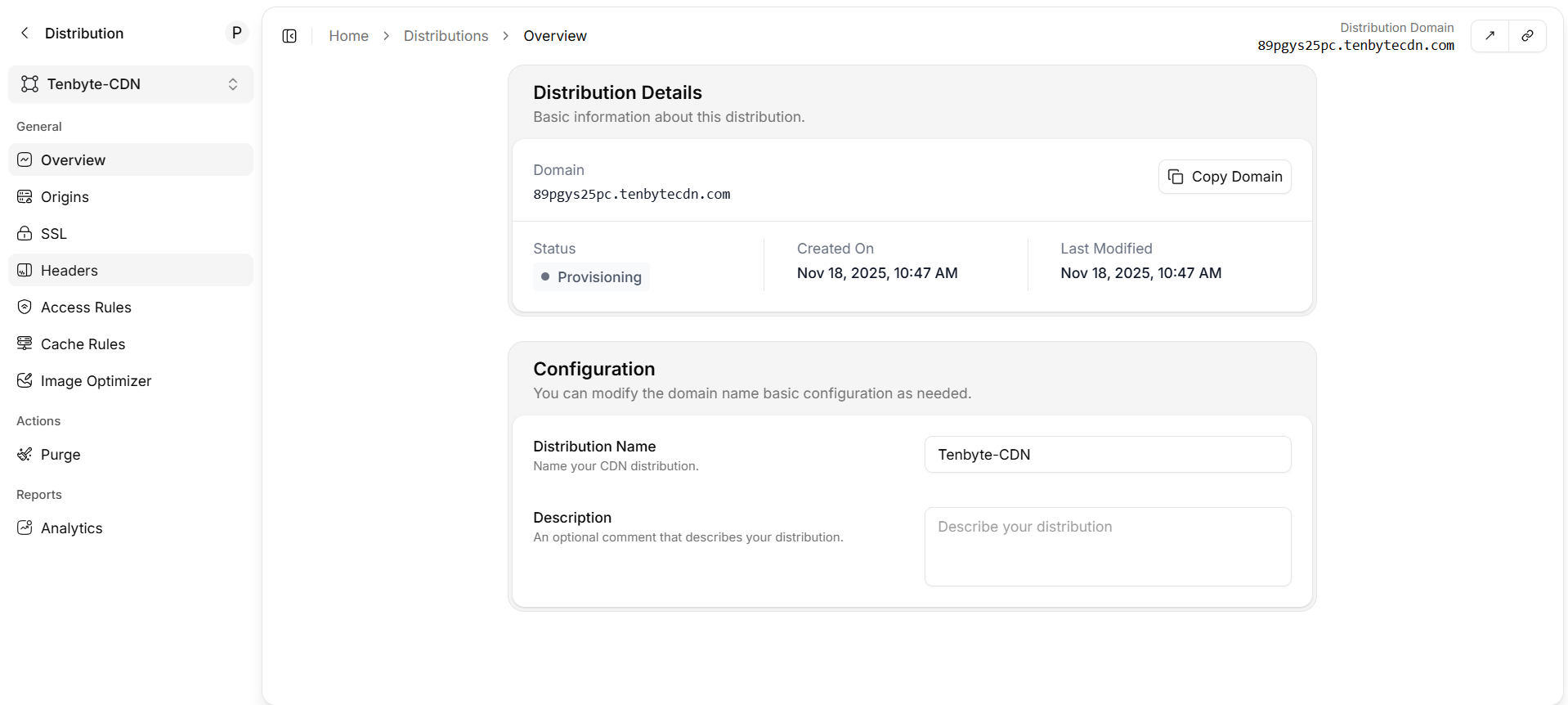 ## Distribution details
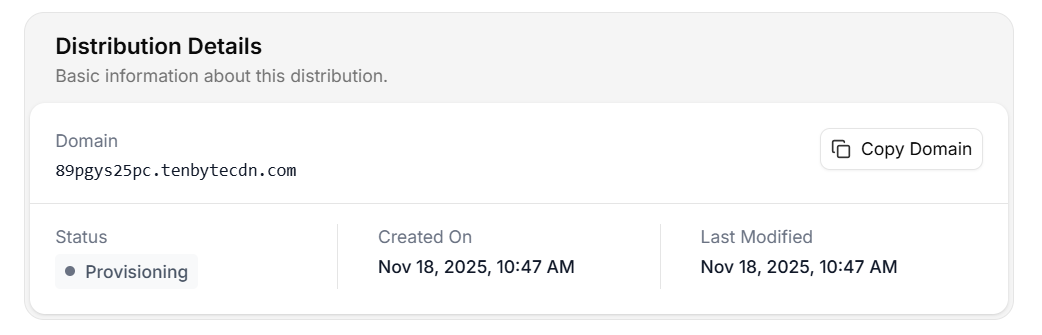 | Field | What it means |
| ----------------- | -------------------------------------------------------------------------------------- |
| **Domain** | The CDN hostname (system-generated or your custom one). Click **Copy Domain** to copy. |
| **Status** | Lifecycle state — see the table below. |
| **Created On** | Distribution creation timestamp. |
| **Last Modified** | Timestamp of the most recent config change (cache rules, headers, origin, etc.). |
### Status values
| Status | Meaning | Action |
| -------------- | ------------------------------- | ---------------------------------------------------- |
| `Provisioning` | Edge config is rolling out. | Wait — usually under a minute. Don't switch DNS yet. |
| `Deployed` | Active everywhere. | Safe to send traffic. |
| `Updating` | A config change is propagating. | Existing traffic is unaffected. |
| `Disabled` | Distribution is paused. | The hostname returns `503` until re-enabled. |
## Configuration
| Field | What it means |
| ----------------- | -------------------------------------------------------------------------------------- |
| **Domain** | The CDN hostname (system-generated or your custom one). Click **Copy Domain** to copy. |
| **Status** | Lifecycle state — see the table below. |
| **Created On** | Distribution creation timestamp. |
| **Last Modified** | Timestamp of the most recent config change (cache rules, headers, origin, etc.). |
### Status values
| Status | Meaning | Action |
| -------------- | ------------------------------- | ---------------------------------------------------- |
| `Provisioning` | Edge config is rolling out. | Wait — usually under a minute. Don't switch DNS yet. |
| `Deployed` | Active everywhere. | Safe to send traffic. |
| `Updating` | A config change is propagating. | Existing traffic is unaffected. |
| `Disabled` | Distribution is paused. | The hostname returns `503` until re-enabled. |
## Configuration
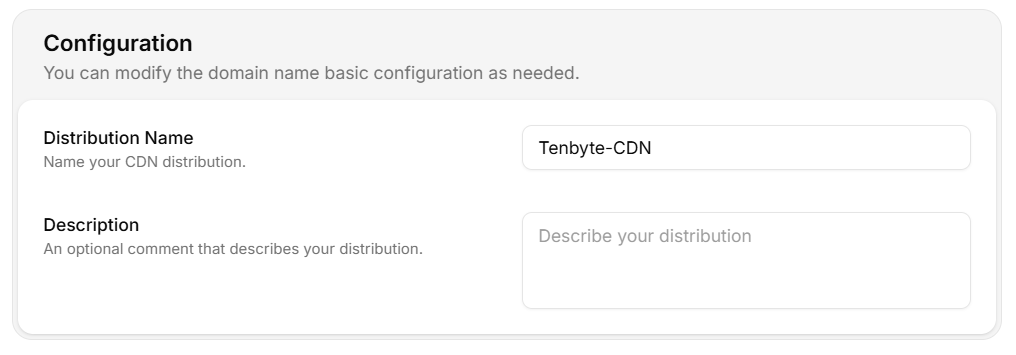 | Field | Notes |
| --------------------- | ------------------------------------------------------------------ |
| **Distribution Name** | Internal label. Changing this does not affect the public hostname. |
| **Description** | Free-text. Use it for owner / team / runbook links. |
## Inspect via API
```bash theme={null}
curl -sS "https://api.tenbyte.io/cdn/distributions/$DISTRIBUTION_ID" \
-H "Authorization: Bearer $TENBYTE_API_TOKEN" | jq '{name, domain, status, last_modified}'
```
Expected:
```json theme={null}
{
"name": "prod-web",
"domain": "your-distribution.tenbytecdn.com",
"status": "Deployed",
"last_modified": "2026-05-09T10:42:11Z"
}
```
Wire this into a healthcheck so deploys block on `Deployed`.
## Quick health checks
```bash theme={null}
# 1. Edge reachable?
curl -sSI "https://$CDN_HOST/" | head -1
# 2. TLS valid?
openssl s_client -connect "$CDN_HOST:443" -servername "$CDN_HOST" /dev/null | openssl x509 -noout -subject -dates
# 3. HTTP/2 / HTTP/3 negotiated?
curl -sS --http2 -o /dev/null -w '%{http_version}\n' "https://$CDN_HOST/"
```
See [SSL](/docs/cdn/distributions/ssl) and [Headers](/docs/cdn/distributions/headers) for tuning.
| Field | Notes |
| --------------------- | ------------------------------------------------------------------ |
| **Distribution Name** | Internal label. Changing this does not affect the public hostname. |
| **Description** | Free-text. Use it for owner / team / runbook links. |
## Inspect via API
```bash theme={null}
curl -sS "https://api.tenbyte.io/cdn/distributions/$DISTRIBUTION_ID" \
-H "Authorization: Bearer $TENBYTE_API_TOKEN" | jq '{name, domain, status, last_modified}'
```
Expected:
```json theme={null}
{
"name": "prod-web",
"domain": "your-distribution.tenbytecdn.com",
"status": "Deployed",
"last_modified": "2026-05-09T10:42:11Z"
}
```
Wire this into a healthcheck so deploys block on `Deployed`.
## Quick health checks
```bash theme={null}
# 1. Edge reachable?
curl -sSI "https://$CDN_HOST/" | head -1
# 2. TLS valid?
openssl s_client -connect "$CDN_HOST:443" -servername "$CDN_HOST" /dev/null | openssl x509 -noout -subject -dates
# 3. HTTP/2 / HTTP/3 negotiated?
curl -sS --http2 -o /dev/null -w '%{http_version}\n' "https://$CDN_HOST/"
```
See [SSL](/docs/cdn/distributions/ssl) and [Headers](/docs/cdn/distributions/headers) for tuning.